

Avast Clear
About Avast Clear
Ordinary programs uninstall through the ordinary route. Security software frequently does not, and the reason is deliberate rather than incompetent. Avast Clear exists for the occasions when that resistance turns into a machine you cannot clean up. It removes Avast products and nothing else, so it is a tool for one specific situation rather than a general uninstaller.
The explanation applies to every product in the category. A security suite is designed to survive attempts to remove it, since disabling protection is the first thing a great deal of malware tries. Drivers load early, services restart themselves, and components watch each other.
That self-protection works, and when an installation becomes damaged or an uninstall fails partway, the same mechanisms that resist malware also resist you.
It wants the minimal startup mode
Avast Clear asks to restart the machine into the mode loading only essential drivers and services, and it can perform that restart itself rather than making you find the setting.
The reason is straightforward. During normal operation the components being removed are running, their drivers are loaded and their files are locked, so anything trying to delete them is blocked. In the minimal mode those components are not started, which leaves them removable.
Accepting that prompt is the correct answer. Running the tool without it will appear to work and leave the parts that mattered exactly where they were. For ordinary programs that resist removal, a specialist uninstaller that traces what an installation created covers the same problem outside the security category.
What it actually removes
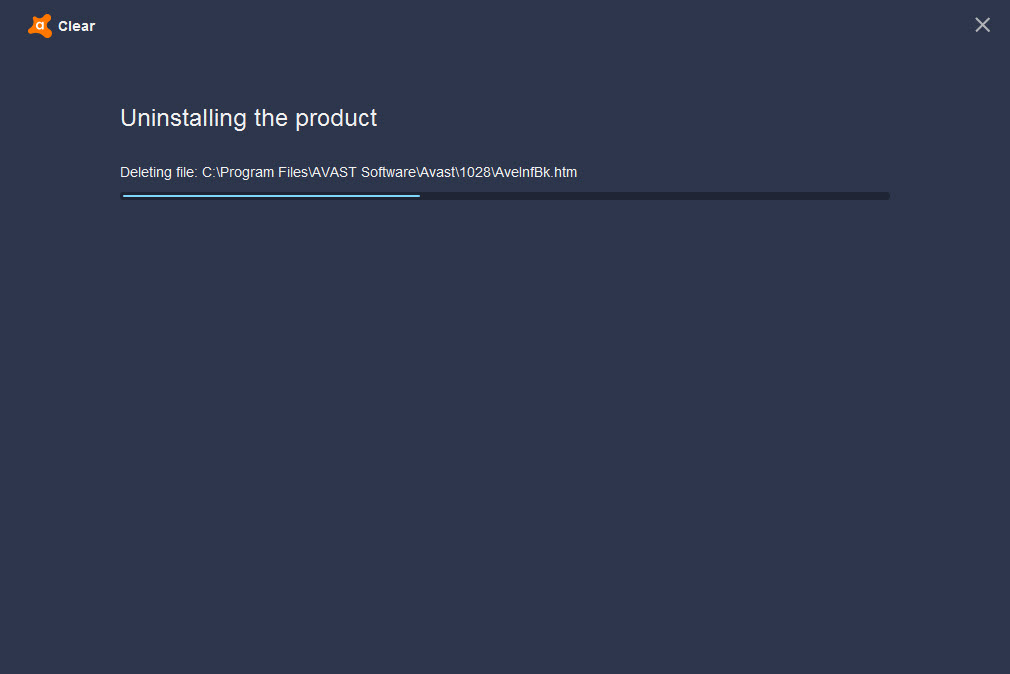
You select the product and confirm the folder it was installed into, which matters if it went somewhere other than the default. Avast Clear then removes files, folders, registry entries, drivers and services belonging to it.
Be aware of the scope. It removes Avast products broadly rather than surgically, so a machine running both the security suite and another Avast program loses both. Anybody keeping one of them should expect to reinstall it afterwards.
That includes the sibling security product, so AVG Antivirus sharing the machine will not survive the operation either.
Second resort, not first
The ordinary uninstall should always be attempted first, because it exists, it usually works, and it leaves less behind than people assume. Avast Clear is for the cases where that has already failed, where the installation is damaged enough that the uninstaller will not start, or where a previous removal left fragments that block a fresh installation.
That last case is the most common reason people find this tool. An installation refusing to proceed because it detects an existing version that no longer appears anywhere is exactly what a dedicated remover fixes.
What happens afterwards
Plan for this before running anything. When Avast Clear finishes, the machine has no resident protection at all, and stays that way until you install something.
That gap matters most on a machine staying connected while you decide what next. The system’s own protection normally takes over once third-party software is removed, and confirming it actually did is worth thirty seconds.
If the removal was prompted by suspecting something was wrong in the first place, scanning afterwards with a different engine is the logical next step, and Malwarebytes runs alongside whatever you install next without conflicting with it.
Reinstalling the same suite afterwards is a perfectly normal outcome. A clean removal followed by a fresh installation resolves a large share of the problems that led anybody here, and Avast One is what the current version of that product looks like.
Conclusion
Avast Clear is a small tool for one specific failure, and it fixes that failure reliably. When a security product will not uninstall, or has left enough behind to block a fresh installation, this removes the parts that ordinary methods cannot reach.
Treat it as the second attempt rather than the first, accept the restart into the minimal mode because skipping it defeats the purpose, and know that a second product from the same family will go with it. Have a plan for what protects the machine afterwards, even if that plan is reinstalling the same suite cleanly, which is what a great many people come here to do.
Pros & Cons
- Removes components that resist the ordinary uninstall by design
- Offers to restart into the minimal startup mode itself rather than explaining how
- Clears registry entries, drivers and services rather than only files
- Fixes the common case where a fresh installation is blocked by remnants
- Small and single-purpose, with nothing to configure
- Removes Avast products broadly, so a second Avast program on the machine goes too
- Leaves the machine without resident protection until something is installed
- Handles Avast products only, so it does nothing for any other security software
- Needs a restart into the minimal mode, which cannot be skipped meaningfully
- A last resort rather than a routine tool, which is easy to forget
Frequently asked questions
When the normal uninstall has already failed, when the installation is damaged enough that it will not start, or when a fresh installation refuses to proceed because it detects remnants of a version that no longer appears installed.
Because the components being removed are running during normal operation, with drivers loaded and files locked. In the mode that starts only essential services those components are inactive, which is what makes them removable.
Only Avast products, and it removes those broadly rather than selecting one. Security software from other brands is untouched entirely, and a second Avast program will go alongside the one you intended to remove.
Yes, until something else is installed. The system's own built-in protection normally activates once third-party software is gone, and confirming that before going back online is worth the few seconds it takes.


