

CrapFixer
About CrapFixer
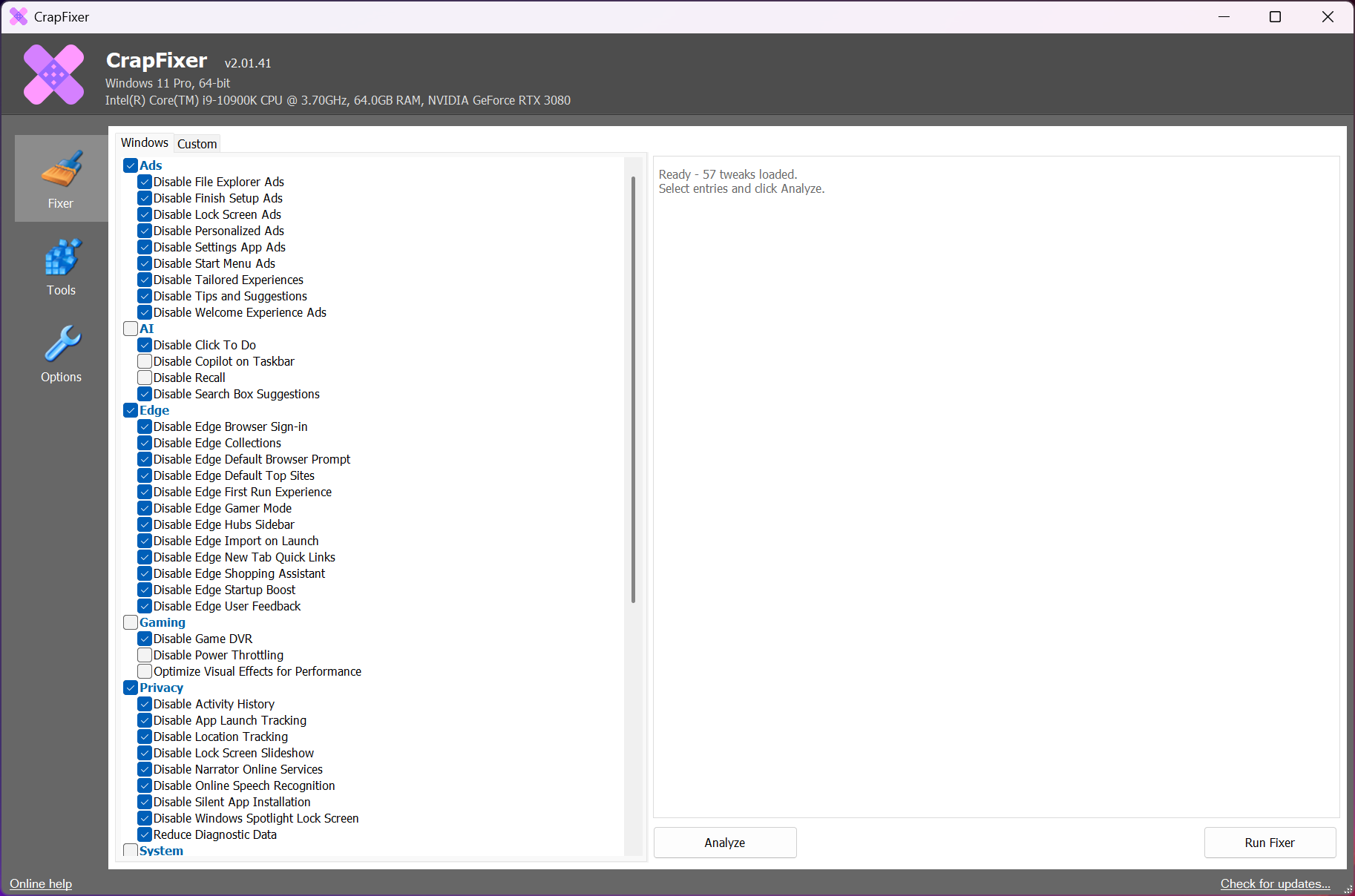
Every debloating tool presents the same thing, which is a long list of switches covering everything the system could be configured to do. You work through them deciding what to change, with no indication of what is currently set. CrapFixer inverts that by scanning first and offering to fix only what it actually found.
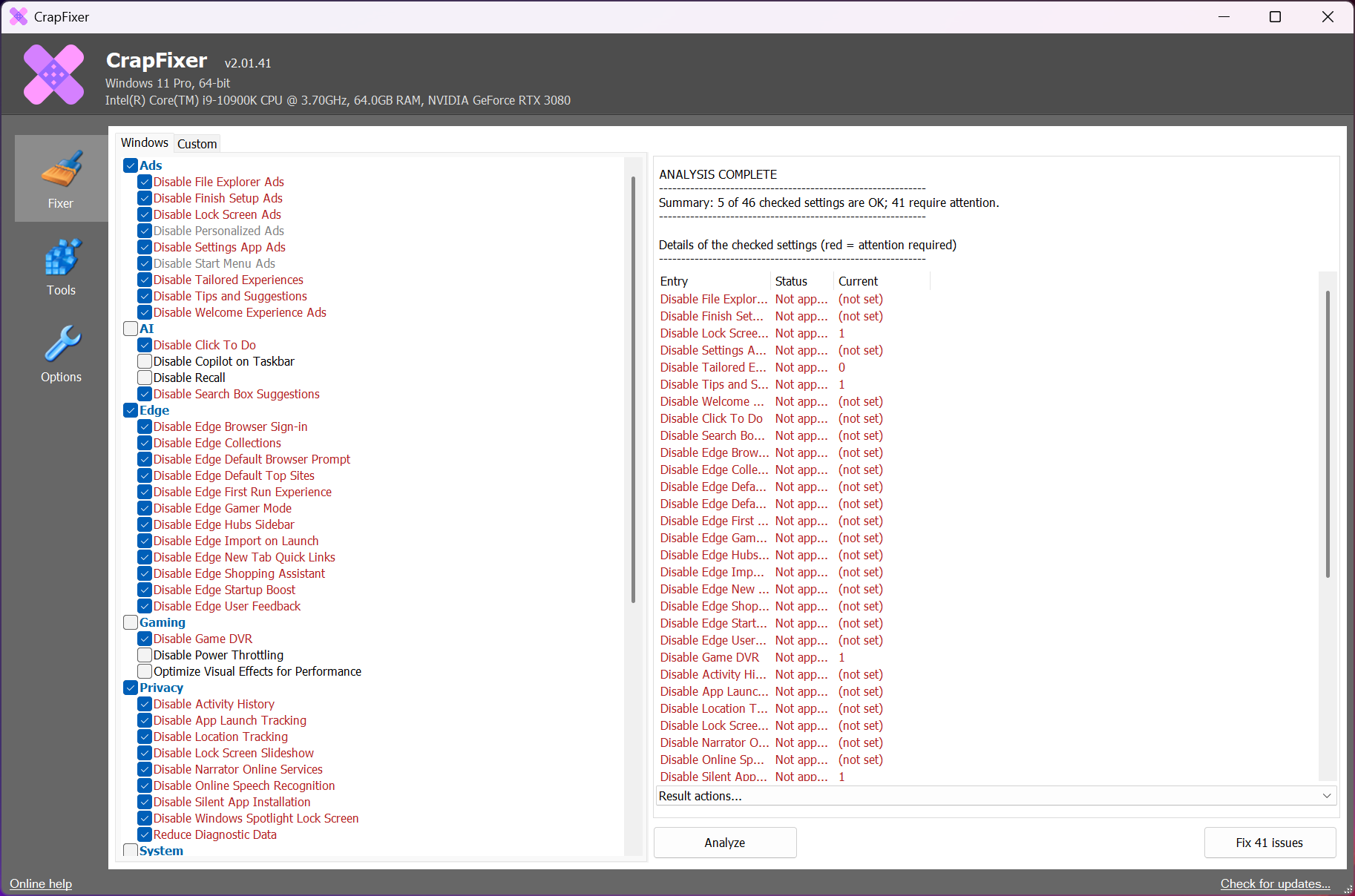
The difference matters more than it sounds. A static list of four hundred toggles tells you what is possible. A scan tells you that on this machine, right now, eleven things are configured in ways you probably did not choose, and offers to change those.
The result is a single action labelled with a count of the issues found, generated from the scan rather than presented in advance, which turns an afternoon of reading toggles into a decision you can actually make.
What it goes after
CrapFixer targets the things nobody chose and cannot easily remove. Preinstalled applications, including the ones that reappear after a feature update. Promoted content in the start menu and on the lock screen. Telemetry and diagnostic reporting. The assistant and its hooks throughout the interface. Browser configuration defaults. Tips, suggestions and notifications that arrive uninvited.
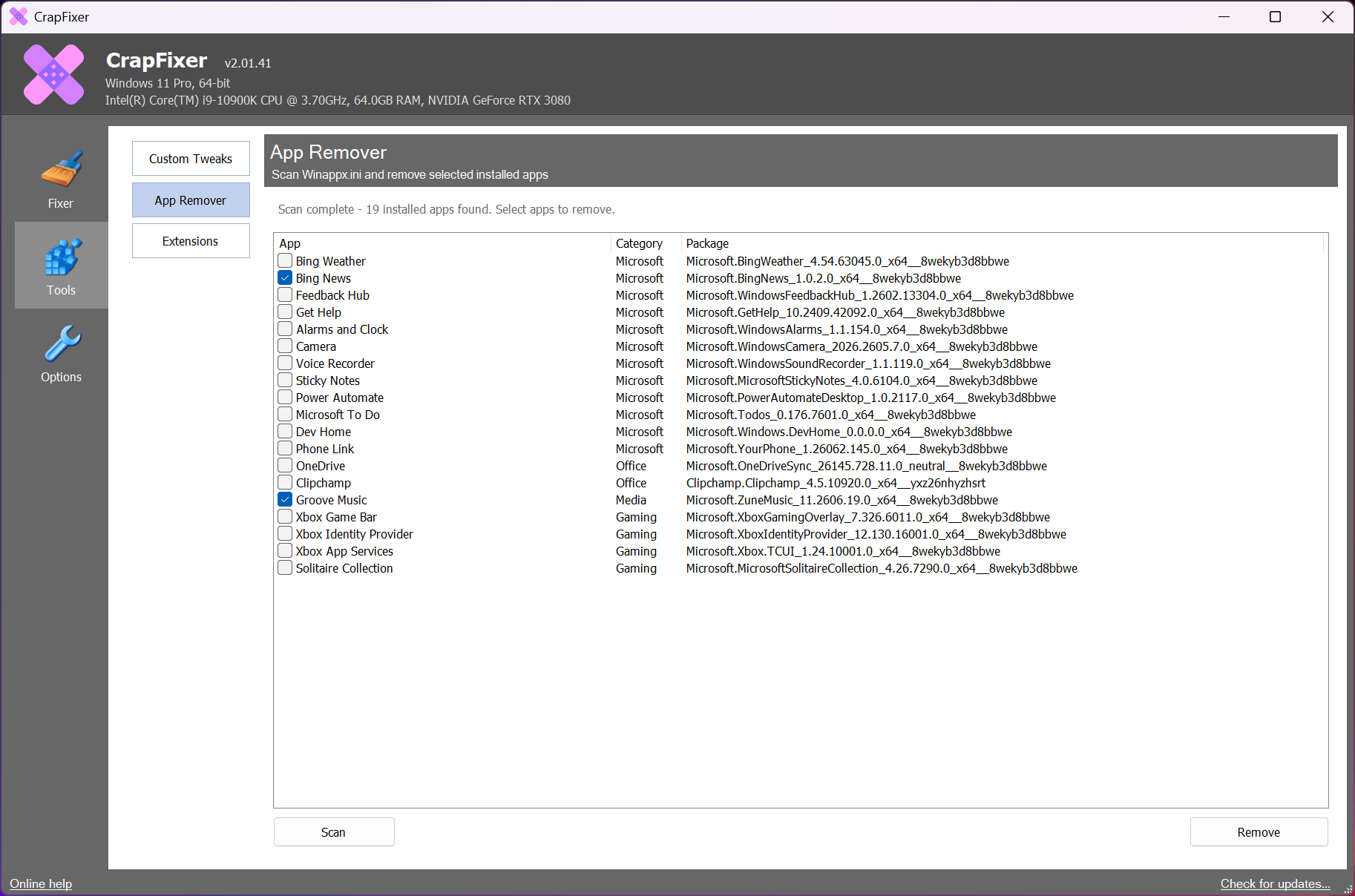
Removal is genuine rather than cosmetic for the bundled applications, which are uninstalled rather than hidden from view.
Being clear about the scope, this is not a disk cleaner. It changes configuration and removes software rather than sweeping temporary files, and BleachBit is the tool for that other job.
The tweak database, and why it is not hardcoded
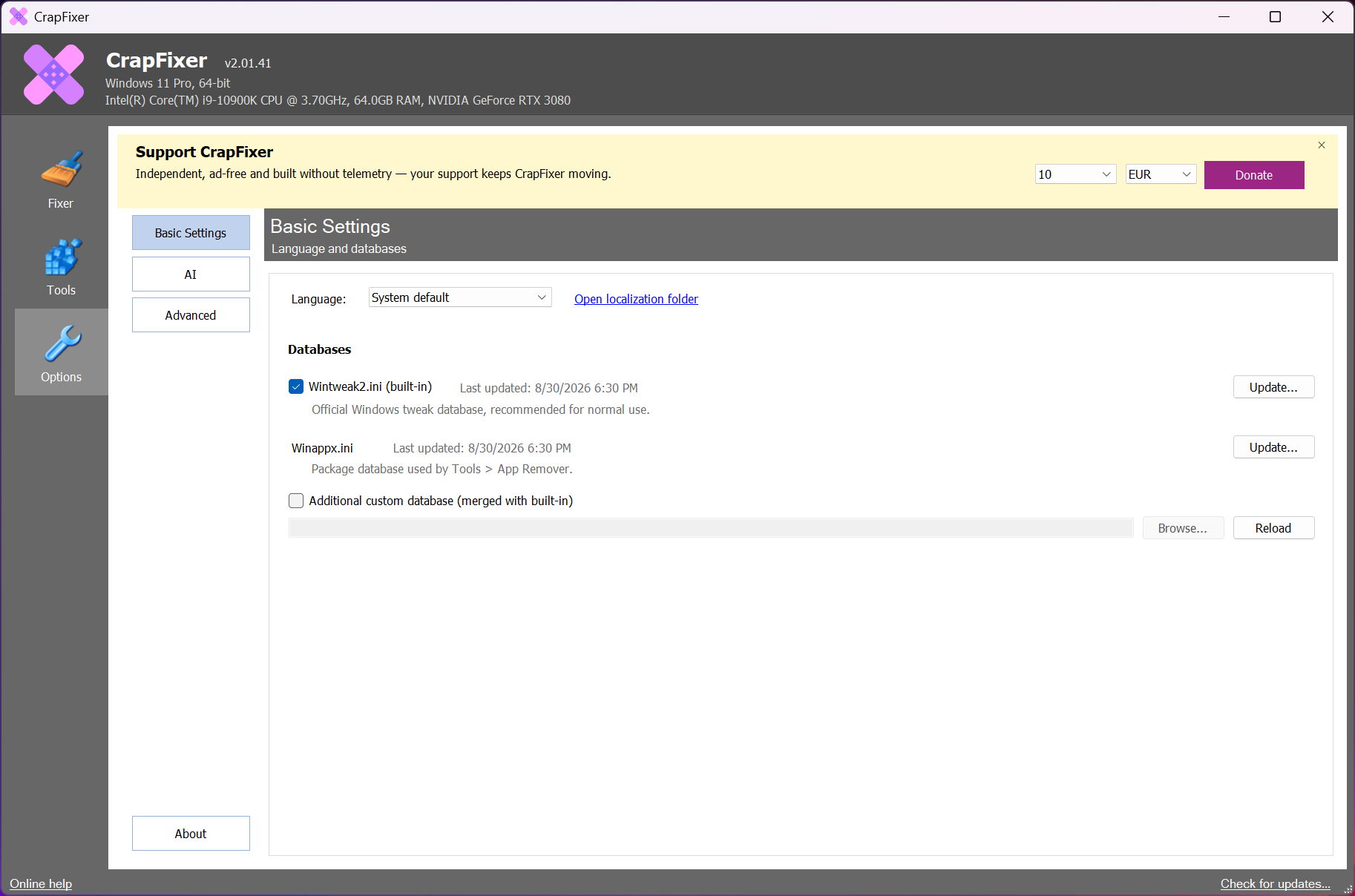
Underneath, CrapFixer defines its changes in a data file rather than writing them into the program. That sounds like an implementation detail and has two visible consequences.
The first is that the tool adapts. New promoted features and new settings appear with every system update, and a data-driven definition can be extended without rebuilding anything.
The second is that the definitions are open to inspection and extension by anybody who wants to add or correct one. For a category where the usual complaint is that nobody knows exactly what a tool changed, having the changes described in a readable file rather than buried in code is a meaningful difference.
Restoring, which is where the trust comes from
CrapFixer offers to create a restore point before anything is applied, rather than burying the option.
Beyond that, CrapFixer records what it changed and provides a restore function in the main window, so an individual change can be undone without reversing everything or rolling the machine back to a snapshot.
That combination is the right design for software whose entire purpose is modifying a working system. The comparison worth making is with ShutUp10, which takes the same care with a much smaller and more curated set of settings.
At the other extreme sits a tool offering vastly more reach and correspondingly more opportunity to break something. This one sits between them by scanning rather than listing, which is a different approach to the same problem.
Cautious by default, with the risky parts marked
The CrapFixer recommended changes are the non-disruptive ones. Riskier tweaks exist, are available, and carry warnings, which is the correct arrangement for a tool that a curious person will run on a machine they depend on.
Explanations accompany the changes, so somebody who does not recognise a setting can read what it does before agreeing to it. That addresses the specific failure where people apply everything, break something, and cannot work out which change caused it.
One honest note about telemetry specifically. Reducing diagnostic reporting is what most people come here for, and that reporting is also how the system’s makers identify problems affecting particular hardware. Switching it off is a defensible choice and it is a choice rather than a pure gain.
It has to be run again
Feature updates undo CrapFixer work, restoring defaults, reinstalling removed applications and reintroducing promoted content. That is not this tool failing, it is the system doing what it was designed to do.
The practical routine is therefore periodic rather than permanent. Run the scan after each major update, apply what it found, and accept that this is maintenance. The scan-first design suits that pattern particularly well, since a second run shows you exactly what came back rather than making you check four hundred toggles again.
For the applications themselves rather than the settings, Bulk Crap Uninstaller removes software thoroughly including the remnants, and handles a batch in one pass.
Conclusion
CrapFixer improves on a crowded category through one good decision, which is scanning before suggesting. Knowing that eleven specific things on your machine are set in ways you did not choose is far more useful than a list of four hundred things that could be changed, and it makes the tool usable by somebody who would never work through the alternative.
The rest of the design supports that well. Restore points offered rather than buried, individual changes reversible, risky tweaks marked, and explanations attached to settings. Treat it as maintenance rather than a one-time fix, run it again after each major update, and understand that reducing diagnostic reporting is a trade rather than a free improvement.
Pros & Cons
- Scans first and offers to fix what it found, rather than presenting a static list
- The action carries a count of actual issues, generated from your machine
- Bundled applications are removed rather than hidden
- Changes are defined in a readable data file instead of being written into the program
- Restore point offered before applying, with individual changes reversible afterwards
- Riskier tweaks are marked and separated from the recommended ones
- Explanations accompany settings, so nothing needs applying blindly
- Portable, with no installation required
- Feature updates undo much of the work, so this is periodic maintenance
- Reducing diagnostic reporting also reduces what reaches those fixing problems
- The riskier tweaks are available, and nothing prevents somebody applying them
- Not a disk cleaner, despite the category it appears in
- Removed applications can return after a major update
Frequently asked questions
It scans the machine first and generates an action covering only the issues it actually found, rather than presenting everything that could be configured. That turns a long reading exercise into a decision about a specific list.
Yes, in two ways. A restore point can be created before anything is applied, and the program records its own changes so an individual one can be reversed from the main window without rolling anything else back.
No. It changes configuration and removes bundled software, which is a different job from sweeping caches and temporary files. A dedicated cleaner covers that side.
Not all of them. Feature updates restore defaults, reinstate promoted content and sometimes reinstall applications that were removed, which is why running the scan again after each major update is the expected routine.
The recommended set is deliberately conservative and the riskier changes are marked separately. Applying the recommended items is straightforward, and working through the marked ones deserves reading the explanation attached to each first.


