

Bloxstrap
About Bloxstrap
The standard Roblox launcher does one thing, launches Roblox, and offers precisely zero opinions about how. Bloxstrap replaces it with a launcher that has opinions everywhere, an editor for the engine’s hidden FastFlag settings, a mod system that survives every update, Discord Rich Presence that shows friends what you’re playing, and activity tracking that reveals which server you actually landed on.
The game stays untouched. Everything around it becomes yours.
One clarification belongs in the first breath, because confusion follows this tool around. This is not an exploit, a script injector, or a cheat platform. It operates strictly at the launcher level, adjusting configuration before the game loads and reapplying your cosmetic mods after updates, and it never asks for your account cookie or credentials.
The customization is real, and it lives entirely outside gameplay.
FastFlags, the engine’s hidden dashboard
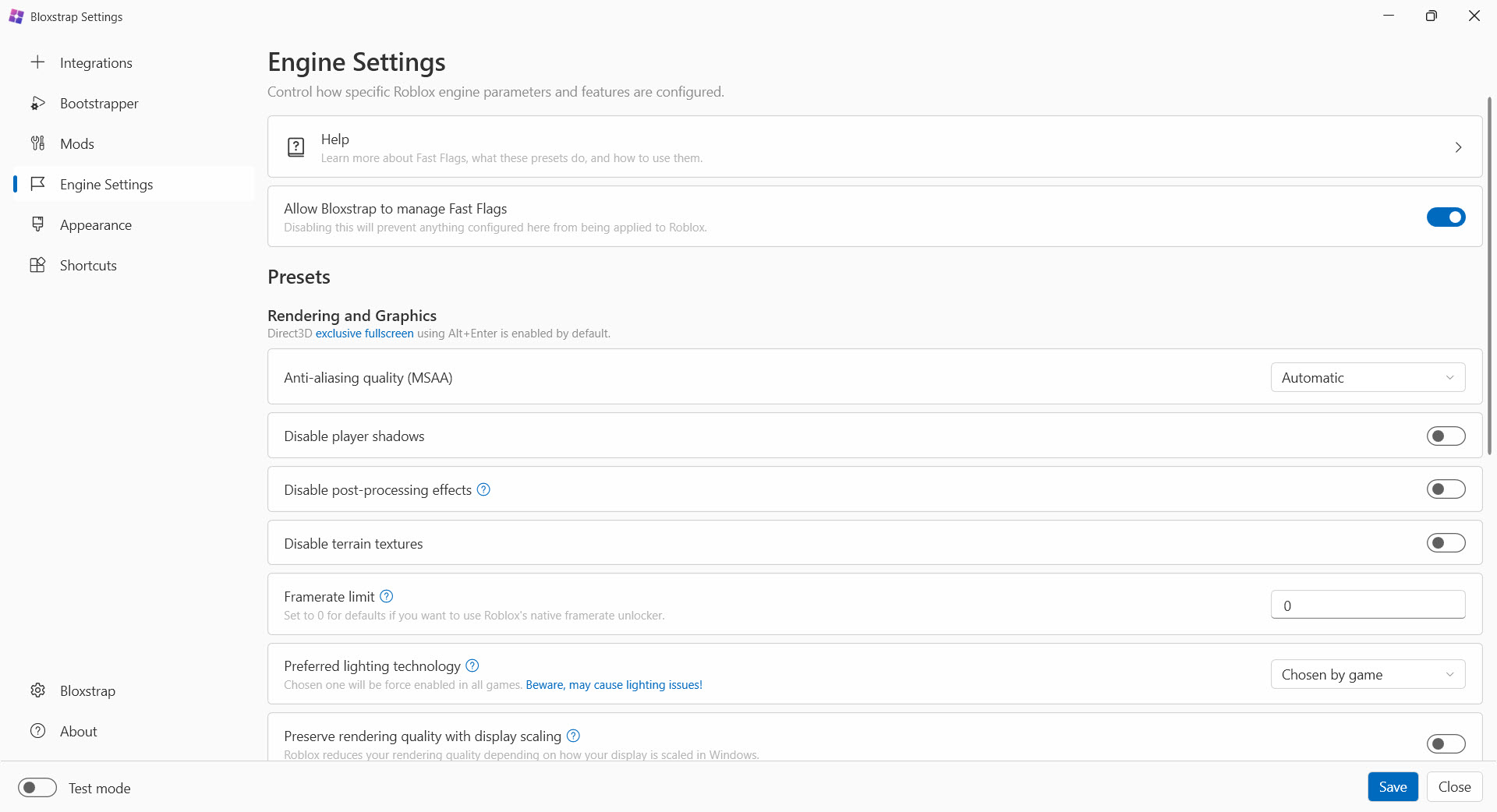
Roblox’s engine runs on thousands of internal switches called FastFlags, the levers its own engineers use to test rendering, networking, and feature rollouts. Bloxstrap exposes them through a built-in editor with search, presets, and a one-click return to defaults, which turns engine tuning from risky file surgery into a settings menu.
What players actually do with it is unlock the frame rate to match a high-refresh monitor, trim visual effects for smoother play on aging hardware, and adjust rendering behavior the normal settings never mention. The sensible method is the modest one, change one thing, test, keep or revert. A pile of twenty flags applied at once turns troubleshooting into archaeology.
One honest asterisk shades this whole section. Roblox has started whitelisting which flags the client will accept, so the menu of effective tweaks narrows over time, and a flag that worked last season may quietly do nothing next.
The editor remains the best way to manage what still works, but its ceiling is set by Roblox, not by this launcher.
Mods that outlive every update
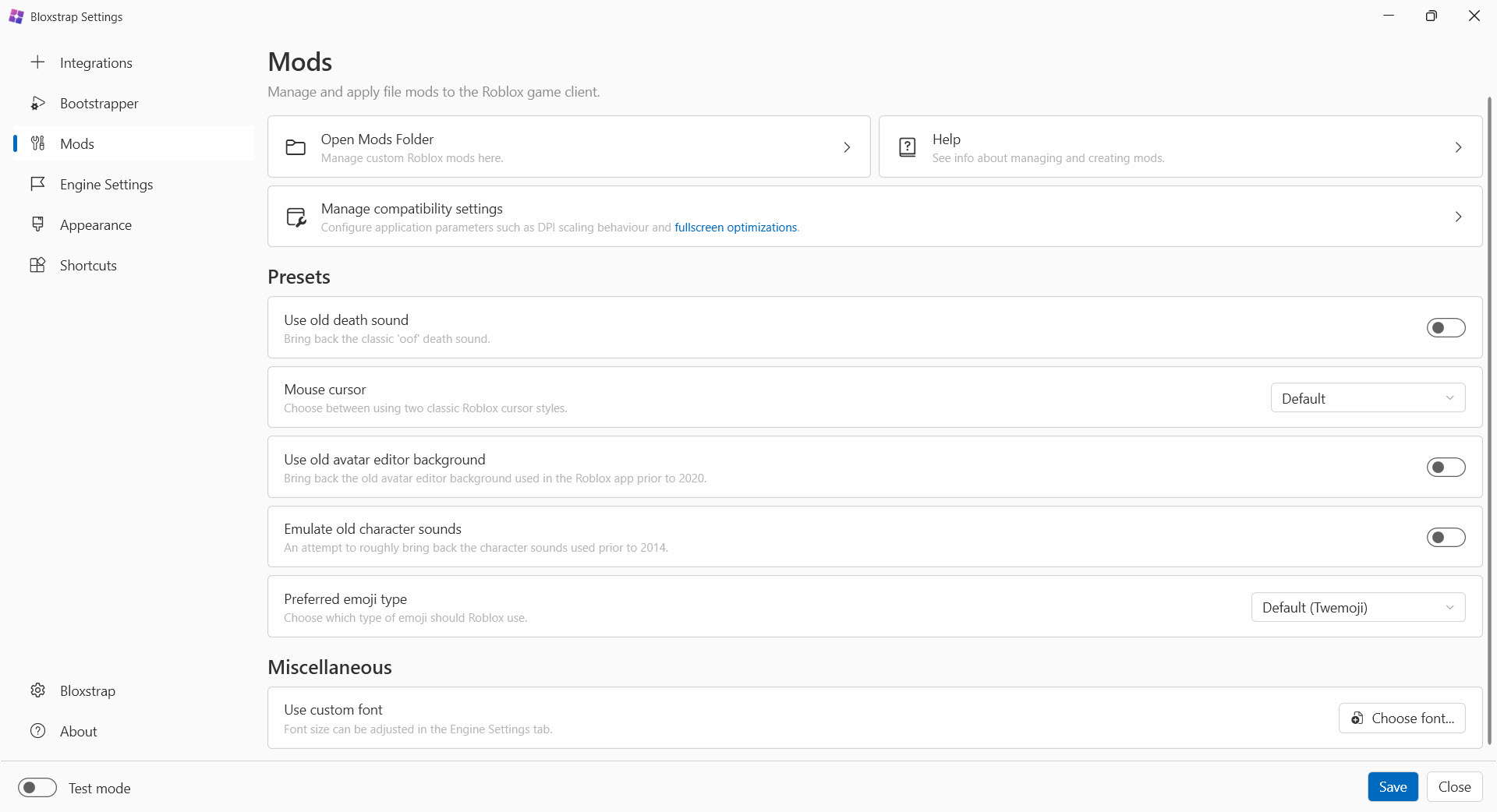
The classic frustration with customizing Roblox is that the official launcher overwrites everything at each update, resetting your changes weekly. This launcher’s mod manager wins that war by reapplying your modifications every time it starts.
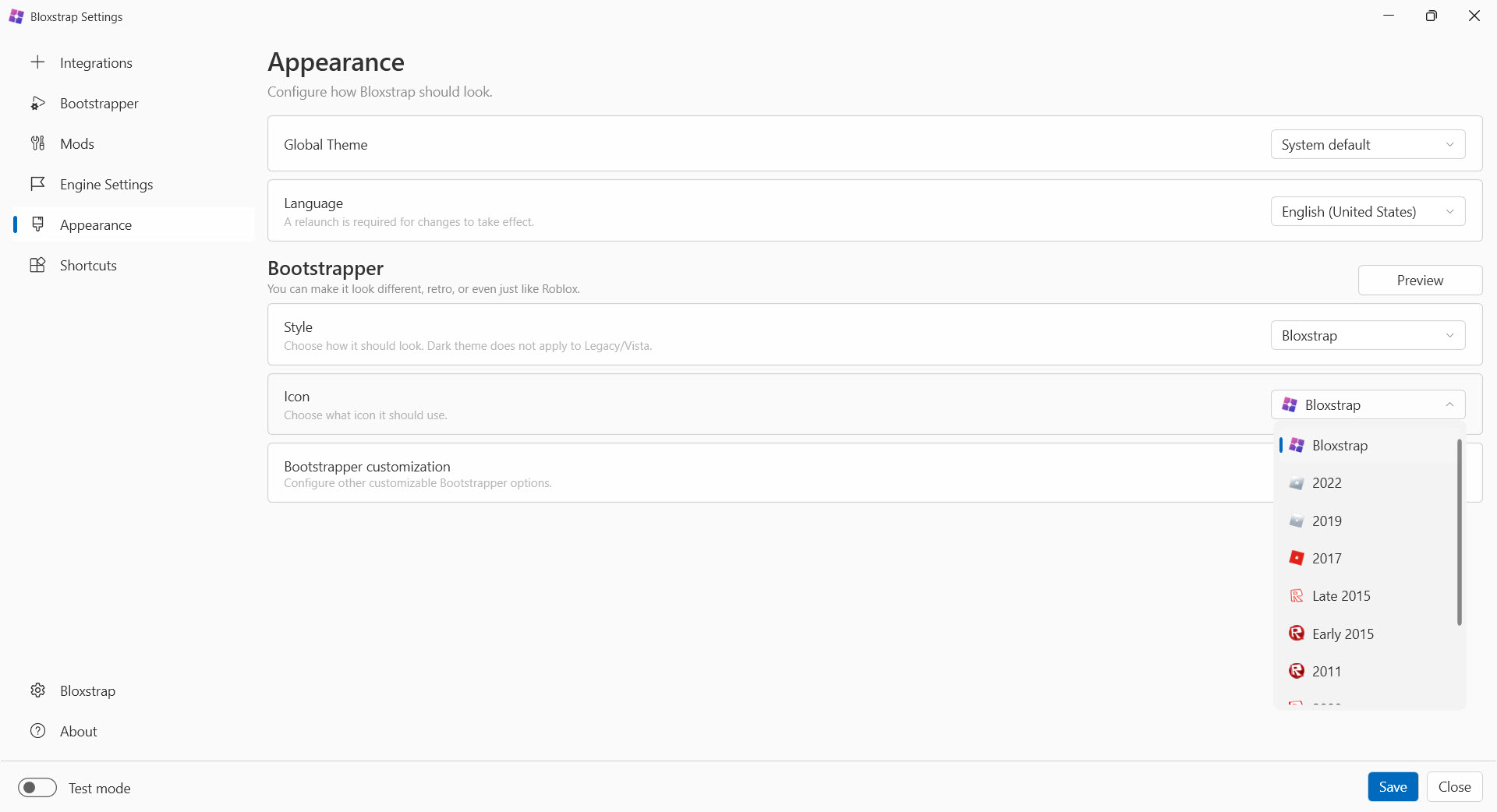
The beloved old death sound comes back and stays back, custom cursors, fonts, and interface reskins persist through patch after patch, and removing everything later is one toggle, not a reinstall.
It’s cosmetic freedom with guardrails, the game’s actual logic and content remain the server’s business, which is exactly why this kind of modding sits on the safe side of the line that script injection crosses.
Rich Presence, server details, and the social layer
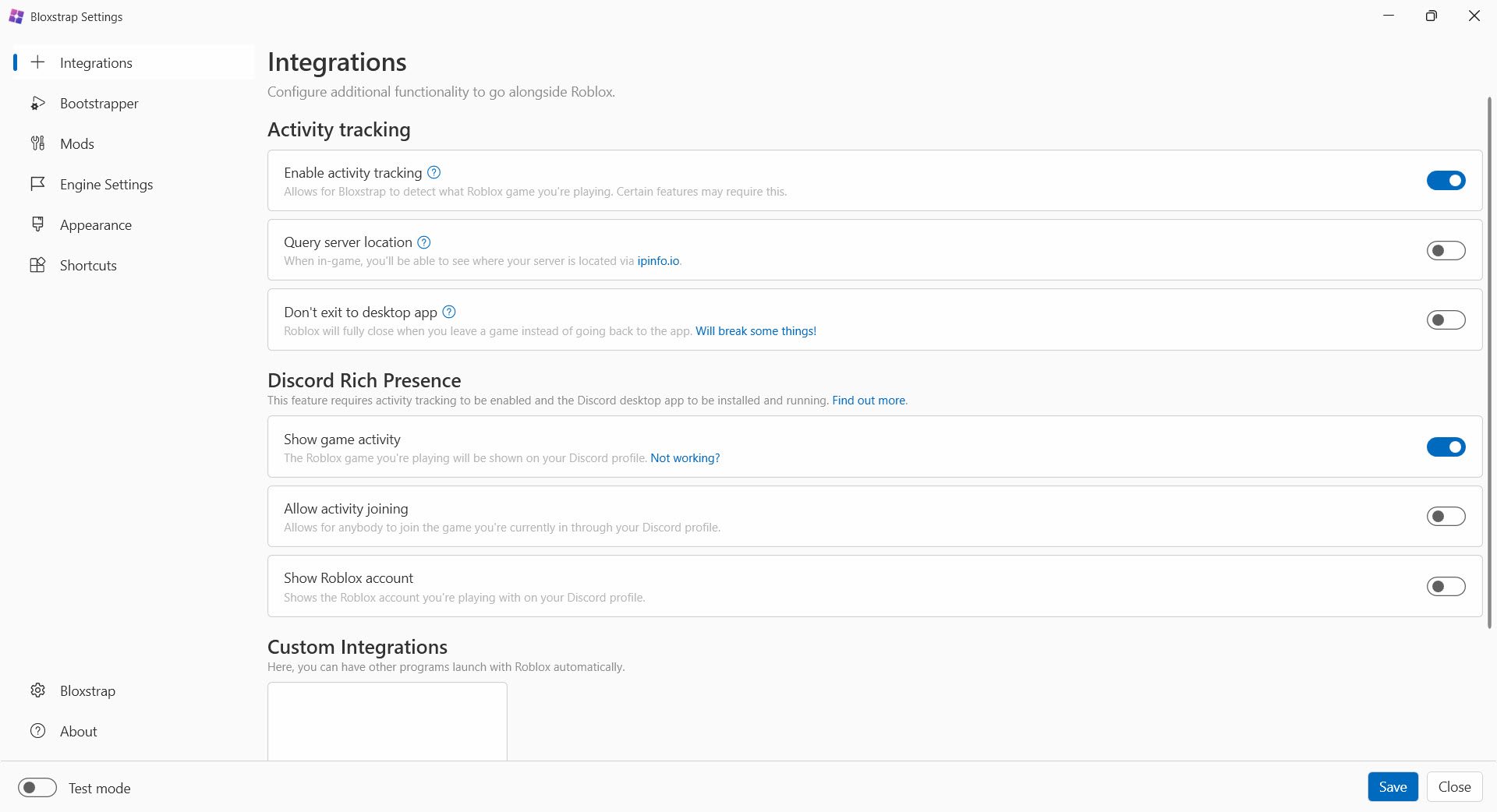
The integration with Discord upgrades your status from “playing Roblox” to the specific game, time elapsed, and a join option friends can click. For the group that coordinates evening sessions in a voice channel anyway, that’s the difference between “what are you in?” messages and simply appearing where your friends are.
Activity tracking serves the more competitive instinct. It identifies the region of the server you’ve joined, which explains at a glance why tonight’s session feels laggy, and gives you grounds to rejoin hunting for something closer.
Ping is geography, and this feature finally shows you the map. The same tracker feeds the Rich Presence and surfaces an instance identifier that helps when reporting server-specific problems.
What was removed, and what to expect
Truthful inventory time. The multiple-instances feature, once a headline draw for players running two accounts side by side, was discontinued after persistent reliability problems, and its replacement is a lighter custom-integration system that launches companion programs alongside the game instead. Anyone arriving specifically for multi-instance play should know it’s gone before installing.
The other expectations to set are small. The launcher needs a .NET runtime present, first-time setup must run once so game links route through it, and an overly enthusiastic FastFlag session is the usual culprit behind visual glitches, cured by resetting flags to defaults.
Players who enjoy measuring their gains can pair the unlocked frame rate with an overlay like MSI Afterburner and watch the numbers move.
And creators who spend their time building rather than playing will find the launcher coexists peacefully with Roblox Studio, which it leaves entirely alone.
Conclusion
Bloxstrap is for the Roblox player who has outgrown the defaults. The high-refresh-monitor owner tired of the frame cap, the nostalgia modder who wants the old sounds back permanently, and the social player whose friends live on Discord are all served here. It delivers all of that from the safe side of the modding line, openly and reversibly.
The flag-whitelisting era means its tuning powers shrink rather than grow, and the multi-instance crowd has already had to say goodbye. What remains is still the definitive way to make the platform feel like your own, and for millions of players, that’s exactly enough.
Pros & Cons
- FastFlag editor with search, presets, and one-click restore to defaults
- Mods, custom sounds, and cursors persist automatically through game updates
- Discord Rich Presence shows the exact game with a join option
- Server region tracking explains lag and guides rejoining
- Operates at launcher level, with no account cookie and no injection
- Fully open source and removable without harming the game install
- Roblox's flag whitelisting steadily narrows what tweaks still work
- Multiple-instances support was removed and isn't coming back
- Careless flag combinations cause glitches until defaults are restored
- Requires a runtime prerequisite and a one-time handler setup
Frequently asked questions
Internal engine switches Roblox uses for testing and rollouts. The built-in editor lets you override them locally for things like frame rate unlocking and performance trims, with a one-click return to defaults.
Yes, that's the point of its mod manager. Modifications are reapplied at every launch, so custom sounds, cursors, and interface changes persist through official updates instead of being wiped.
No. It works at the launcher level, changing configuration and cosmetics before the game loads, without injecting scripts, altering gameplay, or touching your account credentials.
Not anymore. The multi-instance feature was discontinued due to reliability problems, replaced by custom integrations that launch companion apps alongside the game.
Roblox has been whitelisting which FastFlags the client accepts, so individual flags can lose effect after updates. Resetting to defaults and reapplying only current, known-good flags is the fix.


