

VirtualDub
About VirtualDub
VirtualDub cuts and filters video one frame at a time, and re-encodes it when asked, and it does the first of those without touching a single pixel. Open an AVI, mark the start and end of the part you want, choose Direct Stream Copy, and save. The new file is written in seconds, because the video data is copied exactly as it was rather than decoded and encoded again.
Switch to full processing and a chain of filters runs over every frame, from resizing to noise cleaning, before the result goes to whatever codec you pick. A capture mode records from a video device straight to disk, which is how so many home videotapes were moved onto computers.
It is not a timeline editor. VirtualDub has one video track and one audio track, no transitions and no titles, and it was built that way on purpose, to be the fast and exact tool that the big editors are not. Development of the original stopped long ago, and a community continuation has carried the same design forward with modern formats and encoders. The copy on this page is the classic program, which still does its original jobs exactly as it always did.
The sections below take each part in turn and end with where the continuation and the modern editors take over.
Frame-accurate cutting
The VirtualDub window shows the source on the left and the result on the right, with a timeline under them. A row of buttons steps by frame, jumps to key frames and sets the selection’s start and end. Mark In, Mark Out, and the selection is the part that will be saved or deleted. Delete the ranges you do not want and the remaining frames save as one file.
That exactness is the reason the program survived. A long recording loses its first ten minutes and a stretch in the middle, the frames are chosen to the one, and the result keeps the original quality. The audio can be cut with the video, replaced from a separate file, or removed.
For the same lossless cutting with modern containers and a simpler window, a current lossless cutter is the tool built around that single job.
Direct Stream Copy
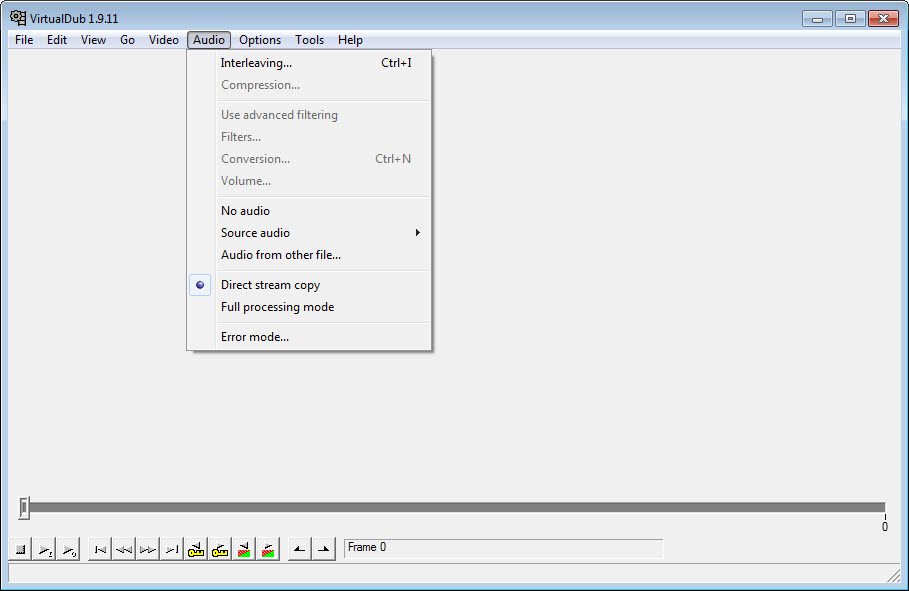
Direct Stream Copy is the setting that makes VirtualDub a different sort of tool. In that mode the video stream is copied from source to output without being decoded. A cut, a join or an audio swap finishes in the time it takes to write the file, with no loss of quality. Cut points fall on key frames, since a frame that depends on an earlier one cannot start a file.
The other video modes trade that speed for change. Fast Recompress decodes and re-encodes without filters, Normal Recompress allows a change of frame rate and colour depth, and Full Processing Mode runs the filter chain and is the only mode in which filters apply.
Choosing the wrong mode is the commonest reason a beginner’s filters appear to do nothing. The audio stream has its own set of the same modes.
Filters and plugins
Full Processing Mode opens the VirtualDub filter chain. The built-in set covers resizing with bilinear and bicubic resampling, deinterlacing, cropping, levels, blur and sharpen, among others, each previewed on the output pane as you adjust it. Filters stack in order.
The plugin interface is where the depth lives. Hundreds of third-party filters have been written for it, many of them for cleaning analogue video, from removing noise and repairing the colour bleeding of old tapes to stabilising shaky footage. They drop into the plugins folder and appear in the list. A number of the best were never ported past the 32-bit build, which is one reason that build is still kept around.
The program also opens scripts from a frame-serving language, so a script that assembles and filters video elsewhere can be previewed and encoded here. For a guided restoration of old footage using that scripting engine, VideoCleaner wraps the same approach in a friendlier shell.
Capture
The VirtualDub capture mode takes video from a device the system recognises, a capture card, a webcam or a digitiser fed by a videotape player, and writes it to disk as AVI. A histogram and a level meter show whether picture and sound are within range, dropped frames are counted, and the capture can stop automatically on a time, a size or a dropped-frame count. Large captures spill across several files, and a second drive can take the overflow.
Fractional frame rates are honoured, so broadcast material captures at its true rate rather than a rounded one. Real-time noise reduction and field swapping can run during capture. There is no device control for digital camcorders and no batch capture, so a tape is captured by pressing play and record together, which is how most tapes were digitised in the first place.
Batch jobs
Every VirtualDub operation can be saved as a job and queued. Set up the cut and the filters for one file, add it to the job list, repeat for the rest, and run the queue overnight. The jobs are stored as scripts in the program’s own language, which can be edited by hand or generated by another tool. The whole program can be driven from the command line for anyone who processes video in bulk.
That is how a folder of tapes becomes a folder of cleaned files overnight.
Where the continuation and the modern editors take over
The classic VirtualDub reads AVI and a few older formats and writes AVI, with the encoders installed on the system doing the compression. It does not open MP4 or MKV, it has no hardware encoding and it has not had a release in a long time.
The community continuation keeps the interface and adds modern containers, high bit depth, multi-threaded processing and GPU encoders, and it is where anyone starting fresh should look. For converting the output to a modern format with modern codecs, HandBrake does that job.
What remains for the classic program is what it did first, exact lossless work on AVI, its filter library and the capture of tapes. On those jobs it has never been replaced, only continued.
Conclusion
VirtualDub suits anyone who needs exact, fast work on AVI files, from a cut that keeps the original quality to a filter chain that cleans a digitised tape. It suits anyone capturing old tapes through a device built for the job. Direct Stream Copy, the filter library and the batch queue are what it does that the timeline editors do not.
It is AVI-bound, single-track and finished, with the continuation carrying its design into modern formats. Set the right video mode, learn the filter chain, queue the jobs, and the classic still does its original work exactly.
Pros & Cons
- Frame-accurate cutting with a two-pane preview and key frame navigation
- Direct Stream Copy saves cuts and audio swaps in seconds with no quality loss
- Filter chain with resizing, deinterlacing and colour tools, previewed live
- Hundreds of third-party filters, many for restoring analogue video
- Capture from devices to AVI with histogram, level meter and dropped-frame stop
- Batch job queue with scripting and command-line control
- AVI in and out only, with no MP4 or MKV in the classic program
- Single video and audio track, with no timeline, transitions or titles
- Filters apply only in Full Processing Mode, which confuses beginners
- No new releases of the classic program, and no hardware encoding
Frequently asked questions
The video mode is set to Direct Stream Copy or a recompress mode. Switch to Full Processing Mode, the only mode in which the filter chain applies.
Yes. In Direct Stream Copy mode the video is copied rather than re-encoded, so a cut saves in seconds with the original quality. Cut points fall on key frames.
The classic program does not. It reads and writes AVI and a few older formats. The community continuation adds the modern containers.
Yes. The capture mode records from a capture device to AVI, with a histogram, a level meter and automatic stops on time, size or dropped frames.


