

ZHPCleaner
About ZHPCleaner
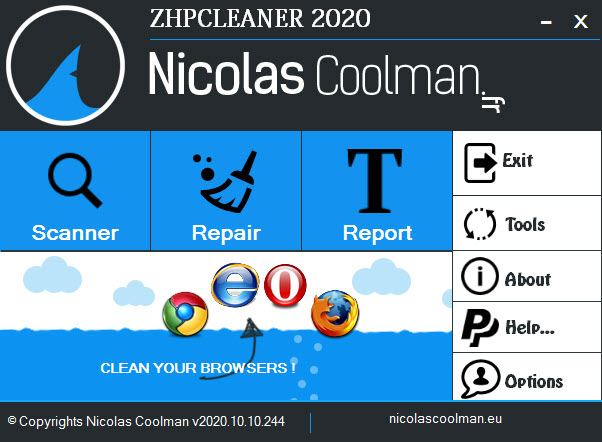
Now let me check the filecroco product catalog for relevant internal links.Adware and browser hijackers don’t behave like classic viruses. They quietly swap your search engine, hijack new tab pages, plant rogue extensions, and rewrite your hosts file. ZHPCleaner is a free utility built for exactly this category of nuisance, and nothing else. It scans for the residue left by toolbars, PUPs (potentially unwanted programs), and search redirects, then offers to clean each item one by one.
You won’t find real-time shields or signature databases trying to compete with broader scanners like Malwarebytes. What you get is a fast, targeted sweep of the spots adware actually colonizes, paired with a repair function for the browser settings those infections tend to mangle. It’s the kind of tool you reach for after a careless freeware install, not something that sits in the tray running checks all day.
Targeted scanning for browser parasites
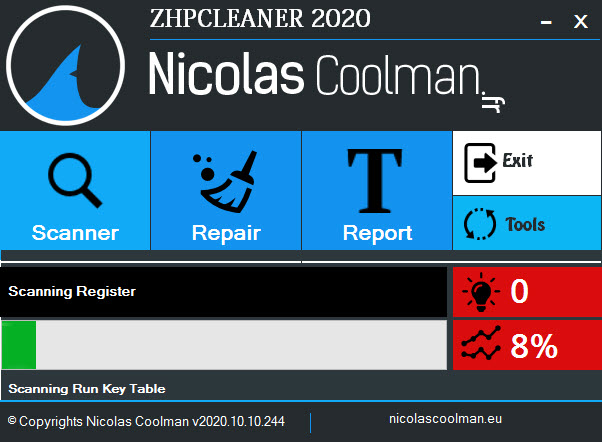
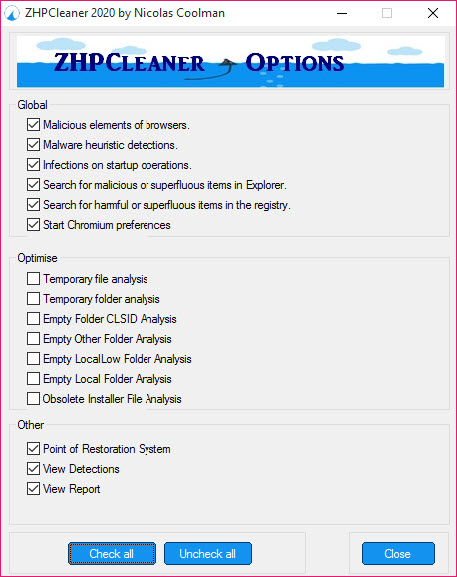
The first scan takes a couple of minutes on a typical machine. ZHPCleaner inspects Chrome, Firefox, Edge, and Internet Explorer profiles for altered search providers, suspicious extensions, redirected start pages, and shortcut tampering (you know, the .lnk files that suddenly point to a search engine URL instead of just chrome.exe). It also looks at registry keys associated with known adware families, scheduled tasks created by installers, and entries in the hosts file pointing your traffic somewhere it shouldn’t go.
What you don’t get is a full antivirus sweep. The scope is deliberate. The tool stays out of broad system file scanning because that’s not its job. If a true trojan or banking malware is sitting on your machine, this isn’t the application that will catch it.
Browser repair after infection
Beyond detection, ZHPCleaner actively repairs the settings adware tends to break. It can reset hijacked shortcuts back to clean executable paths, rewrite a broken hosts file to its default state, remove proxy settings injected without your knowledge, and clear scheduled tasks left behind to redownload junk.
This repair step is where the application proves its value in a recovery toolkit. Many adware variants leave the original infection vector dormant after their core executable is deleted, so the shortcut still loads a hijacker URL even though the malware itself is gone. ZHPCleaner focuses on that residue.
One caveat worth raising. Aggressive cleanup can occasionally catch legitimate extensions or proxy configurations that look suspicious by pattern. Always review the scan results before clicking Repair, especially if you intentionally use a proxy server or run niche browser add-ons.
Detailed reports for diagnostic use
Every scan generates a text log saved to the desktop and accessible inside the tool. The log lists every detection with its full registry path or file location, every modification made during repair, and a timestamp. These reports are the reason ZHPCleaner became popular in tech support communities, where someone posts the log to a forum thread and lets a volunteer review it before any cleanup is performed.
If you’re troubleshooting a stranger’s PC remotely, this is genuinely useful. You can see what the tool found before deciding to remove anything. The format is reminiscent of the output from HiJackThis+, another diagnostic tool that lives in the same workflow.
Quarantine and selective removal
Items detected aren’t deleted on first contact. They move to a quarantine folder where you can review entries individually, restore false positives, or commit to permanent removal. This matters because adware detection is heuristic. Signatures help, but a lot of the matching comes from patterns and known directory names, and false positives happen, particularly with legitimate browser extensions that have generic names.
You can also exclude items from future scans, which is useful if ZHPCleaner keeps flagging something that isn’t actually causing harm. A few users in support forums have noted that custom search providers (like a self-hosted DuckDuckGo redirect) sometimes get tagged. Marking them as exclusions stops the noise on subsequent runs.
Where it fits next to broader security tools
ZHPCleaner is a second-opinion cleaner first and foremost. If your main antivirus already runs in real time and you suspect a recent freeware bundle left behind some toolbar garbage, you fire up the scanner, run it, review the log, repair. Five minutes total.
Closest comparison is AdwCleaner, which has overlapping coverage of adware and hijackers. ZHPCleaner tends to be more aggressive on shortcut and hosts file inspection, while AdwCleaner has a larger signature database and gets updated more frequently.
Running both isn’t unusual on a heavily infected machine, with RKill sometimes run first to terminate active malware processes before scanning even begins.
Conclusion
ZHPCleaner is best suited for users who already run a primary antivirus and need a focused second-opinion tool for the specific category of browser-based junk that broader scanners often shrug at. Tech support volunteers, IT generalists cleaning up family machines, and anyone who has been bitten by a bundled toolbar will find it worth keeping on a USB stick.
The narrow focus is both the strength and the limitation. You’re not getting a full security suite, you’re getting a scalpel for adware. With definition updates slowing in recent years, it’s less reliable against brand-new hijacker families than it used to be, but for the long tail of older adware variants still circulating in software bundles, it’s still one of the more thorough specialist cleaners around.
Pros & Cons
- Targeted scanning catches adware residue that general antivirus tools tend to miss
- Browser shortcuts, hosts file, and proxy settings get repaired in a single pass
- Detailed text logs make it easy to verify what was found and what was changed
- Quarantine system protects you from immediate damage if something is flagged in error
- Useful as a second-opinion scanner alongside any antivirus already installed
- Selective removal lets you keep legitimate items that happen to match a pattern
- Definition updates have slowed considerably in recent years
- Newer adware families may go undetected if they aren't already in the signature set
- No real-time protection, scans are strictly on-demand
- Interface looks dated, and some translated strings show the French origin
- Aggressive repair can affect legitimate browser customizations if you don't review first
Frequently asked questions
This tool focuses on browser hijackers, adware, PUPs, rogue toolbars, altered shortcuts, modified hosts files, suspicious scheduled tasks, and proxy hijacks. It does not perform a full system antivirus scan.
The application runs on demand, so it doesn't interfere with real-time protection from other security software. You can keep your main antivirus active while running a scan.
Yes, the repair feature resets shortcuts that have been modified to load a hijacker URL, returning them to the clean executable path of the original browser.
The log records every detection and every action taken, which is intended for review by the user or by tech support volunteers in forum threads diagnosing the cleanup before anything is permanently deleted.
Both target adware and browser hijackers but with different signature sets and slightly different repair scopes. This software is more thorough on shortcut and hosts inspection while AdwCleaner receives more frequent updates.
No, this tool is purely an on-demand scanner. You run it when you suspect a problem, and it scans, reports, and repairs. For real-time coverage you need a separate antivirus.


