

FamiTracker
About FamiTracker
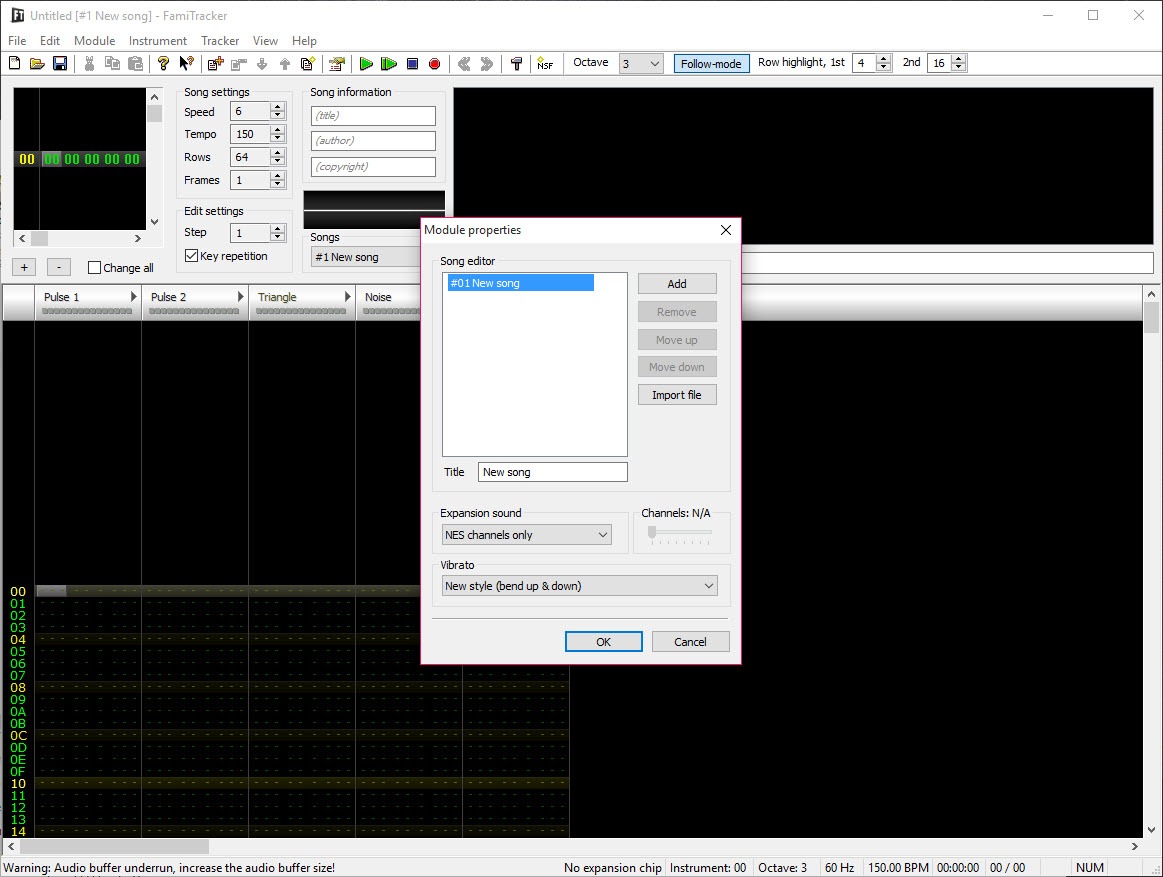
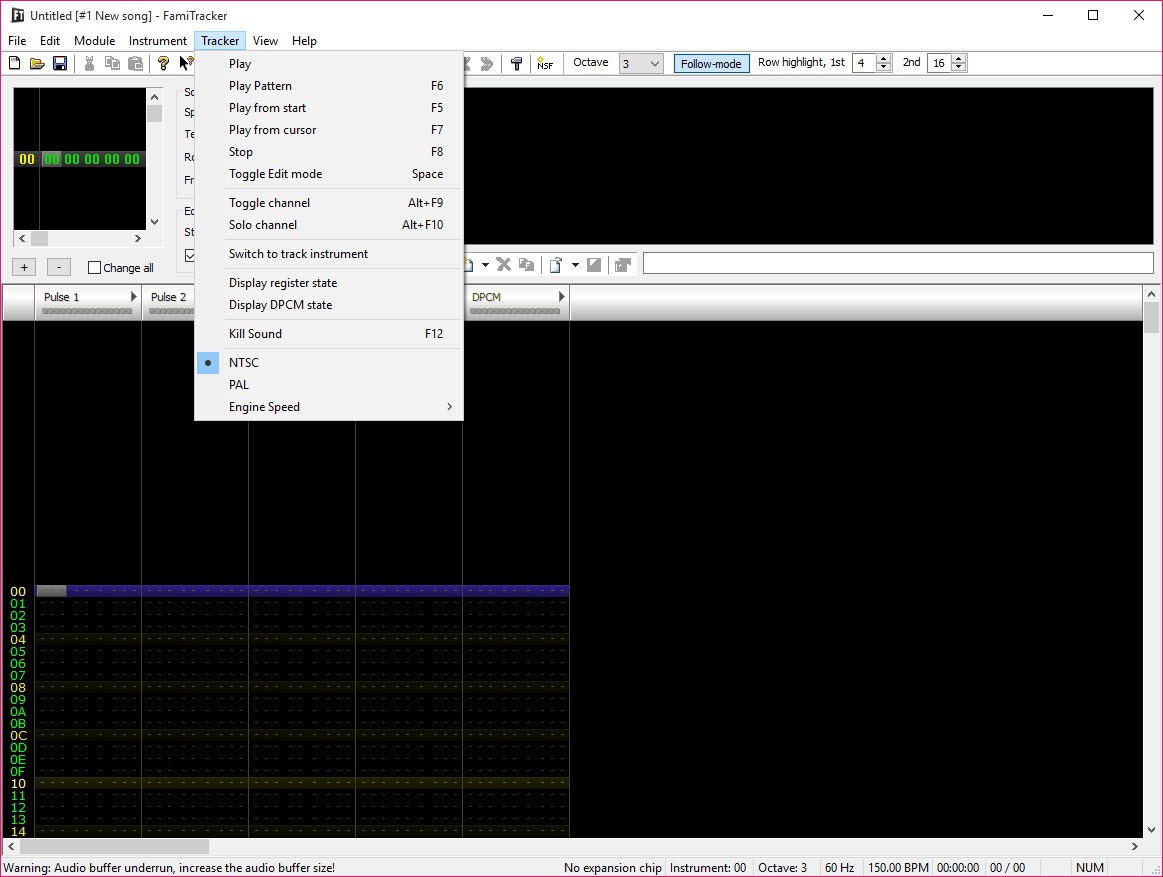
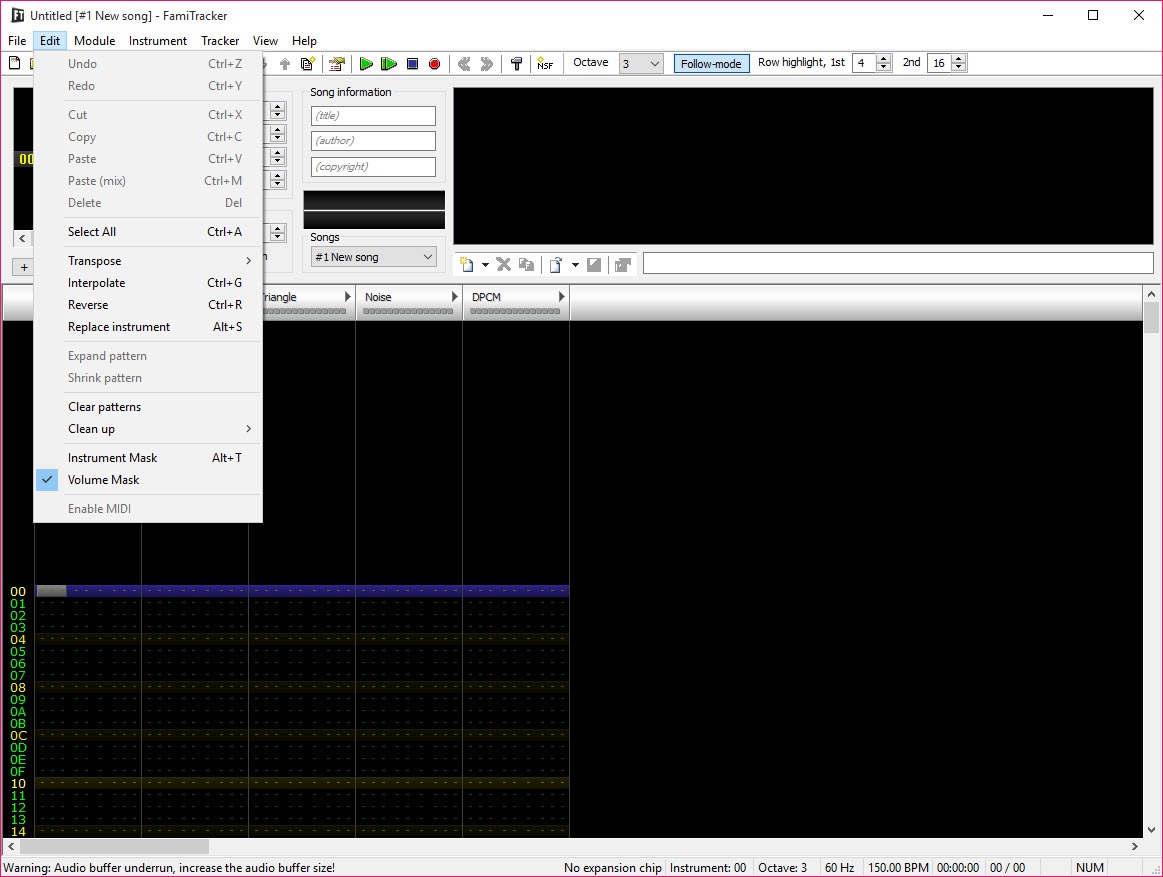
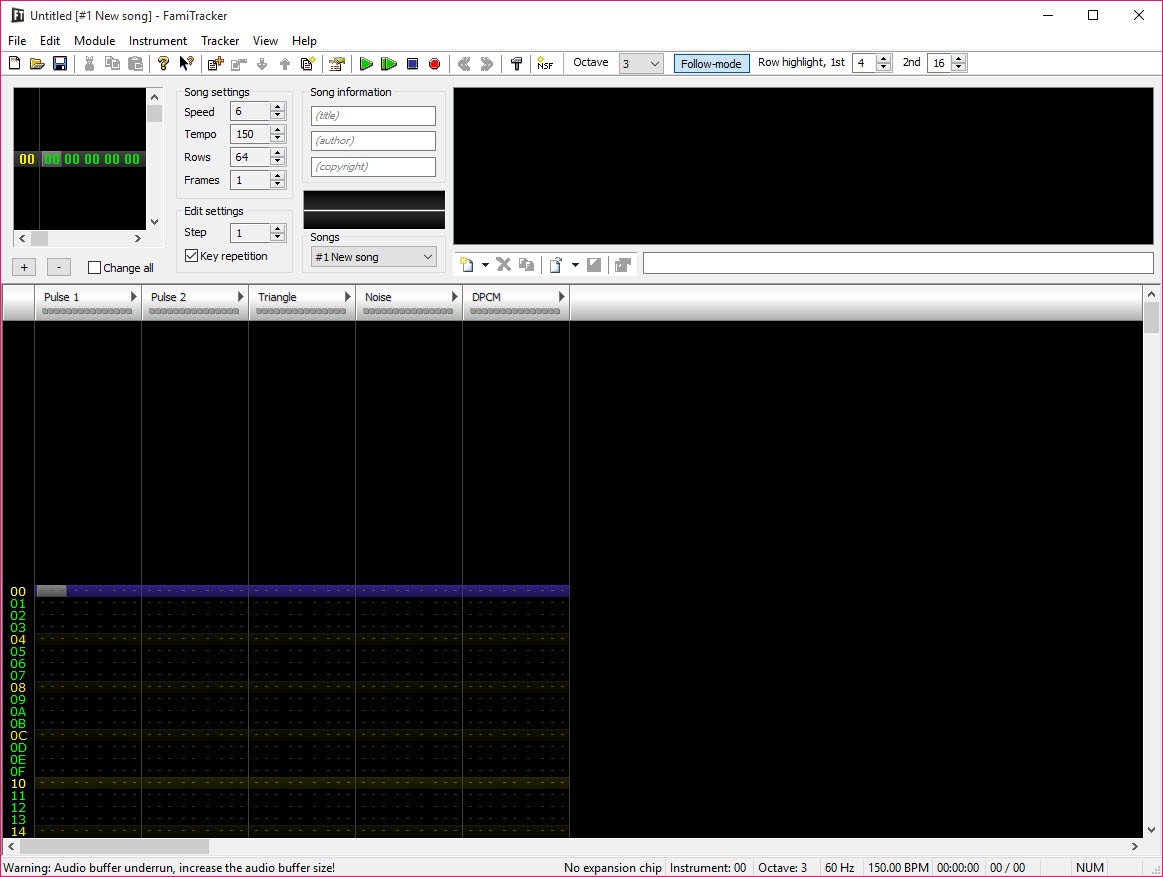
FamiTracker is a music tracker that composes audio specifically for the Nintendo Entertainment System and Famicom hardware. Open the application and you get a vertical column-based interface where you place notes, instruments, volumes, and effects in patterns that the program then plays back through emulated NES sound chips.
The output isn’t a sample-based approximation of NES audio. It’s the actual sound the Famicom and NES hardware would produce, generated through accurate emulation of the 2A03 PSG (the original chip in every NES) and the various expansion chips Famicom games used (VRC6, VRC7, FDS, MMC5, Namco N163, Sunsoft 5B).
Compositions can be exported as NSF files (NES Sound Format) that play in any NSF player or get embedded in actual NES homebrew games.
The application is the de facto standard for NES chiptune composition and has been since the mid-2000s. The interface follows the tracker tradition that goes back to the Amiga’s SoundTracker and Scream Tracker days, with notes flowing top to bottom through pattern columns rather than left to right through staff notation. For musicians coming from MIDI sequencers or DAW environments, the tracker workflow takes adjustment, but for users specifically working within NES sound limitations, no other tool matches the depth of NES-specific features.
How NES sound chips actually work
Understanding what FamiTracker actually does requires understanding the underlying hardware it emulates. The 2A03 sound chip in every NES has five channels, each with specific characteristics that shape what music you can write for it. Two pulse wave channels handle most melody and harmony work, with each channel supporting four duty cycles (12.5%, 25%, 50%, 75%) that produce different timbres ranging from thin nasal tones through fuller square waves.
The triangle channel produces a fixed-shape triangle waveform typically used for bass lines. The noise channel generates pseudo-random noise typically used for drums and percussion. The DPCM (Differential Pulse Code Modulation) channel plays back sampled audio at limited quality, used for digitized drums or speech in some games.
The five-channel limitation is the central constraint NES composers have to work within. Unlike modern DAWs where channel count is essentially unlimited, NES music has to fit melody, harmony, bass, and percussion into five voices total. This forces compositional choices that produce the distinctive NES sound. Sustained chords get arpeggiated rapidly across the pulse channels (creating the characteristic NES arpeggio sound).
Bass lines have to share the triangle channel even when complex sub-bass work would be musically appropriate. Percussion uses the noise and DPCM channels in patterns developed across decades of NES games.
Expansion chips that FamiTracker also supports add channels beyond the base five. VRC6 (used in Castlevania III) adds two additional pulse channels and a sawtooth channel. VRC7 (used in Lagrange Point) adds 6 FM synthesis channels. FDS (Famicom Disk System) adds a single FM/wavetable channel. MMC5 (used in Castlevania III: Akumajo Densetsu) adds two pulse channels and a PCM channel. Namco N163 (used in various Namco titles) adds up to 8 wavetable channels. Sunsoft 5B (used in Gimmick!) adds 3 additional pulse-like channels. These expansion options dramatically expand the compositional palette beyond what stock NES hardware allowed.
The tracker interface and column-based composition
The main composition view organizes music into patterns that flow vertically. Each row represents a moment in time, with columns for each channel showing the note, instrument, volume, and effects active at that moment. Notes are entered using a keyboard-to-piano-key mapping that lets you type music in real time, with the cursor advancing automatically as you enter notes. Effects columns add modifications to the basic note information, controlling pitch slides, vibrato, volume changes, and various other musical articulations.
For users new to trackers, the vertical orientation is the major adjustment. Modern DAWs lay music out horizontally with time flowing left to right. Trackers flow time top to bottom, with the top of the pattern being earlier and the bottom being later.
After a few hours of work the orientation becomes natural, but the initial period requires conscious effort to think in tracker terms rather than transferring habits from other music software.
The pattern length is configurable, with most compositions using either 64 or 32 rows per pattern depending on the song’s tempo and complexity. Patterns then chain together in the orderlist, which defines the sequence of patterns that make up the complete song. A typical song might be 8-16 patterns chained in specific orders to produce verse-chorus-verse structure with intro and outro variations.
The orderlist approach lets you reuse patterns efficiently rather than copying identical material multiple times.
Instruments and the macro system
Instruments in FamiTracker aren’t samples or synthesizer presets in the traditional sense. They’re configurations of how the underlying hardware should behave when playing notes. An instrument specifies which duty cycle the pulse channels use, how volume changes over time after a note triggers (the volume macro), how pitch bends or arpeggiates over time (the pitch and arpeggio macros), and how various other parameters behave throughout each note’s duration.
The macro system is what makes NES instruments expressive despite the hardware’s apparent simplicity. A simple macro might decrease volume gradually for a piano-like decay. A more complex macro might oscillate volume rapidly for tremolo effect, or step pitch up an octave then down for a specific musical character.
Macros can loop indefinitely or release at specific points when the player releases the note, which produces ADSR-like envelopes through clever macro programming.
Building good NES instruments takes practice and ear training. The compositional limitations force you to extract maximum expression from minimum hardware capability, which is why master NES composers’ instruments produce sounds that lesser-skilled NES composers can’t replicate even with the same chip emulation. The application doesn’t impose limits on macro complexity beyond what the hardware itself allows, which means experienced composers can produce instruments that would have been impossible to achieve on actual cartridge games due to ROM size constraints, even though they’re hardware-accurate.
NSF export and playback compatibility
The headline output format is NSF (NES Sound Format), a standardized file format for NES music that stores compositions in a form actual NES hardware can play back. NSF files contain the music data plus the playback engine code that runs on NES hardware to interpret that data. The format is supported by essentially every NES emulator, dedicated NSF players, and various other applications that handle 8-bit chiptune content.
The NSF export from FamiTracker is bit-accurate to NES hardware. Music exported as NSF will play identically on actual hardware, current emulators, and historical hardware that supports the format. For composers wanting their work to be authentically playable on real NES systems through flash cartridges or other hardware solutions, this accuracy matters substantially.
Beyond NSF, the application supports WAV export for users who want to deliver their music as standard audio files for use in non-NES contexts. The WAV export uses the same emulation that produces the in-application playback, so the rendered audio matches what you hear during composition.
For musicians distributing their NES-style music on Bandcamp, SoundCloud, or other audio platforms, the WAV export provides standard audio files without requiring listeners to have NSF playback software.
Effects and the practical composition workflow
The effects column lets you apply real-time modifications to notes through two-character codes. The 0xy effect arpeggiates between the current note and notes x and y semitones above. The 1xx effect performs an upward pitch slide at the specified rate. The 4xy effect applies vibrato with x for speed and y for depth. The Pxx effect performs fine pitch adjustments. Various other effects control volume changes, tempo modifications, jumps to other patterns, and dozens of other behaviors.
The effect system is what extends the basic five-channel hardware into surprisingly expressive musical capability. Master NES composers stack multiple effects per note to produce articulations that simpler tracker work can’t match. A single note might have an attack vibrato, a mid-note pitch slide, and a release-time arpeggio all stacked through different effect commands.
Learning the effect codes takes time but pays off substantially in composition expressiveness. The application’s documentation includes the complete effect reference, and the community has produced extensive tutorials covering specific musical techniques and how to achieve them through effect combinations.
For composers serious about NES music, mastering the effect system is essentially required to produce work that competes with classic NES game soundtracks.
MIDI input and external controller support
For musicians who prefer composing through MIDI input rather than typing notes via keyboard, the application supports MIDI controllers as input devices. Connect a MIDI keyboard, configure it as the input source, and you can play notes that appear in the pattern as you record them. The MIDI input handles both real-time recording (notes appear as you play them in pattern time) and step recording (each MIDI note advances the cursor by one row).
The MIDI implementation has limitations compared to dedicated DAW MIDI handling. You can’t import existing MIDI files directly, which means converting compositions written in other software requires manual transcription. MIDI velocity doesn’t translate directly to NES dynamics because the NES doesn’t have the same volume control granularity as MIDI standard. Some MIDI controller features (aftertouch, modulation, complex control surfaces) don’t map cleanly to tracker workflow.
For users wanting to use MIDI mainly as a faster note entry method rather than for full DAW-style integration, the MIDI support fits the use case adequately. For users wanting deep MIDI integration similar to what dedicated DAWs provide, the application’s tracker-centric design produces friction that limits how useful MIDI ends up being.
Use in NES homebrew development
Beyond standalone music composition, the application is the standard tool for music in NES homebrew games. Composers create music with FamiTracker, export it as NSF or as data formats that homebrew toolchains can integrate (specifically, the FTM project format that homebrew tooling can parse directly). The music then ships in the actual ROM file alongside the game’s code and graphics.
The integration with NES development happens through external tools that convert FamiTracker projects into formats efficient enough for actual NES hardware. The original NSF format includes more overhead than necessary for in-game use, which is why dedicated NES audio engines (FamiTone2, FamiTone5, Pently, GGSound, and various others) exist to handle music more efficiently. Composers create music in FamiTracker, export to one of these intermediate formats, and integrate into the game’s overall code through the homebrew development workflow.
For aspiring NES homebrew developers learning the platform, the application provides the music side of the equation while NESasm, ASM6, and various other tools handle code, and tools like NEXXT or YY-CHR handle graphics. The combination produces complete development environments where individuals or small teams can produce actual NES games that run on real hardware.
Considerations and limitations
The interface design is utilitarian rather than polished. The application reflects Windows aesthetics from the early 2000s, with menus and controls that feel dated compared to current commercial software. For users coming from polished applications, the visual design feels old. For users focused on capability rather than aesthetics, the dated interface stays out of the way.
The tracker workflow requires substantial adjustment for musicians coming from other backgrounds. Learning to think in patterns, columns, and effect codes rather than staff notation or piano roll arrangements is a real cognitive shift. The reward is access to musical expression specific to chiptune that no other tool provides as comprehensively, but the entry curve is genuine.
Composing within NES limitations is itself an acquired skill. Five channels with specific characteristics force compositional choices that take time to internalize. New chiptune composers often produce work that sounds amateurish compared to classic NES game music despite using the same hardware emulation, with the difference being the compositional skill that develops only through practice and study of how master composers worked within the constraints.
The various forks and their feature differences create some confusion for new users. Dn-FamiTracker, 0CC-FamiTracker, and the original 0.4.6 all have somewhat different capabilities, with project files not always being fully compatible between versions. Users who start with one fork may have to adjust their workflow if they switch to another, with project import often producing minor incompatibilities that need manual fixing.
Documentation quality varies across topics. Core concepts have good documentation through the original manual and community-produced tutorials. Advanced techniques and specific expansion chip features sometimes have thinner coverage, with users having to piece together information from forum threads and YouTube tutorials when official documentation runs short.
Conclusion
For composers who want to write authentic NES and Famicom chiptune music, FamiTracker delivers exactly that through hardware-accurate emulation, comprehensive expansion chip support, and the depth of features that come from being the field’s standard tool for nearly two decades.
The combination of NSF export for real hardware playback, instrument macros for expressive sound design within hardware limitations, and active community development through forks like Dn-FamiTracker keeps the application relevant for both nostalgic recreational composers and serious NES homebrew developers shipping actual cartridge games.
The reasons to consider alternatives are mostly about workflow preferences and platform targets. Composers wanting Game Boy music need LSDJ rather than this software. Composers coming from DAW backgrounds who find tracker interfaces difficult may find FamiStudio’s piano-roll alternative more approachable. Composers without specific NES interest may prefer Renoise or other modern trackers that target broader sound palettes.
But for the specific scenario of authentic NES chiptune composition with full hardware feature access, this software remains the standard that defines what serious NES music tooling looks like.
Pros & Cons
- Authentic NES and Famicom sound chip emulation including major expansion chips
- Five-channel base hardware plus VRC6, VRC7, FDS, MMC5, N163, and Sunsoft 5B expansions
- NSF export produces files that play on real NES hardware and emulators
- WAV export for distributing chiptune music as standard audio files
- Macro system enables expressive instruments within hardware limitations
- MIDI input supports composing through external keyboards
- Active community forks (Dn-FamiTracker, 0CC-FamiTracker) continue development
- Free under respective licenses across original and forks
- Used as the standard tool for NES homebrew game music development
- Tracker workflow requires substantial adjustment for users coming from DAWs
- Original development stopped in 2015 with current work happening in community forks
- Multiple forks with somewhat different capabilities create initial confusion
- Composing within NES limitations is an acquired skill independent of tool mastery
- MIDI implementation has limitations compared to dedicated DAW MIDI handling
- Interface design reflects priorities from years ago
- Documentation quality varies across topics
Frequently asked questions
This software is a music tracker designed specifically for composing music for the Nintendo Entertainment System and Famicom hardware. It emulates the NES 2A03 sound chip and various expansion chips (VRC6, VRC7, FDS, MMC5, Namco N163, Sunsoft 5B), letting composers create authentic NES-style chiptune music that plays back identically on real NES hardware. The application exports compositions as NSF files for NES playback or WAV files for general audio distribution, and is the standard tool for music in NES homebrew development.
The composition workflow uses the tracker interface where notes flow vertically through patterns. Enter notes through the computer keyboard mapped to piano keys, with the cursor advancing automatically. Build instruments through the instrument editor that defines how each channel's volume, pitch, and other parameters change over time. Chain patterns together through the orderlist to define the song structure. Use effect commands to add articulations and dynamics. Export the finished work as NSF for NES playback or WAV for general audio.
Tempo control happens through the song properties dialog where you set the base BPM and groove (rhythm subdivision) parameters. Real-time tempo changes within a song use the Fxx effect command in the effects column, which sets the tempo or speed value at that point in the song. The relationship between tempo, speed, and groove can be confusing at first because the NES expresses musical timing differently than most DAW software. The application's documentation explains the specifics.
LSDJ (Little Sound DJ) is a tracker that runs on actual Game Boy hardware (or emulators) for composing Game Boy music rather than NES music. Both target retro handheld and console hardware but with different sound architecture. Game Boy has 4 channels (two pulse, one wavetable, one noise) versus NES's 5 channels. Game Boy supports portable composition on actual hardware, while FamiTracker runs on computers. For NES music, this software is the appropriate choice. For Game Boy music, LSDJ is more appropriate. Some composers work in both for different projects.
The application supports MIDI input through MIDI controllers for note entry, but doesn't directly import standard MIDI files. Converting MIDI compositions to NES format requires manual transcription, with the channel limitations and NES-specific characteristics requiring compositional adjustments rather than direct conversion. Some external tools attempt MIDI-to-FTM conversion with varying success, but the channel mapping and instrument approximations require manual cleanup.
The application supports VRC6 (used in Castlevania III: Akumajo Densetsu, adds two pulse and one sawtooth channel), VRC7 (used in Lagrange Point, adds 6 FM synthesis channels), FDS (Famicom Disk System, adds one FM/wavetable channel), MMC5 (adds two pulse and one PCM channel), Namco N163 (adds up to 8 wavetable channels), and Sunsoft 5B (adds 3 pulse-like channels). Each expansion produces additional channels beyond the base 5-channel NES hardware, with corresponding capability for more complex compositions.
NSF (NES Sound Format) is the standard format for NES music distribution and playback. NSF files contain the actual music data plus the playback engine code that runs on NES hardware to interpret that data. The format is supported by NES emulators, dedicated NSF players, hardware NSF playback solutions, and various other applications handling 8-bit chiptune content. NSF files exported from this software play identically on real NES hardware as they do during composition, which makes the format the appropriate output for users wanting hardware-authentic distribution.
FamiStudio is a more recent NES tracker with a piano-roll interface alongside traditional tracker view, designed to be more approachable for users coming from DAW backgrounds. The capability sets overlap substantially, with both producing NSF output for NES playback. FamiTracker has longer history, more entrenched community, and is the standard for NES homebrew development. FamiStudio is friendlier for composers transitioning from non-tracker backgrounds. For users specifically working in NES homebrew or who want to follow established community conventions, this software remains the practical default. For users new to chiptune composition who find tracker workflows difficult, FamiStudio may produce a smoother learning experience.


