

X-Sec Malware Scanner
About X-Sec Malware Scanner
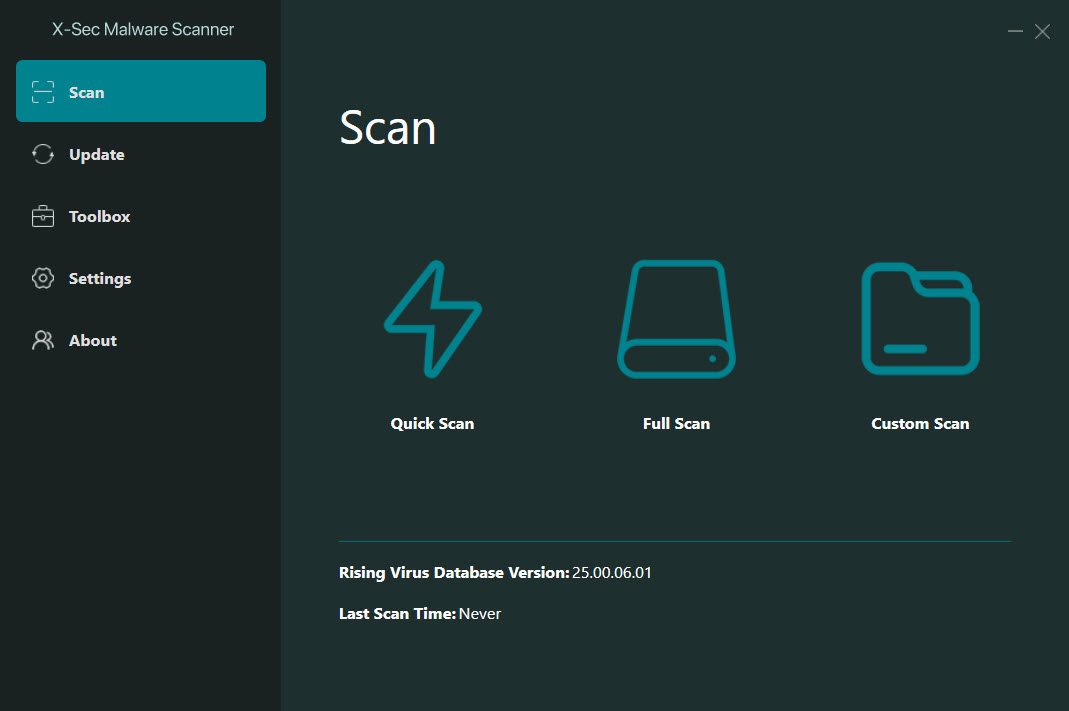
X-Sec Malware Scanner is a portable second-opinion scanner that runs five detection engines over the same files. Unpack it to a folder or a USB stick, start it, choose a quick, full or custom scan, and the files are checked against its own signature engine, its own heuristic engine and its own cloud lookup, plus the signature and cloud engines of a long-established antivirus maker licensed for the purpose.
Anything flagged appears in a list with a Solve button that removes or quarantines it. Nothing installs, nothing runs in the background, and the maker’s own description says it works beside whatever antivirus is already on the machine.
That last point is the whole positioning. X-Sec Malware Scanner is not a replacement for a resident guard and makes no claim to be. There is no real-time protection and no web or mail filter, so it catches what is already on the disk when you ask it to look, and it exists for the moment when the installed antivirus has gone quiet about a machine that is still behaving oddly.
Five engines, one of them from a long-established maker, give that second look more teeth than most portable scanners carry, and the sections below cover the scanning, the engine choices and where the tool stops.
Three scan modes and the Solve button
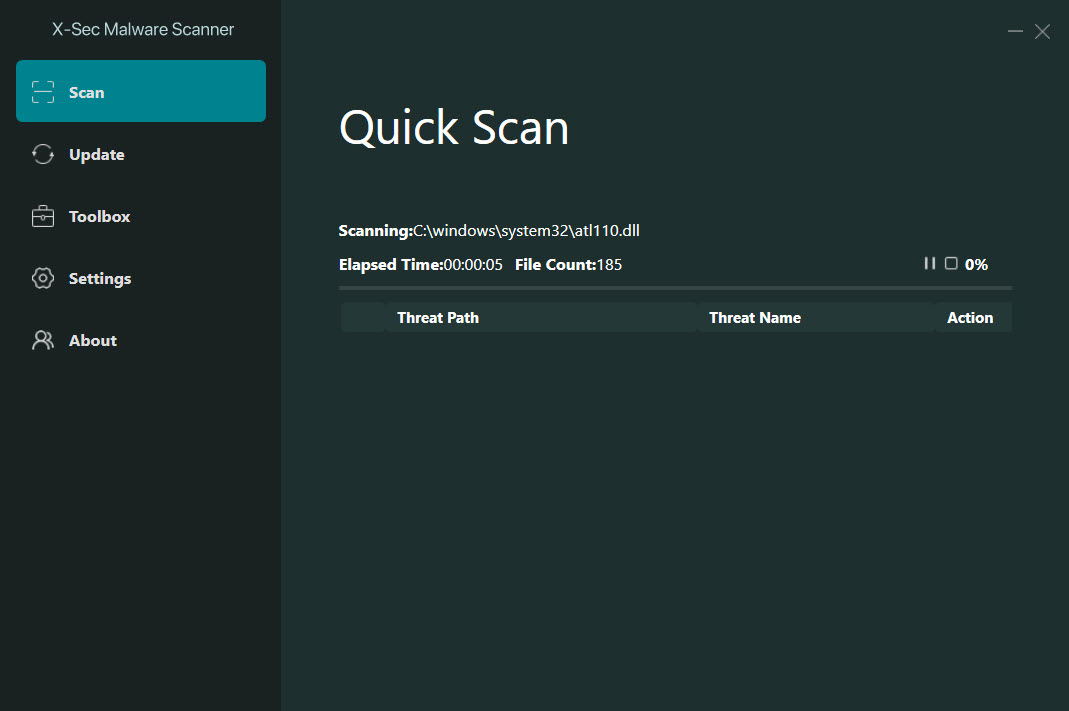
The X-Sec Malware Scanner quick scan checks the places malware lives, memory, startup entries and the system folders, and finishes in minutes. Full scan walks every drive and takes as long as the disk demands. Custom scan takes the folders you tick, which suits a downloads folder or a USB stick that arrived from elsewhere. A scan can be cancelled partway, and progress shows the file under inspection and the count so far.
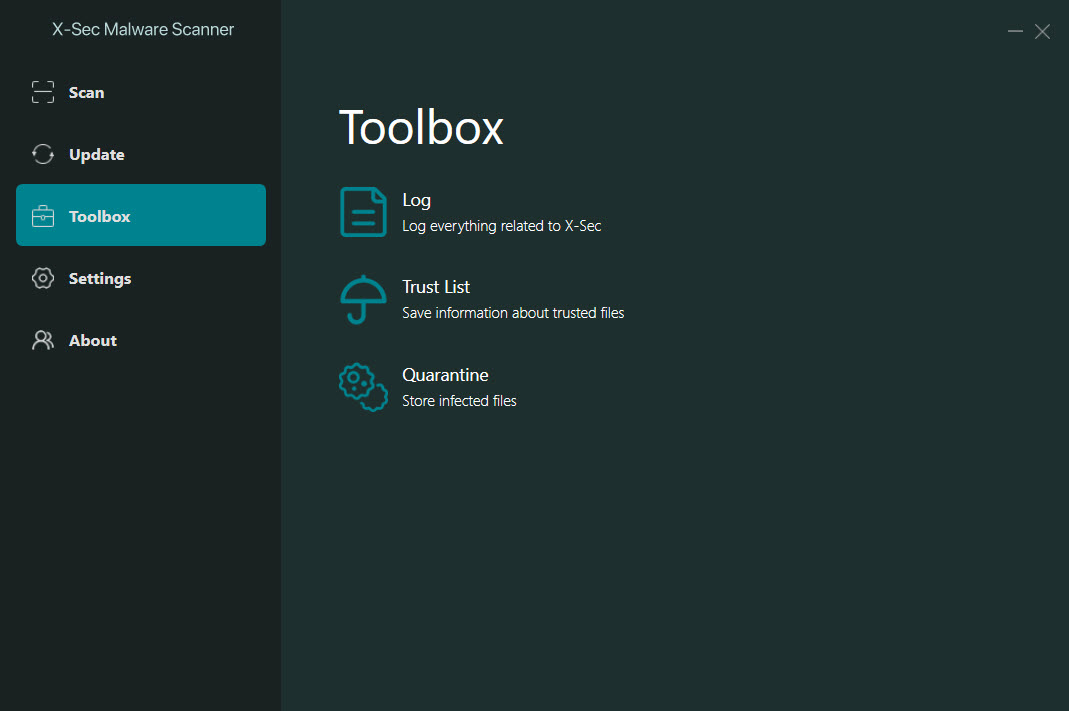
Results list each detection with the engine that caught it and the threat name, and the Solve button acts on the selection, removing the file or moving it to quarantine, where it can be restored if a detection turns out to be a false alarm.
Nothing is removed without that click, which is the right default for a tool that may be run on a machine where a flagged file is actually wanted.
Five engines, and choosing which run
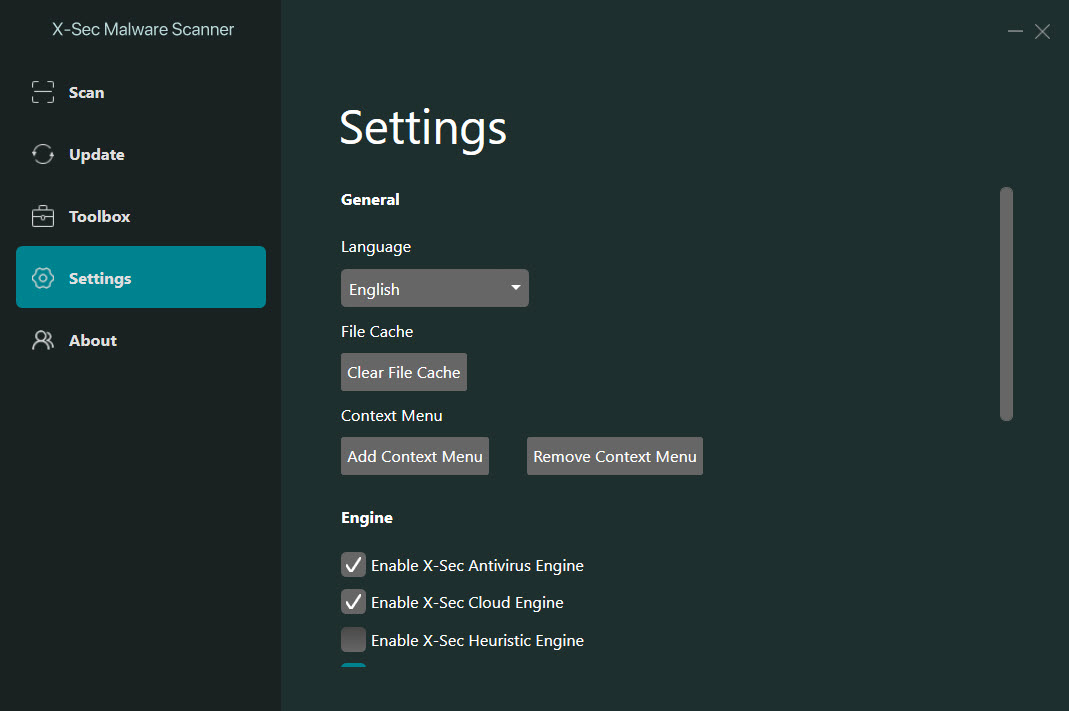
The X-Sec Malware Scanner settings list the five engines with a switch for each. The maker’s own signature engine and heuristic engine run locally, its cloud engine queries a reputation service for files it has not seen, and the licensed engine contributes both a local signature set and a cloud lookup of its own. Running all five gives the widest net and the slowest scan.
Switching off the cloud engines makes the tool work offline on a machine with no connection, with the newest detections given up until the next update.
Offline scanning and false positives
Two engines from two sources are the reason to keep this tool rather than any one antivirus’s portable scanner, since a sample one engine misses is often one the other names. The combination also raises the false positive rate, which is the trade of every multi-engine scanner, and the quarantine rather than deletion default exists for exactly that reason.
The same logic sends technicians to ClamWin Antivirus for a third, open-source opinion when two engines disagree.
Running from a stick, and the one requirement
X-Sec Malware Scanner is a folder that runs from anywhere, with its signatures inside it and an update command that refreshes them when a connection is available. Copy it to a technician’s stick alongside Sophos Virus Removal Tool, and two independent engines sit in one pocket for a bench visit. The one requirement is the current C++ runtime library matching the machine’s architecture, which most machines already carry and which installs in a minute when they do not.
The interface is translated into several languages and is plain to the point of austerity, a scan button, a results list and a settings page. There is no scheduler, since a portable scanner is run by hand, and no log beyond the results of the current scan.
That spareness is the point of a portable scanner, which should leave a client’s machine as it found it apart from the malware.
Where it stops
It scans on demand and does nothing else. No real-time guard, no boot-time scan, no rootkit-specific tools, no browser or mail protection, and no scheduler. The engines are strong on signatures and cloud reputation and weaker on behaviour, so a sample with no signature yet can pass. The licensed engine’s maker is well known in its home market and little tested by the independent laboratories elsewhere, so detection figures are the user’s own experience rather than a published score.
For a behaviour-based second opinion that catches the adware and unwanted programs signature engines class as merely annoying, Malwarebytes finds a different set of things and the two complement each other.
Conclusion
X-Sec Malware Scanner suits anyone who wants a second look at a machine with five engines rather than one, and technicians who want a portable scanner with independent signatures on the stick beside the others. The engine switches, the quarantine default and the lack of anything resident make it a tool that runs when asked and leaves no trace.
It is not protection on its own, its false positives need a careful eye, and its licensed engine lacks the laboratory record of the big names. Keep a resident antivirus underneath, run this when something feels wrong, and read the results before pressing Solve.
Pros & Cons
- Five engines, three of the maker's own and two licensed, in one portable scanner
- Quick, full and custom scans with cancellation and progress
- Quarantine by default, with restore for false alarms
- Each engine can be switched off, including the cloud ones for offline use
- Runs beside any resident antivirus without conflict
- No real-time protection, scheduler or boot-time scan
- Multiple engines raise the false positive rate
- Licensed engine has little independent laboratory testing outside its home market
- Needs the current C++ runtime installed
Frequently asked questions
No. It scans only when run, and it is designed as a second opinion beside a resident antivirus rather than a replacement.
Yes. Switch off the two cloud engines in the settings and the three local engines scan offline, with the newest detections unavailable until the signatures update.
Nothing until you press Solve, which removes it or moves it to quarantine, from which a false alarm can be restored.
It needs the current C++ runtime matching the machine's architecture. Most machines have it, and it installs in a minute otherwise.


