

PC Matic


 (20 votes, average: 3.50 out of 5)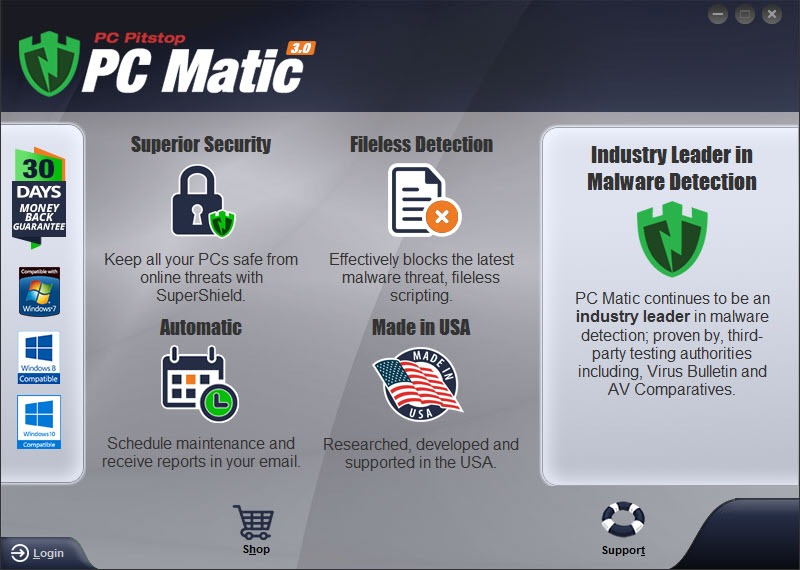
About PC Matic
Most antivirus software works the same way at the fundamental level. A database of known malicious files and behaviors gets compared against everything running on or arriving at your machine, and anything that matches gets blocked. The database grows constantly to keep up with new threats. The unspoken assumption is that anything not on the bad list is fine. PC Matic is one of the few consumer security products that inverts the assumption. Instead of a list of known threats, it maintains a curated list of known-good applications and treats everything else as potentially suspicious until proven otherwise.
That methodology change is the entire pitch. It also produces a very different user experience from any other antivirus product on the market. Some of the differences are advantages, some are friction points, and which ones matter to you depends heavily on how you actually use the computer.
The other half of the product is a set of system maintenance tools that occupy nearly equal billing in the interface, which signals something important about who PC Matic is built for.
The whitelist approach in practice
SuperShield is the real-time protection layer. It compares every executable launch against an internal whitelist database of applications that have been verified as legitimate. If the application is on the list, it runs. If it is not, SuperShield can block it, sandbox it, or prompt for a decision depending on the configured policy. The whitelist gets updated continuously as new legitimate applications are added through analyst review.
The theoretical advantage is that this catches zero-day malware that signature-based scanners miss. A new piece of malware has not been added to anyone’s whitelist by definition, so it gets blocked on first execution regardless of whether its signature is known. In practice, that protection works as advertised for novel threats. It also works against legitimate software that nobody has gotten around to whitelisting yet, which is the catch.
If you run mainstream consumer software, the whitelist covers you transparently and you never see the friction. If you regularly use niche utilities, custom scripts, open-source tools that are not widely deployed, or anything from a small developer with limited distribution, expect blocked launches. The submit-for-review path exists, and unknown files get human analyst review, but the turnaround can run from hours to days depending on backlog.
For comparison, traditional signature-based products like Bitdefender or ESET NOD32 Antivirus only block things they know to be bad, so the false-positive surface on legitimate software is much smaller.
Who the whitelist model is actually good for
The whitelist approach is genuinely well-suited to certain user profiles. Older relatives who use their computer for email, browsing, photos, and a fixed set of mainstream applications. Children’s computers where the parent wants to enforce a tight set of approved software. Office workstations with a defined application footprint that does not change often. In any of those scenarios, the false-positive friction is minimal because the user is not constantly trying to run new software the whitelist has not encountered.
For developers, IT technicians, gamers running mods, anyone who downloads tools from the broader internet on a regular basis, or anyone who uses portable applications that ship without code signing certificates, the model is a poor fit. You will spend more time managing exceptions than the protection is worth.
The product knows this about its own audience and markets accordingly. The advertising leans heavily on the “we will protect your parents’ computer” angle, which is honest about who the design works for.
The system maintenance side
A roughly equal portion of the interface is dedicated to PC tune-up features that have nothing to do with malware. Junk file cleanup. Registry cleaner. Startup application manager. Driver updater. Defragmentation scheduling. Browser cache and history management. Windows update status reporting. The application brands these collectively as PC maintenance and runs them on a scheduled basis as part of the regular scan cycle.
The quality of these tools is mixed and roughly matches what you would expect from a budget tune-up utility. The junk file cleanup is comparable to what CCleaner does for free with more granularity. The defragmentation feature is less sophisticated than a dedicated tool like Defraggler, and on SSDs it should be turned off entirely because defrag on solid-state storage is counterproductive. The driver updater is the kind of feature that needs careful skepticism in any product, because automated driver replacement can introduce stability problems if it grabs the wrong version for your specific hardware revision.
The bundled tune-up tools exist primarily because the product’s marketing has always emphasized speed and performance alongside security. The implication is that PC Matic both protects your computer and keeps it running fast. The protection part is the more defensible claim. The “keeps it running fast” claim is roughly equivalent to any other consumer maintenance utility and not something that justifies the subscription on its own.
Detection beyond the whitelist
For files that fall outside the whitelist’s clear yes-or-no, the product uses a heuristic engine and cloud-based reputation lookups to make a determination. Suspicious files get sandboxed, behavioral analysis runs, and the result feeds back to the main detection layer. This is where the product behaves more like a traditional antivirus, and the detection quality here is decent without being remarkable.
Independent lab coverage of PC Matic is incomplete because some testing methodologies do not accommodate the whitelist-first approach. Standard tests assume the scanner is making yes-or-no decisions based on signature and behavior alone. A product that blocks unknown files by default produces different results in those tests, and some labs decline to score it for that reason. When the product does appear in published tests, results are reasonable but not category-leading.
For the kind of layered defense that pairs a primary AV with a secondary scanner, Malwarebytes running in its on-demand mode is a common second opinion that does not conflict with the whitelist enforcement.
The ad blocker, password manager, and the rest of the bundle
Newer versions bundle additional security tools that compete more directly with full suites. The Adblocker plug-in works in supported browsers to strip advertising and tracking elements from web pages. The password vault stores credentials and offers basic autofill, though it lacks the cross-platform polish of dedicated password managers. There is a VPN at the higher tiers, though the server network is modest. A mobile companion app handles phone-side scanning and is available for Android and iOS.
None of these bundled extras are best-in-class. They exist to round out the package and let the product compete on feature-count with the bigger consumer suites. If you are evaluating purely on the extras, you are better served by a product like Norton Security where each component has had more development investment.
PC Matic is the choice when the whitelist methodology is what you actually want, and the extras are a “nice if you use them” rather than the reason to buy.
Pricing and the subscription model
The product uses an annual subscription with multi-device licenses at most tiers. Pricing is competitive with the mid-tier consumer suites and undercuts the higher tiers of the bundle-heavy products. There is a lifetime license option on the consumer side that is unusual in the market, where most competitors have moved entirely to recurring subscription. For users who plan to use the product for many years on the same hardware, the lifetime option significantly changes the value calculation.
The flip side is that the marketing leans hard on television and direct-response advertising that some prospective buyers find off-putting. The infomercial-style presentation has been a fixture for years, and the visual identity has not really moved with the times.
That is a marketing observation rather than a product critique, but it informs how the product is perceived in technical communities where the advertising style and the product are sometimes conflated.
Conclusion
PC Matic is the most prominent consumer antivirus product built around a whitelist-first protection model, and that methodology choice defines both its strengths and its limitations. For users whose software footprint is mainstream and stable, the protection model is genuinely effective and the friction is minimal. For users who regularly install diverse, niche, or unsigned software, the friction outweighs the protection benefit and a traditional antivirus is the better fit.
The bundled PC maintenance tools and the lifetime license option are real differentiators in the consumer security market, where most products have moved entirely to annual subscriptions and stripped down their tune-up features. Whether those differentiators matter depends on what else you would otherwise be running.
Treat the product as a complete approach to the home computer rather than a drop-in replacement for whatever antivirus you currently have, and the value proposition becomes clearer.
Pros & Cons
- Whitelist-first protection model catches unknown threats that signature scanners miss
- Lifetime license option on consumer tier, rare in the modern subscription market
- Bundled PC maintenance tools cover routine cleanup and scheduling
- Multi-device licensing at most pricing tiers
- Available US-based phone support, which matters for less technical users
- Suits a specific user profile (mainstream applications, no developer workflows) very well
- False positives on niche, unsigned, or low-distribution legitimate software
- Submit-for-review delays can range from hours to days for new applications
- PC maintenance tools are competent but not best-in-class
- Independent lab test coverage is incomplete due to methodology mismatch
- Driver updater introduces stability risk on certain hardware configurations
- Marketing tone does not appeal to technical users who might otherwise consider it
Frequently asked questions
Traditional antivirus uses a blacklist of known bad files and blocks matches. PC Matic uses a whitelist of known good applications and treats everything else as suspicious until reviewed. The inverted model catches unknown threats but blocks unfamiliar legitimate software more often than competitors do.
Sometimes. If the software is mainstream and widely deployed, it is almost certainly on the whitelist and runs without prompt. If it is niche, unsigned, custom-built, or from a small developer, expect a block until you submit it for analyst review or override locally.
The protection methodology is fundamentally different. Norton-style suites add layers of detection on top of a signature engine. PC Matic starts from the opposite end with whitelist enforcement. For mainstream-only computer usage, both can be effective. For users with diverse software needs, the traditional approach typically produces less friction.
For routine junk file cleanup and basic system upkeep, yes. For deep optimization, you are better off with dedicated tools. The defragmentation feature should be disabled on SSDs, where defrag is counterproductive. The driver updater should be used with caution because automated driver replacement can introduce instability on certain hardware.
Generally no. Running two real-time protection engines simultaneously causes conflicts and performance problems. Use on-demand secondary scanners like Malwarebytes on its free tier for second-opinion scanning without resident protection conflicts.
The file gets uploaded to the analysis backend, where automated tooling and human analysts evaluate it. If determined safe, it gets added to the global whitelist and runs freely for all users going forward. If determined malicious, it gets added to the blacklist. Turnaround varies from hours to a few days depending on submission volume.
Real-time monitoring overhead is moderate, comparable to other resident antivirus products. The scheduled scans can be heavy on older hardware, especially when combined with the maintenance routines that run in the same scan cycle. On modern machines with SSDs, the impact during everyday use is generally not noticeable.


PC-Matic is very good for me. The paid version evergreen five pc license I’ve been using for about three years some false positives in the Super Shield. You can set protection to industry standards (blacklist only) in protection level to get past some blocking of printers over WiFi if left on Super Shield protection.