

USB Toolkit


 (9 votes, average: 3.33 out of 5)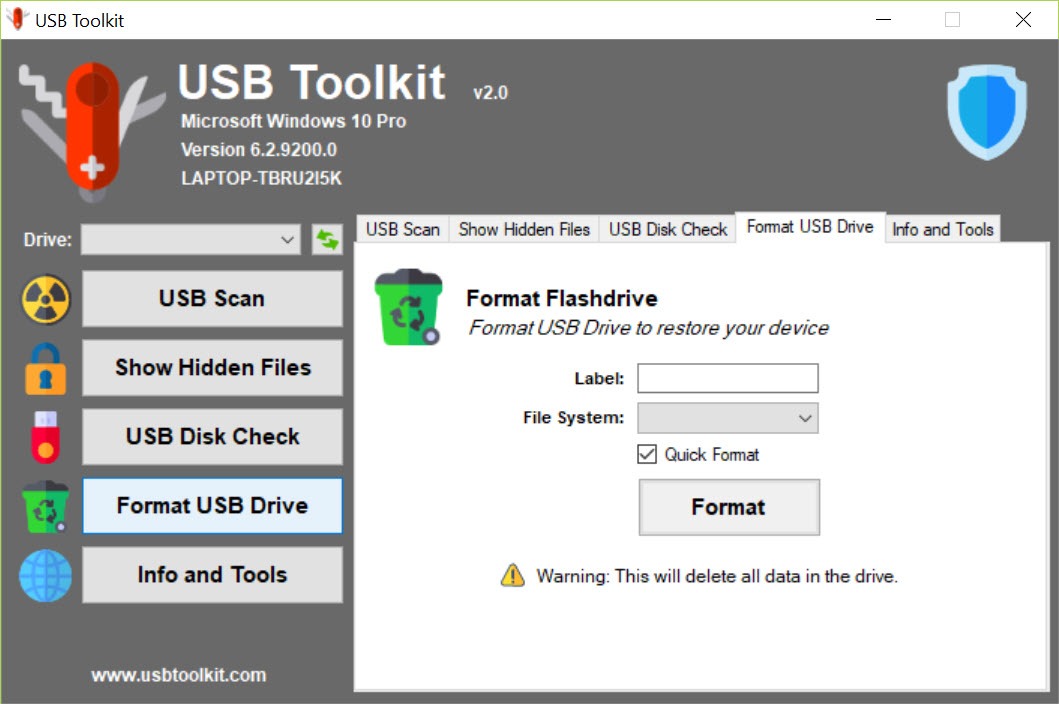
About USB Toolkit
Plug a flash drive into a stranger’s PC, take it home, plug it into yours. Repeat that loop in a school, a print shop, an internet cafe, and you’ve recreated the most efficient malware delivery system of the past two decades. USB Toolkit is a small Windows utility focused on exactly that threat surface, scanning removable drives for the autorun.inf manipulation and rogue executables that classic USB-borne worms rely on.
The application doesn’t replace a general antivirus. It does one thing, scans USB drives the moment you plug them in, and it does that without competing with whatever real-time protection is already running on the system. The use case is narrow and the toolset matches.
What gets scanned and how
When a removable drive mounts, the application reads the root directory of the volume and checks for the specific files autorun-based malware drops. Autorun.inf is the obvious one, since the file is exactly how Windows used to auto-launch malicious executables before Microsoft tightened the autorun behavior in later versions. Beyond that the scanner looks at .exe, .scr, .bat, .vbs, and .lnk files sitting in the drive root, which is where autorun chains typically place their payloads.
The signature database focuses on known autorun-spreading patterns rather than the full malware ecosystem. That keeps the scan fast and the false-positive rate low, but it also means the application isn’t going to catch a sophisticated PDF exploit hiding in a document folder. It catches the loud, opportunistic worms that account for most casual USB infections, and leaves the hard cases to a real antivirus.
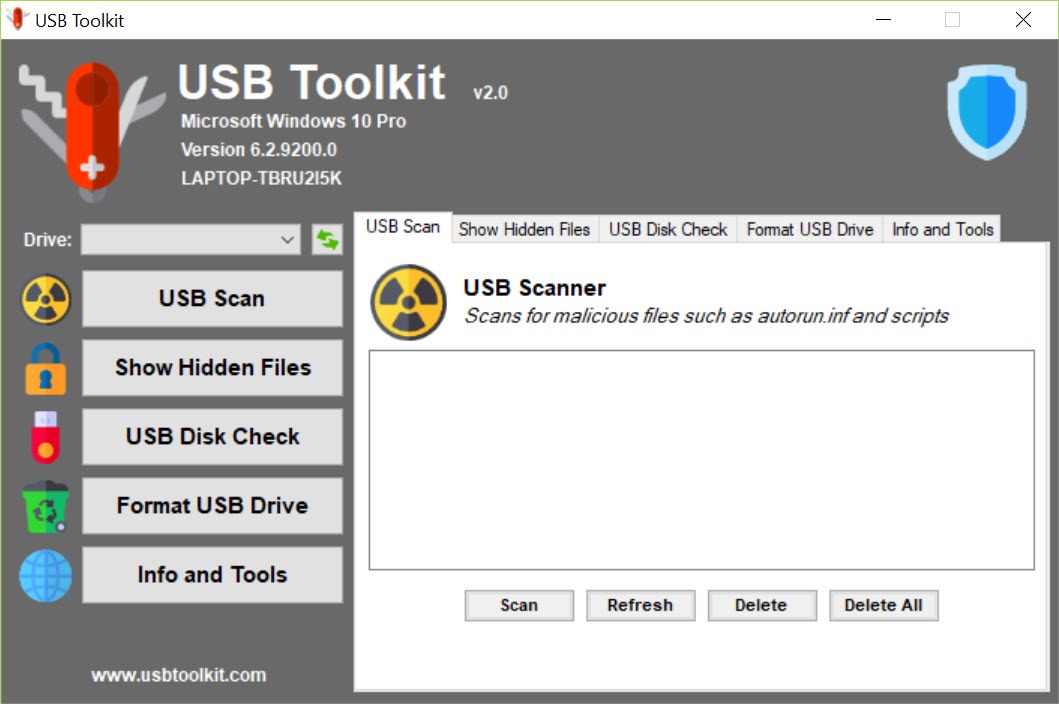
You can also trigger a manual scan from the interface, point it at a specific drive or path, and review what it finds before deciding to delete or quarantine. The deletion side is direct, the file goes away when you click remove, with no recycle bin intermediate step.
Autorun.inf handling
This is where the application actually earns its position alongside a general AV. Autorun.inf is technically a valid configuration file, and many legitimate software installers ship with one. A general antivirus won’t necessarily flag every autorun.inf it sees on a flash drive, because most of them aren’t malicious.
The application takes the stricter approach. Any autorun.inf on a flash drive is suspect by default, and the scanner shows you the contents before deciding what to do with it. You see the OPEN= or SHELLEXECUTE= line, you see what file it points to, and you decide whether the chain looks legitimate.
For users who shuttle drives between public machines, treating every autorun.inf as guilty until proven innocent is the right default. Tools like Autorun Eater cover the same surface with a different focus, watching autorun.inf appearances in real time.
Real-time monitoring of mounts
The background service watches for new removable drives appearing on the system and triggers a scan as soon as one mounts. The scan happens before you’ve had a chance to open the drive in File Explorer, which matters because the old autorun behavior, where Windows would silently execute autorun.inf on insertion, is exactly the window the application is designed to close.
On modern Windows builds the OS itself has tightened autorun for removable media to the point where the legacy behavior is mostly disabled by default. That reduces the urgency but doesn’t eliminate it.
Users on older builds, in corporate environments with relaxed policies, or on machines that have been tampered with all benefit from a redundant check. And worms that spread through .lnk file exploits don’t rely on autorun being enabled.
Vaccination and immunization
Some USB security tools, this one included, offer a “vaccination” workflow that writes a dummy autorun.inf to the drive root as a protected folder rather than a file. The trick works because malware that tries to drop its own autorun.inf fails when there’s already a folder with that name occupying the namespace. It’s a clever defensive move that costs nothing in disk space and survives across machines.
The downside is that the immunization is removable. Anything with administrative rights on a connected machine can delete the folder and replace it. So the vaccination is best understood as friction against opportunistic threats, not a hard guarantee.
Where the application falls short
The threat model is narrow. If your concern is enterprise-grade USB attacks, BadUSB-style firmware exploits, HID injection attacks, or anything beyond classic autorun worms, this application doesn’t help. Those threats live below the file system layer where any scanner that reads files is invisible to the attack.
The signature database also isn’t on the same update cadence as a full antivirus. Heuristics for catching new variants of common autorun families work, but truly novel attacks won’t be flagged. Pairing this with a real-time engine like ClamWin Antivirus or a portable on-demand scanner like Dr.Web CureIt! is the realistic deployment if you’re regularly handling untrusted drives.
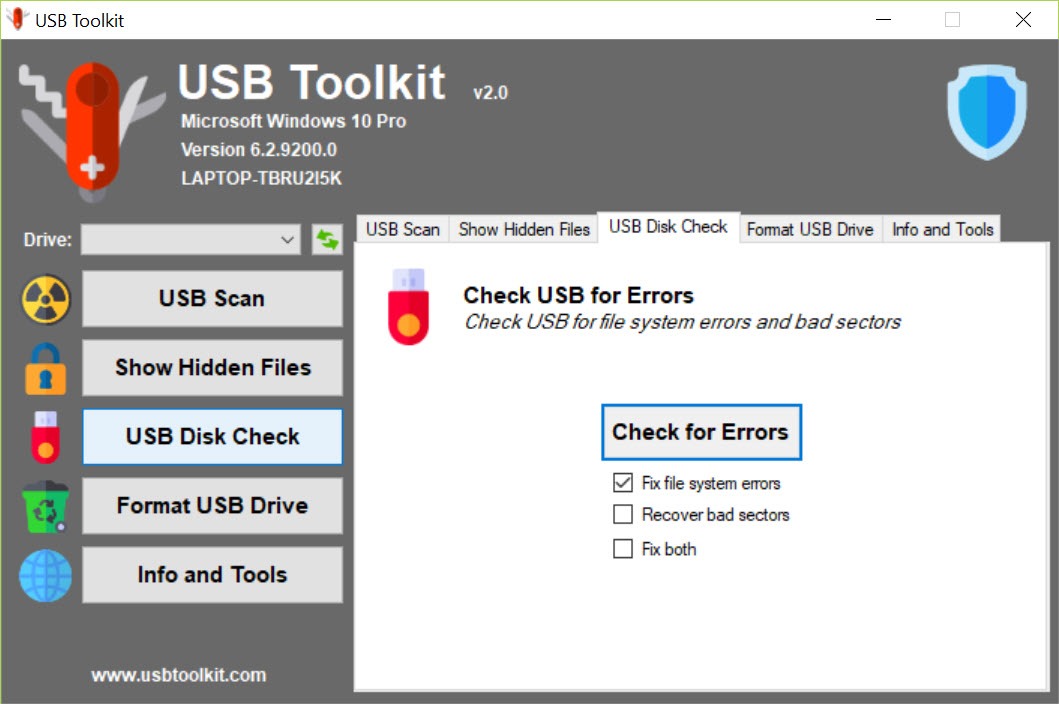
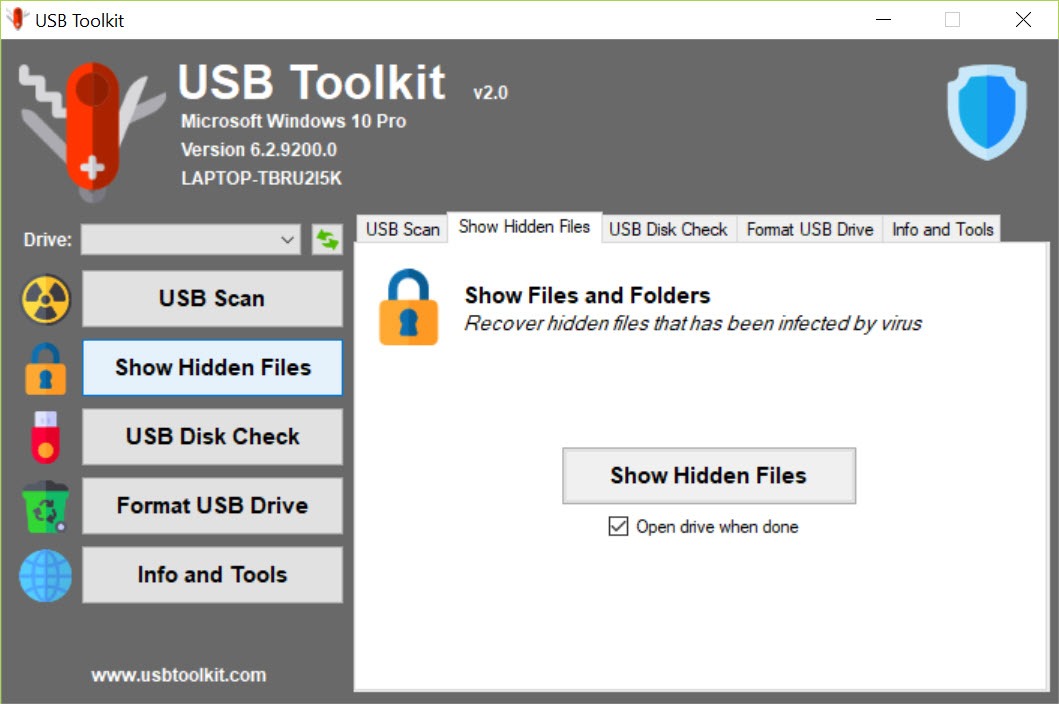
The interface is also dated. Buttons sit in a layout that doesn’t follow modern conventions, status messages are short to the point of opaque, and the tray icon’s right-click menu is the main entry point rather than a proper window with persistent options. Functional, yes. Polished, no.
Conclusion
USB Toolkit is a one-job tool with no pretension of being more. For users who regularly plug flash drives into machines they don’t control, public computers, shared workstations, print shops, classmates’ laptops, the application closes a specific and historically important attack window without adding overhead or fighting with whatever else is protecting the system.
It won’t catch every USB-related threat, and it shouldn’t be expected to. The right framing is a small, focused layer in a defense-in-depth strategy, sitting alongside a real antivirus and basic OS hygiene. For that role it works as advertised, which is more than can be said for some larger security suites that promise the world and deliver nagging upgrade prompts.
Users who never share flash drives with anyone won’t miss it, but users who do will notice when it catches the kind of payload they’d otherwise have copied straight into their main drive.
Pros & Cons
- Real-time scan on USB insertion catches autorun threats before files are opened
- Focused threat model keeps scans fast with low false-positive rate
- Autorun.inf inspection shows the actual contents before deletion
- Vaccination feature provides passive protection that travels with the drive
- Lightweight footprint runs without competing with general antivirus engines
- Narrow scope, no protection against firmware-level or HID-injection USB attacks
- Signature database lags behind dedicated antivirus updates for novel variants
- Vaccination is defeated by any administrative tampering on a connected machine
- Interface design is dated and tray-driven rather than window-first
- Manual scans require navigating through a non-obvious menu structure
Frequently asked questions
Autorun.inf files, suspicious executables and script files in the root of removable drives, and known patterns associated with USB-spreading malware. The focus is on the specific class of threats that travel between machines through flash drives.
No. It's complementary. A general antivirus covers a much broader threat surface, while this application focuses specifically on the removable-media attack vector. Running both in parallel is the intended deployment.
The background service is lightweight and only becomes active when a removable drive mounts. There's no continuous file system scanning, so the resource impact during normal use is minimal.
It writes a dummy autorun.inf as a folder rather than a file on the target drive. Since the file system can't have a file and folder with the same name in the same location, autorun-based malware that tries to drop its own autorun.inf gets blocked at the file system level.
No. Firmware-level attacks operate below the file system and aren't visible to any application that reads files. The threat model here is classic autorun worms, not hardware-level exploits.
The application surfaces the file in question, shows what it is, and lets you decide whether to delete it. Deletion is immediate rather than going through a recycle bin intermediate.


