

PopSel
About PopSel
PopSel is a lightweight and portable utility for users looking to streamline access to frequently used applications, documents, and websites. Instead of cluttering the desktop with shortcuts, this tool allows you to create personalized pop-up menus for quick and efficient access to your resources.
It’s especially valuable for users who prioritize simplicity and speed in their daily workflows.
Customizable Pop-Up Menus
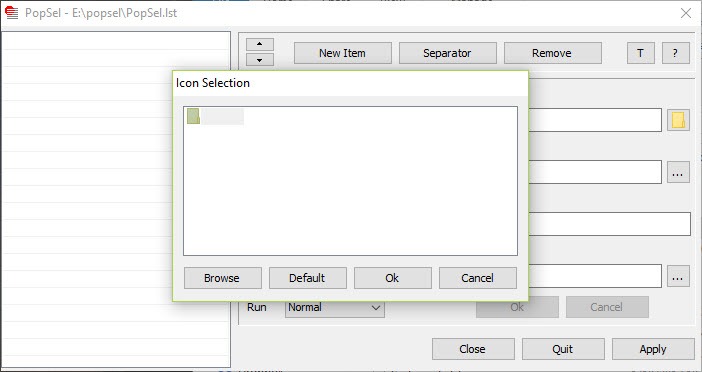
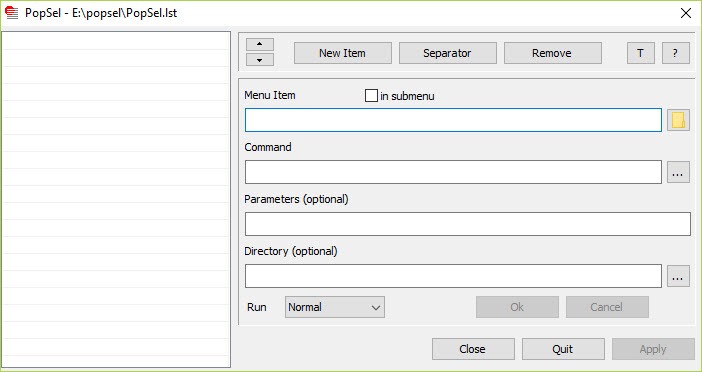
The core feature of PopSel is its user-defined pop-up menus. These menus can include anything from programs and files to web links and scripts. Items can be grouped into categories or submenus for easier navigation.
Customization is straightforward: users can define commands, set window states (like minimized or maximized), and assign administrative privileges where needed. This makes it easy to tailor each menu to suit individual preferences and tasks.
Portable and Lightweight Design
PopSel requires no installation. It runs directly from a folder or a USB drive, making it perfect for users who work across multiple systems or prefer minimal software footprints.
Despite its small size, it delivers quick responsiveness and has a negligible impact on system resources, even on older machines.
Conclusion
PopSel is a simple yet powerful utility for Windows users who want fast, clutter-free access to their most-used tools. With its portable nature and high degree of customization, it serves as a reliable launcher for anyone looking to keep their desktop clean while maximizing productivity.
While it lacks some modern interface features, its efficiency and ease of use make it a worthy addition to any Windows productivity toolkit.
Pros & Cons
- Lets users build personal launch menus for fast access to any file, folder, or URL
- Supports basic configuration options for each shortcut, including execution settings
- No installation required-ideal for USB toolkits and portable use
- Consumes very little memory and CPU, ensuring system performance is unaffected
- Menus are clean, uncluttered, and quick to navigate
- Initial setup may be less intuitive for non-technical users
- No drag-and-drop interface; all configuration is done manually via text files
- Only supports one level of submenus, limiting complex menu hierarchies
- Does not include a built-in search function for faster item lookup
Frequently asked questions
Yes, it supports one level of submenus for organizing related shortcuts.
Yes, the configuration allows you to set any entry to run with administrative privileges.
No, you can add as many items as you like, depending only on system memory.


