

Geek Uninstaller
About Geek Uninstaller
Geek Uninstaller is a portable removal tool that helps you uninstall stubborn programs quickly and cleanly. It runs without installation, scans for leftover files and registry traces after a normal uninstall, and can force remove broken entries when the standard uninstaller fails.
The result is a tidier system with fewer orphaned folders, services, and context menu hooks slowing things down.
Deep scan and force removal for tough cases
Not every application cleans up after itself. When a normal uninstall leaves debris behind, Geek Uninstaller runs a fast residue scan that searches common locations for files, folders, and registry keys tied to the program you just removed.
You can review each item, then delete everything in one pass. If an uninstaller is missing or refuses to launch, the Force Removal option analyzes the entry and strips it from the system while giving you the same cleanup workflow for leftovers.
Portable design and fast workflow
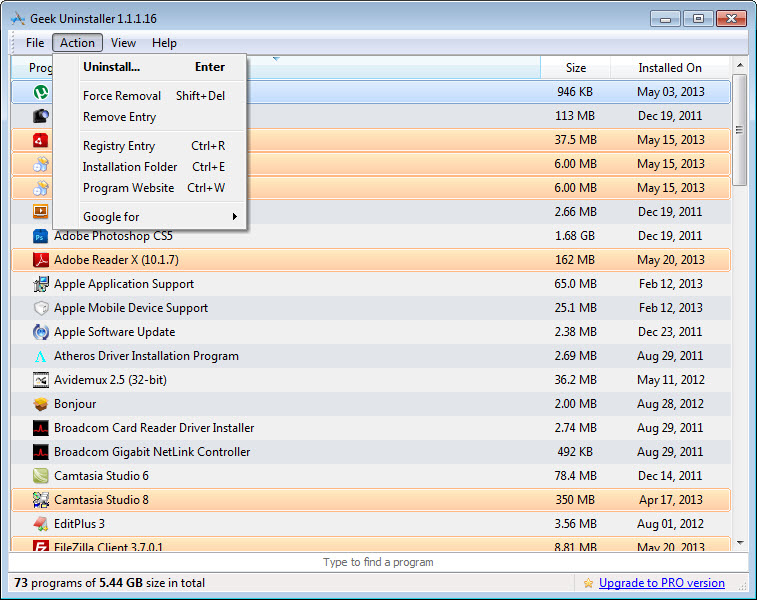
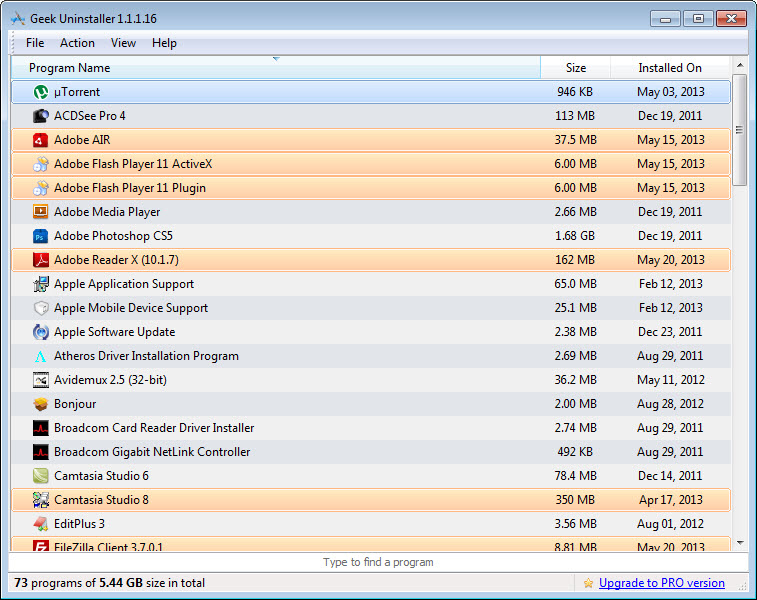
Because Geek Uninstaller is portable, you can drop it on a USB drive, launch it from any folder, and start cleaning immediately. The interface is purpose built for speed. Programs load in a sortable list with search on type, so you can filter by name, size, or install date.
Double click initiates uninstall, Shift plus Enter opens the registry entry for power checks, and right click exposes handy shortcuts like opening the install folder or the website recorded by the app.
Manage built in store apps and system integrations
Beyond classic desktop programs, Geek Uninstaller can list and remove built in store apps for users who want a leaner environment. It also offers quick links to open related system tools, for example the registry editor or the location on disk, which makes investigation and manual verification easier when you are chasing a stubborn shell extension or a service that did not unregister properly.
Reporting, safety, and quality of life touches
You can export the installed software list to an HTML file, useful for audits or migration planning. Before deleting leftovers, Geek Uninstaller shows a clear review dialog, which adds a safety layer when you are working on a machine that is not yours.
Small conveniences add up, such as quick jump to a program’s homepage, one click to open the install path, and a compact mode that fits well on small screens.
Conclusion
Geek Uninstaller focuses on what matters during removal, a fast launcher, a reliable deep scan for leftovers, and a force option for broken entries. Its portable nature, simple interface, and practical extras like store app removal and HTML reporting make it a dependable cleaner for routine maintenance and stubborn software alike.
If you want a no nonsense uninstaller that leaves fewer traces behind, this tool hits the mark.
Pros & Cons
- Portable utility that runs without installation, ideal for on the go cleanup
- Deep scan removes leftover files, folders, and registry traces after uninstall
- Force Removal clears broken or missing uninstallers and their residues
- Can list and remove built in store apps in addition to classic programs
- Fast search, sortable views, and export to HTML for audits and inventories
- No real time install monitoring for before and after comparisons
- Batch uninstall is limited, removals are typically one by one
- Interface is utilitarian and focuses on function over visual polish
Frequently asked questions
Yes, Force Removal analyzes the entry and deletes related files and registry traces even when the original uninstaller is missing.
Yes, it runs a residue scan and lets you review and remove folders, files, and registry keys tied to the program.
Yes, it runs without installation, which makes it convenient for technicians and shared machines.
Yes, it can list and remove store apps if you want to streamline the environment.
Yes, it can generate an HTML report of installed programs for documentation or migration planning.


