

AirServer
About AirServer
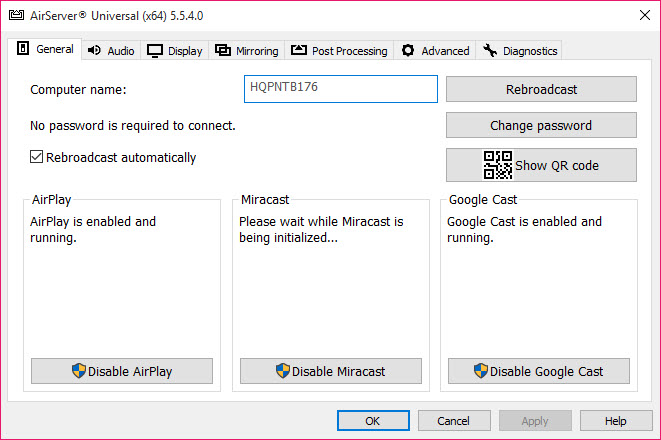
AirServer is a powerful tool that transforms your computer, projector, or compatible display into a universal screen receiver. Supporting AirPlay, Google Cast, and Miracast, it allows you to mirror or cast screens from almost any device, whether it is an iPhone, Android phone, Windows laptop, or Chromebook.
This flexibility makes it ideal for classrooms, meetings, streaming gameplay, or simply sharing videos and photos on a larger screen without extra hardware.
Simple and Reliable Screen Mirroring
With AirServer, connecting your devices is quick and user-friendly. For Apple users, AirPlay lets you mirror any iPhone or iPad screen directly to your PC. Google Cast and Miracast extend this convenience to Android and Windows devices too.
Once your screen is mirrored, you can choose to display the entire screen or highlight a specific area using your mouse. This is perfect for demonstrations, presentations, or guided tutorials.
Record and Stream with Control
In addition to live mirroring, AirServer lets you record what is displayed. You can capture the full screen or select a smaller section and save the recording for later or stream it live. This is very helpful for teachers, app developers, or gamers who want to share sessions online.
Smooth Performance and Multi-Device Layout
This software is optimized to use very little system power while streaming at high quality and up to 60 frames per second. It can manage several connected devices at the same time and arrange their screens automatically to fit neatly on your display.
This makes it easy to show different mobile screens side by side, compare content, or display multiple student screens at once during lessons.
Free and Premium Options
AirServer offers two versions. The free version provides basic mirroring and casting features, which are suitable for light use. For advanced recording, better performance, and more customization, the paid version unlocks all the available functions.
Conclusion
AirServer is an excellent choice for mirroring and casting screens from almost any modern device. Its smooth performance, recording tools, and broad protocol support make it a practical solution for schools, businesses, and home use alike.
If you want to turn your PC or projector into a smart receiver for easy wireless streaming, AirServer is a smart pick.
Pros & Cons
- Supports AirPlay, Google Cast, and Miracast for wide compatibility
- Lets you mirror from iPhones, Android devices, Windows PCs, and more
- Enables recording of the full screen or selected parts
- Arranges multiple screens automatically for clear viewing
- Delivers smooth streaming with low resource use
- Can be used with projectors and is perfect for classrooms and meetings
- The free version has fewer features than the premium version
- Miracast may require compatible Wi-Fi or hardware
- A stable network connection is needed for best performance
Frequently asked questions
Yes, AirPlay support makes it easy to mirror any iPhone or iPad screen.
Yes, you can record the whole screen or just part of it and save or stream it.
Yes, the software can show multiple connected screens arranged neatly.


