

Bandizip
About Bandizip
Bandizip opens and makes compressed archives, and it does both with a speed that is the first thing people notice. Double-click a ZIP, RAR or 7Z file and its contents appear in a clean window, with a preview of the files inside before anything is unpacked.
Drag a few of them to a folder and they extract on the spot. Right-click a folder and the context menu offers to compress it, with a password and split into volumes if you want. The archiver uses every processor core it can find, which is where the speed comes from. It reads more than forty archive formats, including ISO disc images and a pair of formats that stump other tools.
That breadth and speed sit in the basic edition, which carries advertising, and a paid edition removes the ads and adds a set of tools around the archives. Bandizip keeps the line between the two clear. The everyday work on archives is for everyone, encryption and splitting included. Saving passwords, repairing a broken archive, recovering a lost password, previewing images as thumbnails and scanning an archive for malware before extraction belong to the paid tier. The sections below cover the everyday work, the speed, the extras and the one habit that catches new users.
Opening and extracting
The Bandizip archive window lists the files inside with their sizes and dates, in folders, and a preview shows a file’s contents before extraction. Select what you want and drag it to a folder, or press Extract and choose a destination.
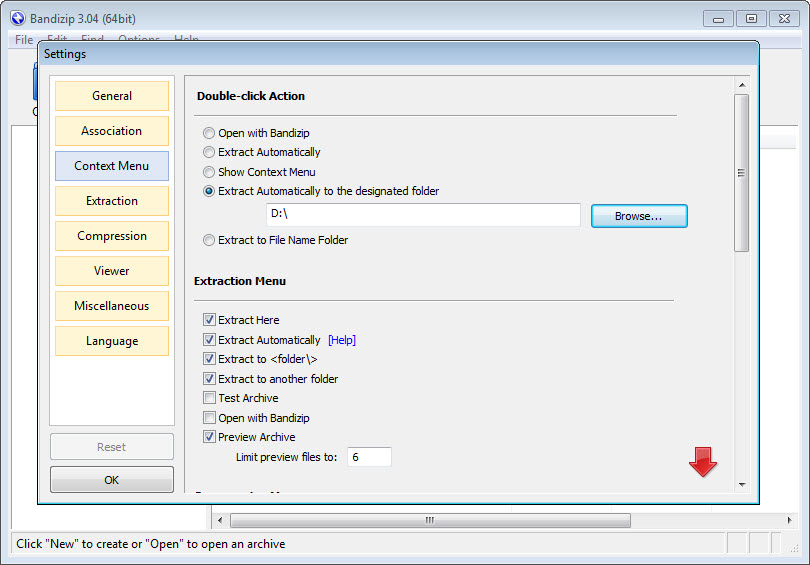
Extract Here and Extract to a folder named after the archive are a right-click away in the file manager, and a batch of archives selected together extracts in one go, each into its own folder.
Formats are the archiver’s quiet strength. Beyond ZIP, RAR, 7Z and TAR it opens disc images and cabinet files, system image files, and the ALZ and EGG formats that almost nothing else reads.
A code-page setting fixes the garbled filenames that appear when an archive was made on a system using a different alphabet. That is the fix for a folder of question marks after unpacking an archive from abroad.
Compressing and encrypting
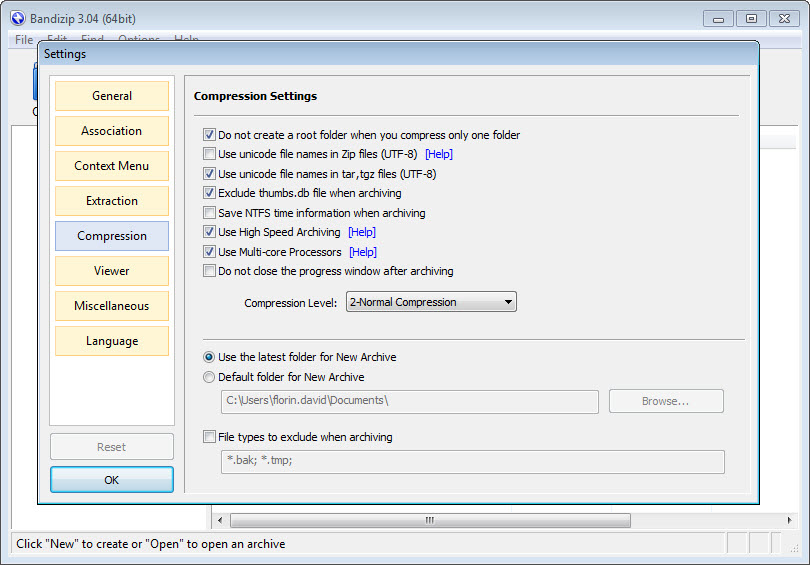
Bandizip compression writes ZIP and 7Z, ZIPX and TAR, and self-extracting files for a recipient with no archiver. A dialog sets the level, from store to ultra, and the format. Files larger than four gigabytes are handled, and an archive can be split into volumes of a chosen size, which suits email limits and storage sticks. Multi-volume ZIP and 7Z archives rejoin on extraction with no extra step.
Encryption uses AES-256 or the older ZIP method, with a password you type. The older method is kept for compatibility and is weak, so choose AES for anything that matters. Archives can be modified without unpacking, so a file is added, deleted or renamed inside a ZIP directly, and an integrity test checks an archive for damage before you rely on it.
Where the speed comes from
Two features explain why Bandizip feels quick. Multi-core compression splits the work across processor cores, which the maker measures at up to six times faster than a single core on the right files. High Speed Archiving skips recompressing files that are already compressed, so a folder of photos and videos, or of installers, is stored rather than squeezed, which saves minutes and loses nothing.
Fast Drag and Drop is the other half. Dragging files out of an archive extracts them straight to the destination rather than to a temporary folder first, which is what the file manager does and why its own extraction crawls. For large archives on a slow disk the difference is obvious. Against 7-Zip, which compresses tighter in its own format, this one wins on everyday speed and interface and loses on the smallest possible files.
The paid tools around the archive
The paid Bandizip edition adds five tools. A password manager stores the passwords you use for archives and offers them when an archive asks, which suits anyone who receives protected files from the same sources.
Repair Archive analyses a damaged ZIP and recovers as much as it can. Password Recovery runs a brute-force search for a forgotten password, with the honest note from the maker that success is not guaranteed and depends entirely on the password’s length. Image Preview shows thumbnails of pictures inside an archive without extracting them.
Antimalware Scan on Archive passes the archive’s contents to the security software already installed on the system, through the standard scanning interface, before anything is extracted. That is the most useful of the five for anyone who downloads archives from strangers, since a malicious file is caught before it touches the disk. None of these change how fast the archiver opens a file. They are conveniences and safety nets.
Context menu, dark mode and the small things
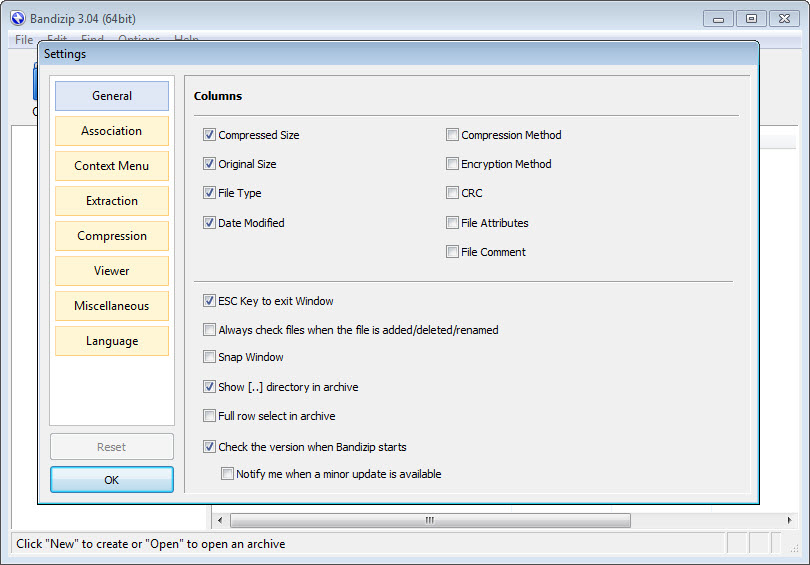
The Bandizip context menu integration includes the current compact menu style as well as the classic one, and it can be trimmed to the commands you use. Dark mode follows the system or is set by hand. High-resolution displays are handled cleanly. A command-line interface scripts the same operations for batch jobs. Unicode filenames survive compression, which is not true of every archiver.
A handful of archivers compete for the same desk, and an open-source archiver with more formats and more knobs is the busier alternative for people who want every option on screen.
Where it asks care
The advertising in the basic Bandizip edition is the recurring complaint, a banner in the archive window that some find intrusive and others ignore. The five paid tools are the ones people most want after a scare, which is the point. It reads RAR but does not create it, which leaves WinRAR as the tool for anyone who must produce that format.
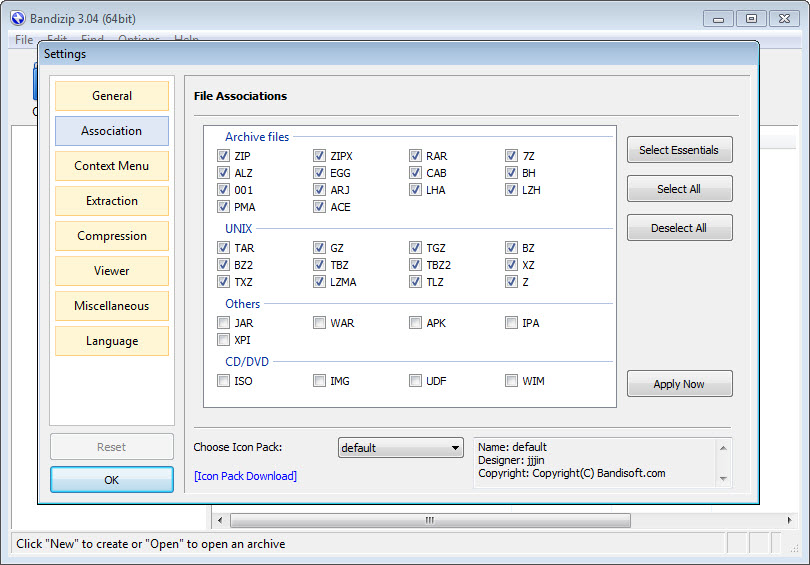
Password Recovery is slow against anything but a short password. And on first use, the file associations it offers to take over are many, so untick the formats you want another program to keep.
Conclusion
Bandizip suits anyone who opens and makes archives every day and wants it done quickly in a clean window, from a home user unpacking downloads to an office that mails split ZIPs. The format list, the multi-core speed and the direct drag-and-drop extraction are the reasons it replaces the file manager’s built-in handling on so many machines.
The basic edition carries ads and keeps the safety tools for the paid one, and it will never write a RAR. Untick the associations you do not want, choose AES over the old ZIP encryption, and let High Speed Archiving skip what cannot be squeezed.
Features & benefits
Pros & Cons
- Opens more than forty formats, from ISO and CAB to the rare ALZ and EGG
- Multi-core compression and High Speed Archiving that skips already-compressed files
- Fast Drag and Drop extracts straight to the destination
- AES-256 encryption, multi-volume archives, self-extracting files and archive editing
- Code-page setting fixes garbled filenames from foreign archives
- Clean interface with dark mode and a trimmed context menu
- Basic edition shows advertising in the archive window
- Password manager, archive repair and the other safety tools belong to the paid tier
- Reads RAR but cannot create it
- Offers to take over many file associations on install
Frequently asked questions
No. It extracts RAR archives but writes ZIP, 7Z and the other common formats, not RAR.
Use the code-page setting to tell it which alphabet the archive was made with, and the filenames display correctly.
In the paid edition, yes. It passes the contents to the security software already installed on the system before extraction.
A mode that stores files already compressed, such as photos and videos, instead of recompressing them, which saves time and loses nothing.


