

ZipGenius
About ZipGenius
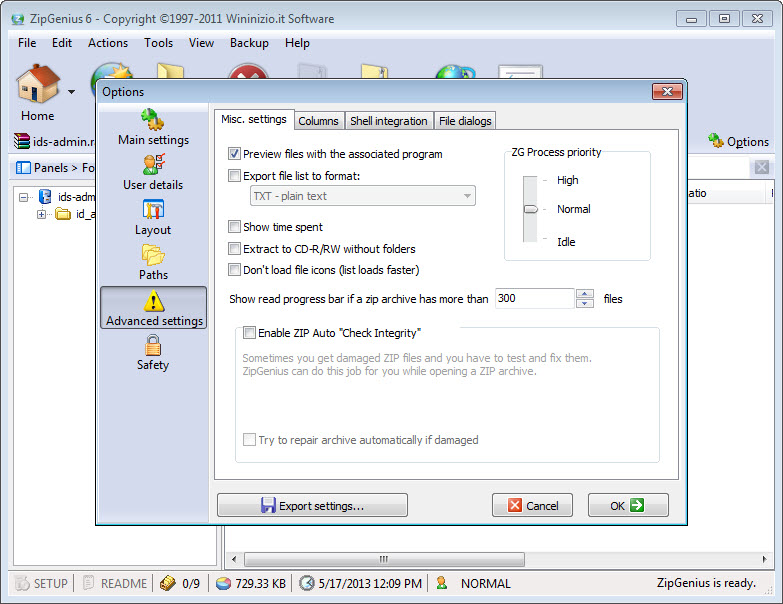
ZipGenius is an archiver from the days when archivers were suites. It opens more than twenty formats, from ZIP and 7-Zip to RAR and CAB, and on to the older ARJ and LHA. It browses disc images in ISO and NRG form as if they were folders, so a file can be pulled out of a CD image without mounting or burning anything.
It writes ZIP, 7-Zip and TAR, splits large archives into pieces and repairs damaged ones, and encrypts with its own CZIP format in four algorithms including AES. Around that core sit a backup wizard, an FTP client, an image viewer and a scanner import, which is where the suite part comes in.
It has also been quiet. ZipGenius received its last release some time ago, a security update to the 7-Zip component inside it, and nothing since, so what is described here is what it will remain. That matters less for an archiver than for most software, since the formats do not move much, and more for the online pieces, which have aged. The sections below cover the formats, the encryption, the backup wizard, the extras, and where a current archiver is the better choice.
Twenty formats and the disc images
Open an archive in ZipGenius and the window lists its contents with sizes and dates, plus compression ratios and the archive’s checksum and signature where it has one. Extract everything, a selection or one file type, with a prompt before overwriting and the destination folder opened afterwards if you want. Creating an archive takes a right-click on files or folders, with the format, the compression level and a password chosen in a dialog.
The format list covers the common families and the old ones that turn up on recovered disks, plus the Zip64 extension for archives over four gigabytes. The disc image browsing is the part that still earns a place. An ISO or NRG image opens as a folder tree, and files copy straight out of it.
For the broadest format support in a current program, 7-Zip is the reference, and it reads most of what this one reads.
CZIP, the encryption format
The ZipGenius encrypted format wraps an archive in one of four ciphers, CZIP’s own, Blowfish, Twofish or AES, with a password. The result can be written as a plain CZIP file for someone who has the program, or as a self-extracting executable that decrypts and unpacks itself, so a recipient needs nothing installed. Ordinary ZIP passwords are supported too, with the program’s own warning that the traditional ZIP protection is weak and CZIP is the one to trust.
The warning is fair. CZIP with AES is proper encryption and the self-extracting form solves the problem of what the other person opens it with. The catch is that CZIP is this program’s format, so a plain CZIP file is only readable where the program or its sibling tool is installed, and the sibling tool is a separate product.
The backup wizard
The ZipGenius backup menu walks through choosing folders, compressing them into an archive and sending the result to a network drive or a stick. It knows the profile folders of the common open-source browser and mail client and backs them up by name. That is the quickest way to carry bookmarks and mail, with their saved passwords, to a new machine. Backups can be turned into self-extracting files that restore without the program.
It is a file backup, not an image, and it has no scheduler of its own, so it runs when you run it. A date and time stamp can go into the archive name to keep successive backups apart. For a scheduled copy of folders with versions, a dedicated backup tool does the job this wizard starts, and for the daily unzip in a clean modern window, a fast general archiver is the lighter companion.
FTP, scanner and the security check
The ZipGenius FTP client uploads an archive straight to a server after it is made, which suits anyone who still runs a plain FTP site. A scanner and camera import pulls an image through the TWAIN interface into an archive without a separate program. An image viewer shows pictures inside an archive without extracting them, and an album tool arranges them.
A security check marks files inside an archive that it considers suspect, warns before a preview or a run, and offers to pass the file to an antivirus you point it at.
Those are sensible habits for a program that opens archives from strangers. Extraction to a disc burner is listed among the features and dates from an older generation of systems, so count it out on a current machine.
Where a current archiver is the better choice
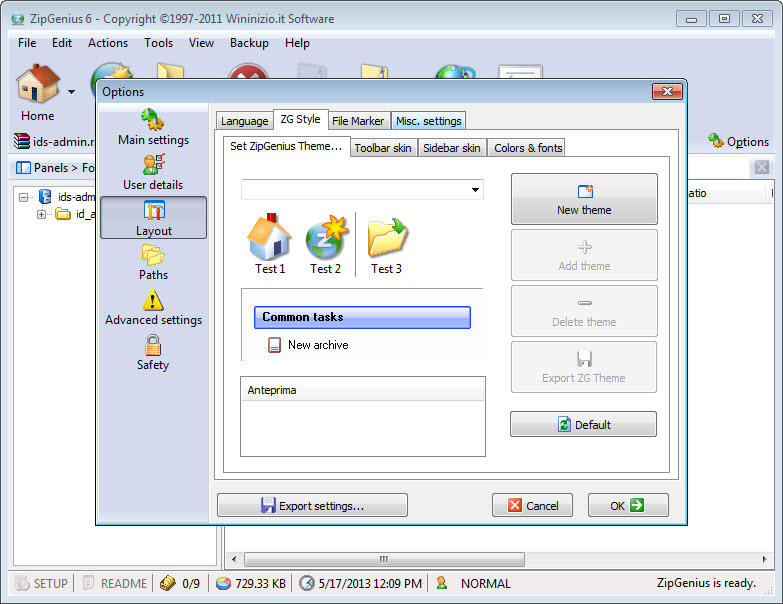
The quiet is the main ZipGenius limit. No new formats, no fixes beyond the last security patch, and an interface from an earlier generation of desktop software, with toolbars and dialogs that look it. The FTP client and the disc extraction belong to an earlier way of working. RAR is read but not written. And the suite approach means installing a backup wizard, an image viewer and an FTP client when you wanted an archiver.
For a flood of formats and options in an open-source program that is still developed, PeaZip is the closest in spirit. This one’s remaining case is the old disks, the ISO images and the encrypted self-extracting files, where it still does what it always did.
Conclusion
ZipGenius suits anyone who meets old or unusual archives, browses disc images without burning them, or wants encrypted archives that a recipient can open with nothing installed. The format list, the disc image browsing and the self-extracting CZIP output are the parts that still stand out.
It has not moved in a long time and it carries a suite’s worth of extras. Use it for the cases above, keep a current archiver for the daily unzip, and write anything encrypted as a self-extracting file so it outlives the program.
Pros & Cons
- Opens more than twenty formats, including old ones and ISO and NRG disc images
- CZIP encryption in four ciphers with self-extracting output that needs no program
- Splits and tests archives, repairs damaged ones, and shows checksums and signatures
- Backup wizard that knows browser and mail profiles
- Security check that flags suspect files and hands them to an antivirus
- Zip64 for archives over four gigabytes
- No release in a long time, with an interface from an earlier generation
- CZIP files need the program or its sibling tool unless made self-extracting
- RAR is read but not written
- Suite installs an FTP client and an image viewer alongside the archiver
Frequently asked questions
Yes. ISO and NRG images open as folder trees, and files copy straight out without mounting or burning.
With CZIP using AES, yes. The traditional ZIP password is weak, and the program itself says to use CZIP instead.
Yes, if you write it as a self-extracting executable, which decrypts and unpacks itself. A plain CZIP file needs the program or its sibling tool.
No. It reads RAR archives but writes ZIP, 7-Zip, TAR and its own CZIP format.


