

RAR Extract Frog
About RAR Extract Frog
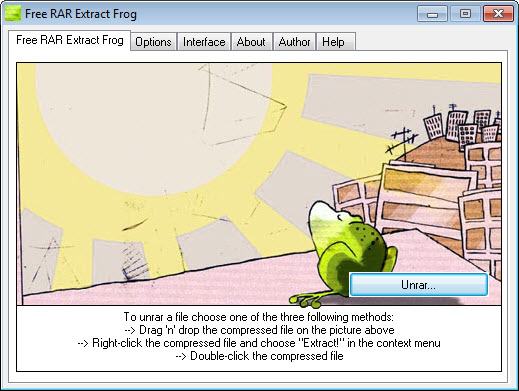
RAR Extract Frog opens RAR archives and does nothing else. Drag a file onto the frog on its window, double-click an archive, or use the entry it adds to the right-click menu, and the contents land in a folder.
Multi-part sets, the ones ending .part1.rar and .r00, are handled from the first piece, and password-protected archives prompt for the password or use one you stored in advance. It cannot create an archive, cannot open ZIP or 7z, and has no file list to browse before extracting.
That narrowness is the pitch. 7-Zip and the other general archivers do everything with every format and put a file manager in front of it. RAR Extract Frog puts one button in front of one job, which suits a machine where somebody else has to open the occasional download and nothing more.
It also comes with a cartoon frog you can replace with any photo, which is either charming or exactly the reason you will not install it.
Three ways to start an extraction
Drag and drop is the intended route, onto the frog image or anywhere on the window. Double-clicking works once the program has claimed the .rar association during setup, which it offers rather than assumes.
And the shell entry adds Extract to the right-click menu of any archive, which is the route most people use after the first week. All three do the same thing and end with the files in a folder.
Where the files land
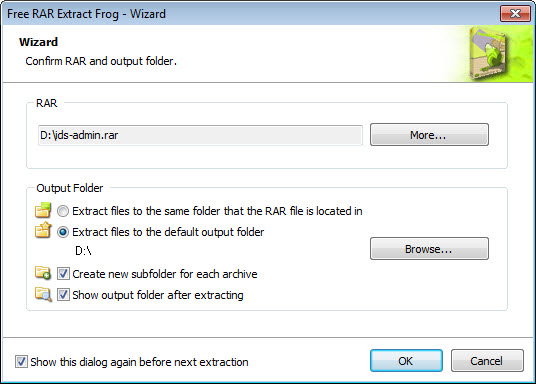
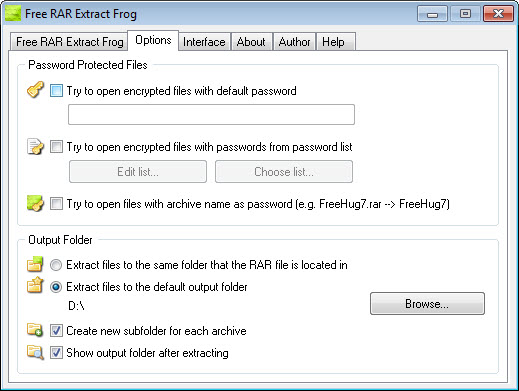
Where the extracted files go is set in the RAR Extract Frog options. Leave it and the files land beside the archive in a folder named after it. Set a default output folder and everything goes there instead, which suits a downloads-to-working-folder routine.
A default password can be stored too, for anyone who deals with a source that always uses the same one, and it saves a prompt on every archive. Several archives can be queued and extracted in one run.
Skins and the frog
The window’s picture is the skin, and dropping a JPG onto it replaces the frog with whatever you dropped. Screensaver files and phone wallpapers work as skins as well, and the package includes a few examples.
It is a decoration with no effect on anything, and it is the feature the program is remembered for.
Instructions in fifty languages
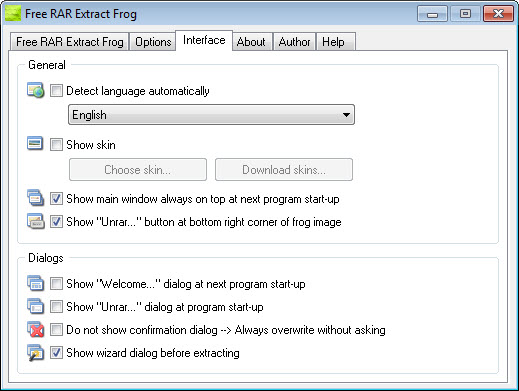
Short instructions are included in more than fifty languages, which is unusual for a utility this small and useful on a shared machine. There is no full translation of the interface, since there is barely an interface to translate, and the handful of buttons carry their own labels.
What it cannot do
No archive creation. No formats other than RAR, so a ZIP or a 7z file needs another program. No listing of an archive’s contents before extracting, no extracting of a single file from inside one, no repair of a damaged archive and no test pass.
The extraction engine is competent and quick on ordinary archives, and on a corrupt or oddly made one it reports a failure rather than telling you which part is wrong.
For anyone who ends up wanting any of those, a full archiver with a file manager replaces this program entirely and handles RAR as one of a dozen formats. This is a specialist for a machine where specialisation is the point, and a general archiver is the sensible default everywhere else.
Conclusion
RAR Extract Frog is for the machine where somebody opens a downloaded archive now and then and should not be handed a file manager to do it. The three ways in, the stored password and the default folder mean the whole job is a drag and nothing else, and the frog gives it a face people remember.
Anyone who compresses as well as extracts, or meets more than one archive format, has a general archiver already and does not need this. It is a single-purpose tool, and single-purpose is the entire argument for it.
Pros & Cons
- Extracts RAR archives, multi-part sets and password-protected ones from a drag or a double-click
- Default output folder and default password remove two prompts
- Queue several archives for one run
- Instructions in more than fifty languages
- Skin replaced by dropping in any picture
- RAR only, with no ZIP, 7z or other formats
- Cannot create archives or extract single files from one
- No content listing, repair or test
- Little use on a machine that already has a general archiver
Frequently asked questions
No. It handles RAR archives only, including multi-part and password-protected ones. Other formats need a general archiver.
Drop the first part, the one ending part1.rar or .rar, onto the window. The remaining parts are read automatically as long as they sit in the same folder.
No. It extracts only. Making an archive needs a program with compression, and RAR creation specifically needs the format's own tool.


