

Droid4X
About Droid4X
Droid4X is an Android emulator built with one audience in mind, the player who wants touchscreen games on a big monitor with real controls. It puts a full Android environment in a desktop window, maps touch gestures onto your keyboard and mouse, and adds a party trick most rivals never copied. Your actual phone can become the wireless gamepad for whatever the emulator is running.
The straight truth belongs right at the top, though. This emulator stopped evolving a long while ago, and the Android generation inside it is old enough that a growing share of current apps and games simply refuse to install.
What remains is a light, pleasant environment for the enormous back catalog that does run, and knowing which side of that line your favorite title falls on decides whether this download makes any sense for you.
Touch games on a keyboard that behaves
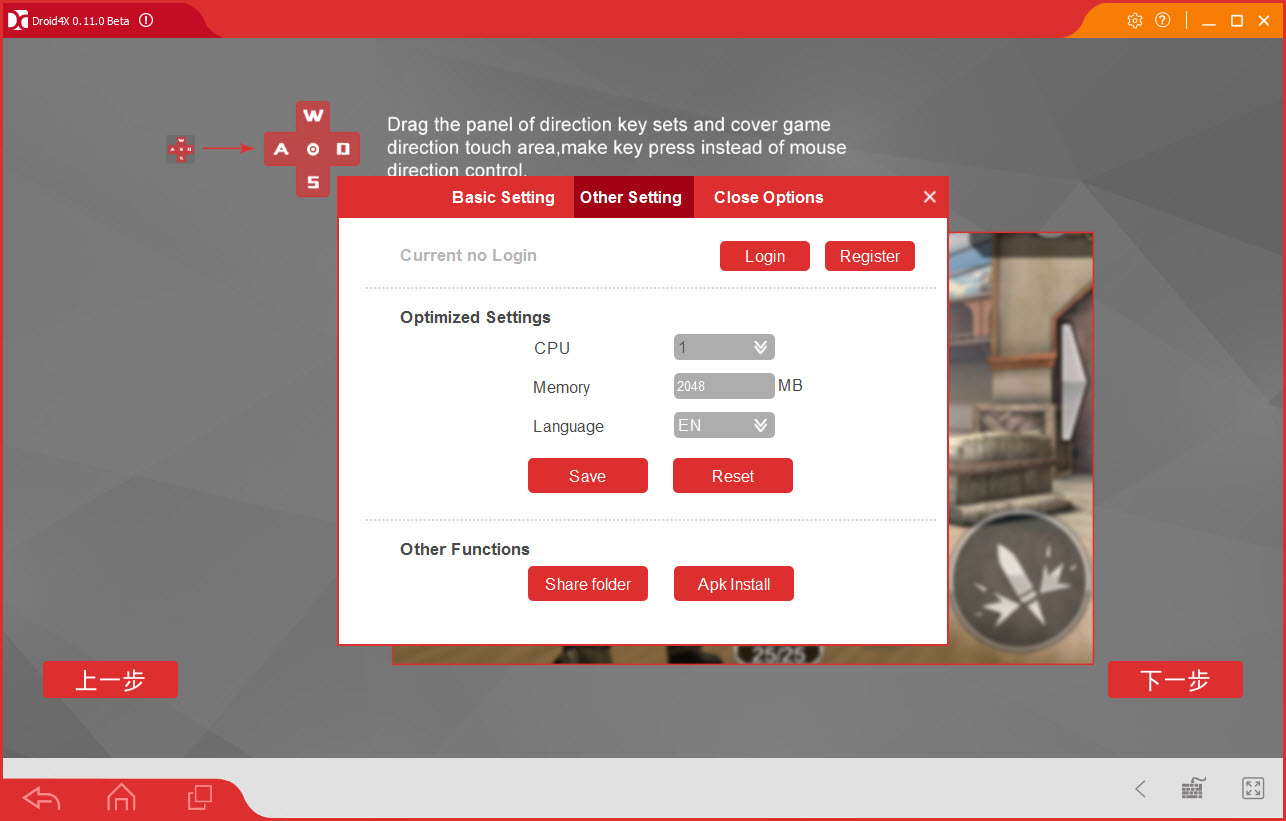
Keymapping is the heart of the experience. Any spot on the screen can be bound to a key, swipe zones can live on WASD, and multi-touch actions collapse onto single buttons, so a shooter or a runner built for thumbs plays like it was designed for a desk.
The mapping overlay is simple to set up, per-game layouts are saved, and physical gamepads are supported for anyone who prefers sticks to keys.
The phone-as-controller feature deserves its own sentence, because nothing else in this category made it this easy. Install the small companion app, pair it with the emulator over your network, and the phone’s tilt and touch become the controls, which turns racing games in particular into something closer to their console cousins.
Light enough for the machines that need it
Emulators are notorious resource gluttons, and this one earned its early popularity by being the opposite. On modest hardware where heavier platforms stutter, Droid4X stays responsive, boots quickly, and leaves enough of the machine free that alt-tabbing out doesn’t feel like a mistake. An older laptop that has no business running an emulator will often run this one acceptably.
Screen recording is built in, one click to capture gameplay or an app demonstration to a video file, no separate capture software involved. Combined with the shared clipboard and drag-in file installation of APKs, the quality-of-life basics are all present.
The compatibility wall, stated plainly
Here’s the section that decides everything. Because the underlying Android release predates modern requirements, plenty of newer titles and updated apps either refuse installation outright or crash on launch. Older and casual games, the vast puzzle-and-arcade catalog, and lighter apps generally behave fine. Anything recent, demanding, or frequently updated is a coin flip at best.
Active alternatives have long since taken the lead for current games. LDPlayer and MEmu chase new releases with regular updates, BlueStacks remains the polished heavyweight, and NoxPlayer covers similar ground with macros and scripting. If your goal is this season’s popular title, start with one of those.
If your goal is an old favorite on a weak machine, keep reading, because that’s exactly the niche this emulator still fills.
Stability follows the same pattern. Sessions with era-appropriate games run smoothly for hours, while pushing modern software produces freezes that no settings menu will cure. The limits aren’t bugs to work around. They’re the walls of the product.
Conclusion
Droid4X made its name on lightness and clever controls, and both survive. The keymapping is still pleasant, the phone-as-gamepad trick is still unmatched for how little effort it asks, and old hardware still appreciates how little it demands. For revisiting the classic touchscreen catalog on a modest machine, it remains a defensible pick.
As a primary emulator in the current era, it isn’t one. Anyone chasing today’s games should start with an actively maintained alternative and keep this as the specialist tool it has become, the light rig for old favorites rather than the daily driver.
Features & benefits
Pros & Cons
- Keymapping turns touch controls into precise keyboard and mouse play
- Companion app makes your phone a wireless motion controller
- Runs comfortably on old and low-powered machines
- Built-in screen recording with one click
- Simple APK installs by drag and drop
- Old Android base blocks many current apps and games
- No ongoing development or updates to expect
- Modern titles that do install often crash or misbehave
- Rivals offer better compatibility for anything recent
Frequently asked questions
Often not. The Android generation inside it predates what many current games require, so recent releases frequently refuse to install or crash. The older casual catalog runs well.
A companion app on your phone pairs with the emulator over the local network, turning the phone's touchscreen and tilt sensors into a wireless gamepad, especially natural for racing games.
Yes, any touch point, swipe, or gesture can be bound to keys and mouse actions, with layouts saved per game. Physical gamepads are supported as well.
Yes, screen recording is built in and captures the emulator window to a video file with one click, no external capture tool needed.
That's its remaining strength. It stays responsive on modest and aging hardware where heavier emulators struggle, which makes it a fit for machines that can't carry the mainstream options.


