

Microsoft Security Essentials
About Microsoft Security Essentials
Microsoft Security Essentials is a free antivirus product that provides real-time protection against viruses, spyware, rootkits, and trojans on older systems running Vista SP1, Vista SP2, or 7. The application uses the same Microsoft Malware Protection Engine (MSMPENG) and virus definition database that powers Microsoft’s enterprise security products, with the consumer-focused interface stripped down to scanning, real-time protection, and quarantine management without the complexity of business security suites.
The honest context worth establishing immediately: this software is fundamentally a legacy product. Microsoft’s final version (4.10.209.0) shipped in November 2016. Official support for the application ended on January 14, 2020 alongside the end-of-life for the underlying operating systems it runs on. Virus definition updates continued for existing installations until 2023, after which even those stopped.
For systems running 8 and later, Microsoft Security Essentials doesn’t install at all because Microsoft Defender is built into the operating system as a direct successor with the same protection engine. For users specifically on older systems where this software still runs, understanding the discontinuation context matters more than the feature list, since protection without ongoing definition updates is meaningfully different from protection with current threat intelligence.
What it does in real-time protection
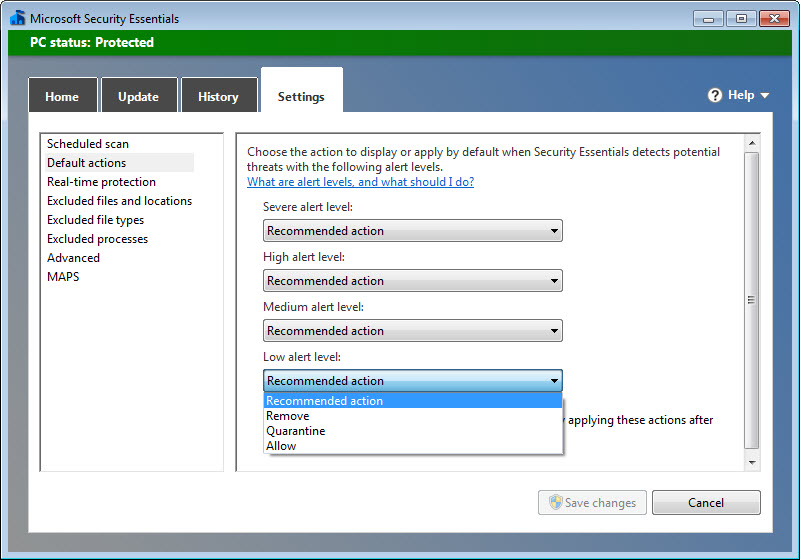
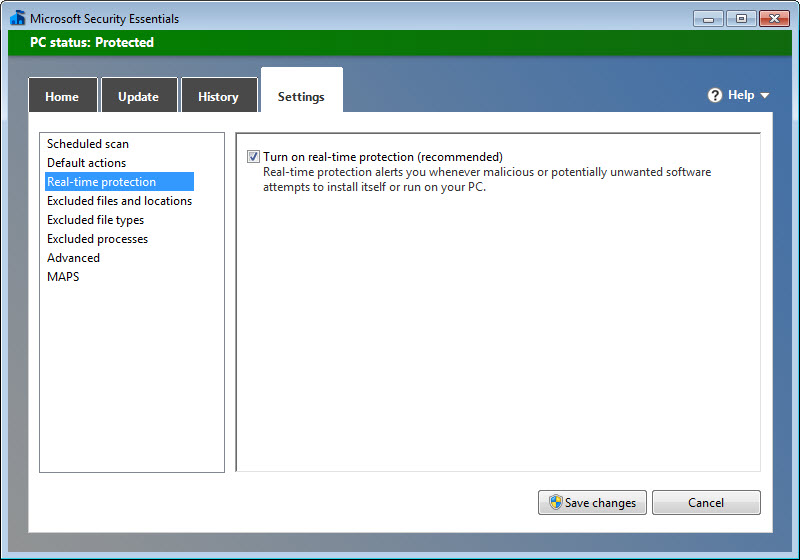
The defining function is real-time scanning. Once installed, the application monitors the system continuously, scanning files as they’re created, downloaded, or modified. New executable files get checked against the virus definition database before they can run. Suspicious behaviors trigger more thorough analysis. Detected threats either get quarantined automatically or prompt the user for decision, depending on threat severity and configuration.
Real-time protection works through file system filter drivers that intercept disk operations before they complete. When a malicious file gets downloaded through a browser, Microsoft Security Essentials scans it before the browser finishes the download, blocking the threat at the moment of arrival rather than waiting for the user to attempt opening it. The same approach handles email attachments, files from network shares, USB drives, and other vectors where files enter the system from outside.
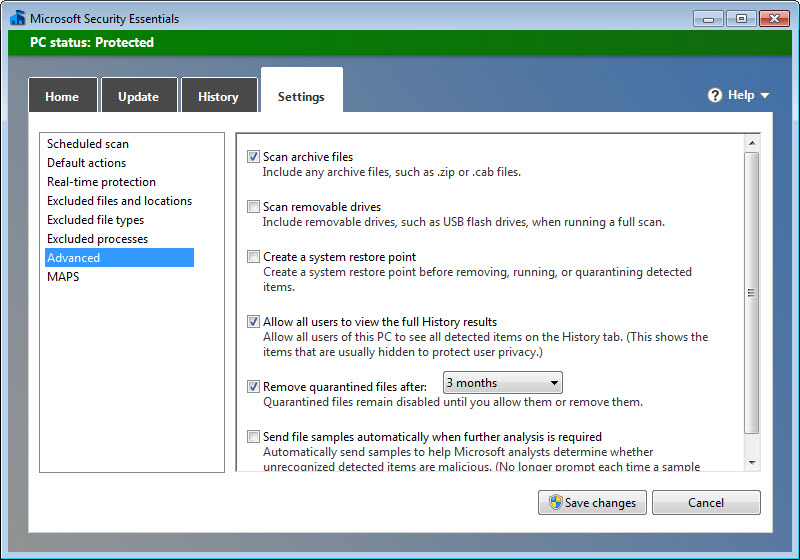
System Restore checkpoint creation happens automatically before threats get removed, giving users a recovery option if removal accidentally damages legitimate system functionality. This safety mechanism mattered for the era when malware sometimes infected critical system files and aggressive removal could leave systems unbootable. Modern threats handle this concern differently, but the mechanism remains in place for users still running the application.
Scan types and the manual scanning workflow
Beyond real-time protection, three manual scan types handle on-demand scanning. Quick Scan checks the locations malware typically hides (memory, registry, common system folders, currently-running processes), completing in 5 to 15 minutes on typical systems. Full Scan examines every file on every drive, which produces thorough results at the cost of substantial time, often running 1 to 3 hours depending on storage size. Custom Scan lets you specify which folders, drives, or files to scan, useful for checking specific suspicious downloads or external storage without committing to a full system scan.
The interface organizes these scan types prominently on the main screen, with Quick Scan as the default option and Full Scan available for users wanting comprehensive coverage. Schedule-based automatic scanning runs in the background according to user preferences, with most users configuring weekly Full Scans during off-hours when the system isn’t in active use.
Scan progress visibility helps users gauge what’s happening during long operations. Files scanned, threats detected, and time remaining all display during active scans, with the ability to pause, cancel, or run the scan in low-priority mode that minimizes impact on other applications.
Microsoft Active Protection Service and cloud assistance
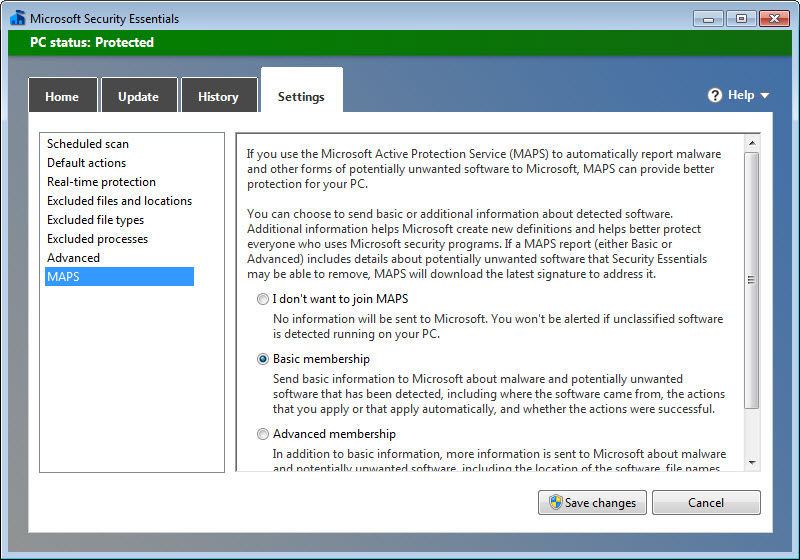
The application participates in Microsoft Active Protection Service (MAPS, formerly SpyNet), which provides cloud-based threat intelligence. When the local definition database doesn’t recognize a suspicious file, the application can submit metadata to Microsoft’s servers, which check against more recent threat data than the local database contains. If the cloud check identifies the file as malicious, the response triggers either an immediate definition update or guidance to quarantine the threat.
This cloud assistance was genuinely useful when the application was actively maintained, since it provided protection against threats discovered between definition updates. With Microsoft’s ongoing maintenance ending, the cloud component’s effectiveness has diminished substantially, with newer threats not being added to the cloud database the application connects to.
The MAPS participation can be configured between Basic, Advanced, and Off, with different levels of metadata sharing based on user privacy preferences. For users who care about minimizing telemetry, the Off setting disables cloud assistance entirely, with the trade-off being protection limited to whatever the local definition database can recognize.
Network Inspection System for network attacks
Version 2.0 added Network Inspection System, a network intrusion detection component that monitors network traffic for known attack patterns. Unlike the file-based real-time protection that catches malware at the filesystem level, NIS catches network exploits before they reach the vulnerable software, blocking attacks in transit rather than waiting until they’ve delivered payloads.
For systems running outdated software with known vulnerabilities, NIS provided meaningful additional protection. The NIS database updated separately from regular virus definitions and contained signatures for active network exploit attempts. Browser-based attacks, network protocol exploits, and various other threats that didn’t manifest as files got handled by NIS rather than the file scanner.
The NIS component has the same discontinuation status as the rest of the application. Without ongoing updates to its signature database, protection against newly-discovered network attacks isn’t available, with the protection effectively frozen at whatever was recognized when updates stopped.
The relationship to Windows Defender and Microsoft Defender
For systems running 8 and later, the conceptual successor is Windows Defender (now called Microsoft Defender Antivirus), which ships built into the operating system and provides the same core protection capabilities through the same Microsoft Malware Protection Engine. The interface differs, the integration with the broader operating system is deeper, and the maintenance is current rather than discontinued, but the underlying technology shares substantial code with what Microsoft Security Essentials provided.
For users on systems where this software still runs, the natural question is whether to keep using it or switch to alternative free antivirus options that remain actively maintained. Avast Free Antivirus, AVG AntiVirus Free, Bitdefender Antivirus Free, and various others provide ongoing definition updates and active development, with the trade-off being some include advertising or upsell prompts that the discontinued Microsoft product never had.
The honest comparison: actively-maintained free alternatives provide substantially better protection than discontinued software regardless of how good the discontinued software was at its peak. Definition databases that don’t update don’t catch new threats, and threats don’t stop being created when software stops being maintained. For users genuinely concerned about security on older systems, switching to actively-maintained alternatives is the rational choice despite any preferences for the Microsoft interface or trust in the Microsoft brand.
Considerations and limitations
The discontinuation is the central limitation that overshadows everything else. Antivirus protection without ongoing definition updates degrades over time as new threats emerge and unpatched vulnerabilities get exploited. Users running discontinued security software should understand that real protection comes from active maintenance, not from the software’s design alone.
The lack of personal firewall, anti-spam, password management, or other features common in modern security suites was a deliberate design choice rather than a flaw, but users wanting comprehensive security from a single application need to look elsewhere. The application focused on antivirus protection specifically, leaving firewall functionality to the built-in firewall and other security tasks to other tools.
Compatibility is limited to Vista SP1, Vista SP2, and 7. The application doesn’t install on 8 or later, which means users who upgrade their operating system have to switch to Microsoft Defender or alternative antivirus regardless of their preferences. The migration path is straightforward (uninstall this, use the built-in protection on the newer operating system), but it’s a forced transition rather than an optional choice.
False positive incidents have occurred historically, including a notable September 2011 incident where a faulty definition update incorrectly identified Google Chrome as malware. The issue was resolved within hours, but events like this affected user trust in automated removal decisions and produced ongoing skepticism about antivirus removal recommendations.
Conclusion
For systems running Vista or 7 where Microsoft Security Essentials still installs, the application represents a piece of antivirus history rather than current protection. The Microsoft Malware Protection Engine underneath remains technically capable, the interface is clean and resource-light, and the legacy of 30 million users at peak adoption demonstrates the product fit a real need during its active development period.
The honest assessment is that running discontinued security software in 2026 is a meaningful protection gap regardless of how good the software was at its peak. Threats evolved past what the 2023-era definition database recognizes, with new malware families, vulnerabilities, and attack techniques emerging continuously without the corresponding signatures arriving on systems running this product.
Users genuinely concerned about security on older operating systems are better served by switching to actively-maintained alternatives that continue receiving updates, while those on newer systems already have Microsoft Defender providing the same engine with current intelligence built into their operating system.
Features & benefits
Pros & Cons
- Lightweight resource consumption suitable for older hardware
- Same Microsoft Malware Protection Engine that powers actively-maintained Microsoft Defender
- Free with no commercial restrictions or advertising
- Clean interface focused on antivirus protection without bloat
- Quick Scan, Full Scan, and Custom Scan cover different scanning scenarios
- System Restore checkpoint creation before threat removal provides recovery option
- Network Inspection System adds intrusion detection beyond file-based protection
- Won AV-TEST Top Product award in February 2018 after improvements
- Officially discontinued with no further definition updates after 2023
- Only runs on Vista SP1, Vista SP2, and 7
- Test scores were mixed historically with notable failures in 2012-2013
- No personal firewall, anti-spam, or other security features beyond antivirus
- Replaced by Microsoft Defender on 8 and later, which provides ongoing maintenance
- False positive incidents during active development period damaged user trust


