

fre:ac
About fre:ac
fre:ac converts audio between formats and rips CDs to files, and it does both with more care than its plain window suggests. Drag a folder of music onto the list, pick a target format, press Start, and every file is converted and tagged, then named according to a pattern you set.
Insert a CD and the program reads the disc, fetches the track names from an online database, and rips each track straight to the format you chose. MP3, AAC, FLAC, Opus, Ogg Vorbis, WMA, WAV and a long list of others are supported in both directions, and the encoders use every processor core, so a large library converts in minutes rather than hours.
What sets it apart is the attention to the details that matter to people who care about their music. fre:ac verifies lossless files after conversion and checks rips against a shared database of known-good results. It rips hidden tracks before the first song, splits a single image of a whole album into tracks with a cue sheet, and converts a whole library while keeping its folder structure intact.
It is open source, runs from a stick in its portable form, and is actively maintained. The sections below take each part in turn and end with where a specialist ripper goes further.
Converting a library
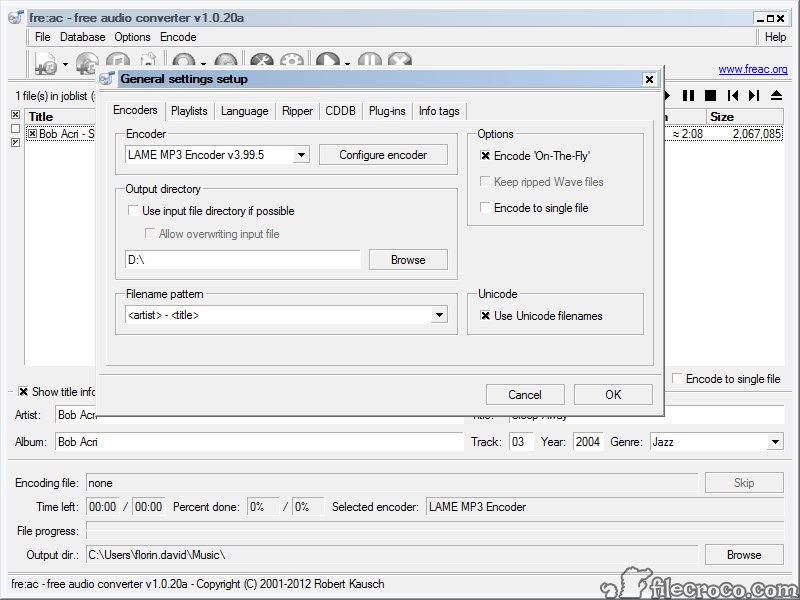
The main fre:ac list takes files and folders by drag and drop or from a browse dialog. Choose the output format and the encoder settings, choose a destination, and the job runs. Several files convert at once, one per processor core, which is why a few hundred tracks finish quickly. The output can keep the input’s folder tree, so a library organised by artist and album comes out organised the same way in the new format.
One job can write to several formats at once, so a collection is converted to FLAC for archiving and to MP3 or Opus for a phone in a single pass. The program reads playlists and cue sheets, keeps chapters in audiobooks, and can play any file in its list before converting, which helps check that a file is the one you mean.
For converting video soundtracks or a wider range of media types, Format Factory covers the video side that this program leaves alone.
Ripping CDs
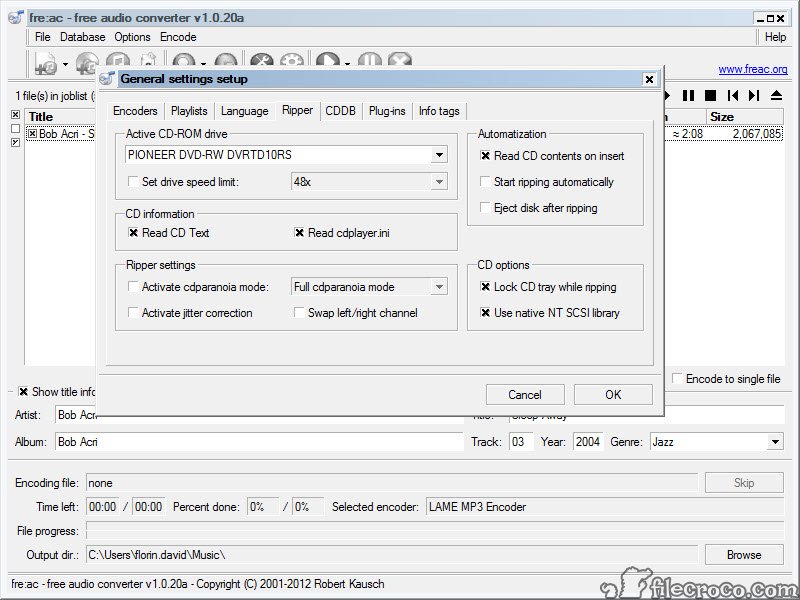
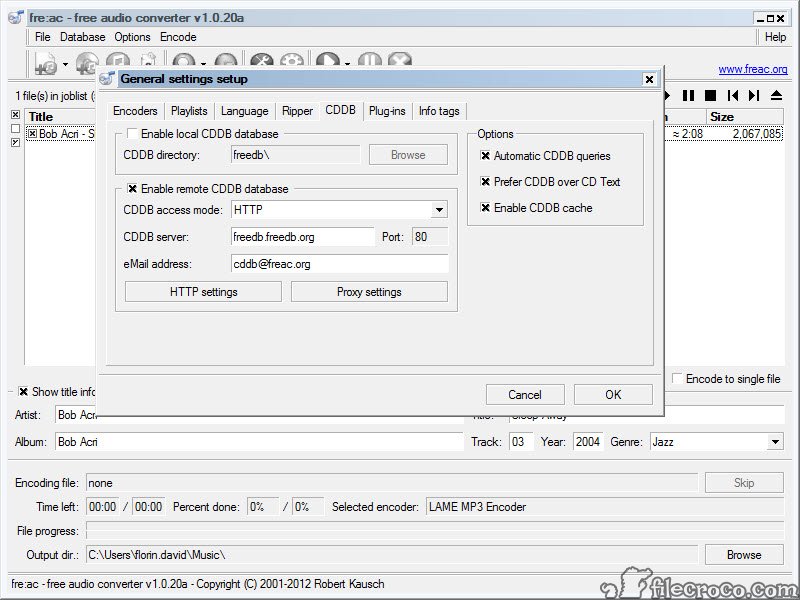
Insert a disc in fre:ac and the track list appears, with the names already filled in from the online CD database, along with any CD-Text on the disc itself. Choose the format and rip, and each track becomes a tagged file. The ripper reads hidden tracks placed before the first song, the pregap that some albums use for a surprise, which most rippers miss. Fully automated ripping reads and names a disc, rips it and ejects it with no clicks, for working through a stack of discs.
Verification is the part that matters for a collection. The ripper checks each track against AccurateRip, a database of results from other people’s copies of the same pressing, and reports whether your rip matches. A match means a bit-perfect copy.
A scratched disc that rips with errors shows as a mismatch, so you know which tracks to clean and retry. For a dedicated ripper built around secure, error-correcting reads of damaged discs, CDex is a long-standing alternative.
Tags, cover art and file names
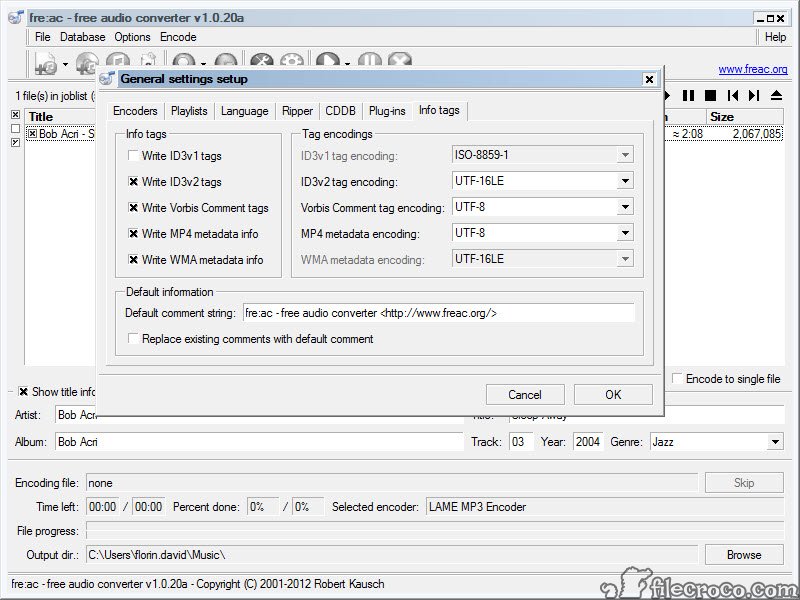
Tags travel with every fre:ac conversion. Artist, album, title and track number, with the year, genre and cover art, are read from the source and written to the output in the right tag format for each file type. Full Unicode support means names in any script survive. A built-in tag editor fixes mistakes before conversion, and cover art is read from files beside the music as well as from the tracks.
File names follow a pattern you set, built from the tags, so files come out named by their tags however the source was named. Options restrict the characters used for compatibility with older players and file systems, and missing tags can be filled from the source file names.
For editing tags across a large library after conversion, MP3TAG is the specialist.
Encoders and quality
Each fre:ac format has its encoder settings, from a constant or variable bitrate for MP3 to a compression level for FLAC and a bitrate and mode for Opus. Presets give sensible defaults for most people, and every setting is exposed for those who want to tune. Opus and AAC give the best quality at low bitrates for phones and streaming. FLAC keeps the original quality exactly in a smaller file, which is the choice for archiving a CD collection.
Lossless conversions can be verified after encoding, decoding the output and comparing it with the source to prove nothing was lost. Sample rate conversion and channel changes are available when a target device needs them.
The program can also drive external command-line encoders, so a format it does not support natively is still reachable.
Where a specialist goes further
The fre:ac interface is functional rather than polished, and the depth of options can be more than a casual user needs. Ripping of badly damaged discs is handled through the verification and a basic secure mode, and the dedicated secure rippers go further on recovering scratched media.
Video files are outside its scope beyond extracting their audio. And as with any converter, converting between two lossy formats loses quality each time, so keep a lossless master and convert from that.
Against those, few tools combine a fast multi-core converter, a verifying CD ripper and careful tag handling in one open-source program. For playback of the converted library, a music player with a deep tag library picks up where this program leaves off.
Conclusion
fre:ac suits anyone who needs to convert audio or rip CDs and cares about the result, from a listener putting a CD collection onto a phone to an archivist building a verified lossless library. The multi-core converter, the verifying ripper and the careful tag handling make it the one tool many people need for both jobs.
Its interface is plain and its secure ripping stops short of the specialists. Rip to FLAC first, verify the rips, then convert copies to smaller formats for the devices that need them.
Features & benefits
Pros & Cons
- Converts between MP3, AAC, FLAC, Opus, Vorbis, WMA, WAV and many more formats
- Multi-core encoding that converts large libraries quickly
- CD ripping with online track names, CD-Text and hidden track support
- AccurateRip verification and lossless output verification
- Keeps folder structure and writes tags, cover art and patterned file names
- Converts to several formats at once, with cue sheets and chapters handled
- Functional interface with more options than a casual user needs
- Secure ripping of damaged discs is less thorough than the dedicated rippers
- No video conversion beyond extracting audio
- Converting between lossy formats still loses quality each time
Frequently asked questions
Yes. It fetches the track names from an online CD database and reads CD-Text, then rips each track to a tagged FLAC file.
It checks each track against AccurateRip, a database of results from other copies of the same disc. A match means a bit-perfect rip.
Yes. The output can keep the input's folder structure, so a library organised by artist and album stays organised.
Converting to a lossless format such as FLAC keeps the quality exactly. Converting between lossy formats such as MP3 and AAC loses some quality each time.


