

ShareMouse
About ShareMouse
Two computers on one desk usually means two keyboards, two mice, and a lifetime of reaching for the wrong one. ShareMouse dissolves the whole problem in software. Install it on both machines, and your mouse pointer simply glides off the edge of one screen onto the other computer’s display, keyboard following wherever the pointer lives, as if the second machine were just another monitor. No cables between them, no switch box, no button to press, only the network they already share.
The category is called a software KVM, and this is its most polished commercial representative. The pitch lands hardest with anyone running a work laptop beside a personal desktop. One set of hands, one keyboard and mouse, and both machines behave like halves of a single workspace.
Gliding between machines, and everything that follows the pointer
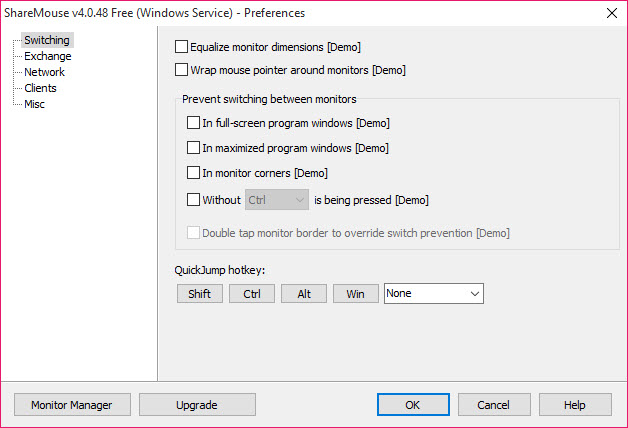
The core act takes zero learning, since it borrows the muscle memory you already have from multi-monitor setups. Push the cursor past the screen edge and you’re typing on the other computer. Where the software earns its keep is everything that travels with that gesture.
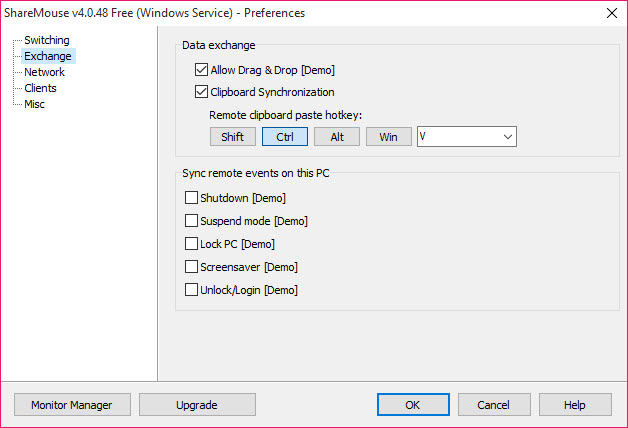
The clipboard synchronizes across machines, so text and images copied on one paste on the other as if it were local. Files drag and drop between computers directly, desktop to desktop, which quietly replaces the USB-stick shuffle and the emails-to-yourself ritual for everyday transfers.
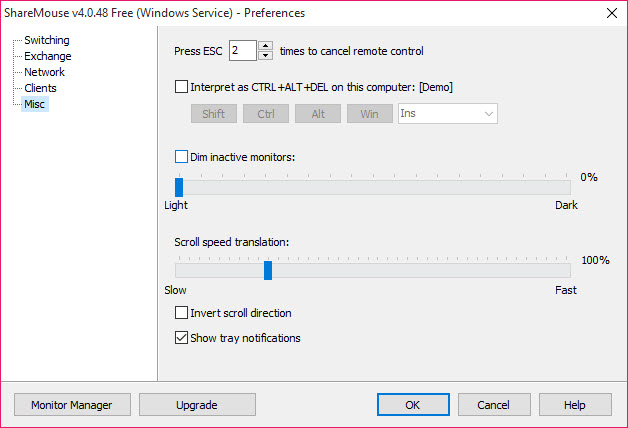
Presence cues keep you oriented. The inactive machine’s screen can dim automatically, so a glance tells you exactly where your keystrokes are about to land, a small touch that prevents the classic horror of typing a password into the wrong computer’s chat window.
A layout you draw yourself
Physical desks are messy, so the monitor manager lets you describe yours. Every display of every connected machine appears in a drag-and-drop map, and you arrange the virtual layout to match reality, laptop below the main monitor, second desktop’s screen off to the left, whatever your desk actually looks like. Cursor transitions then honor that geometry, crossing exactly where the physical edges meet.
Setup deserves specific praise for its absence. Install the program on each machine, and instances discover each other over the local network on their own, no addresses typed, no server configured. For an office of non-technical users, that zero-configuration behavior is the difference between a tool people adopt and a tool people abandon during setup.
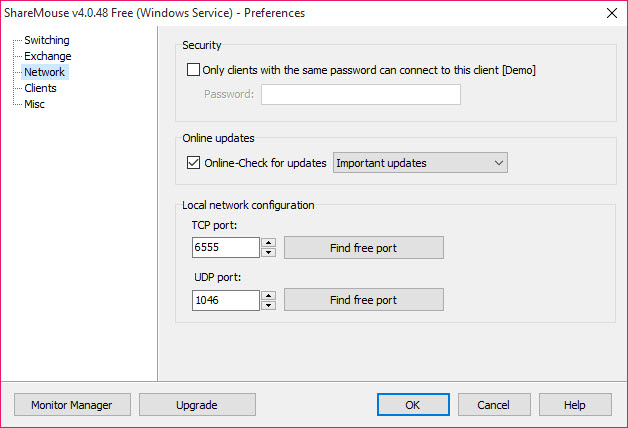
Traffic between machines can be password-protected and encrypted, which belongs switched on in any shared office.
Where the free tier ends and the fine print begins
The entry version covers the classic scenario, two computers, each with a single monitor, for personal use, and within that boundary it’s fully functional. Multi-monitor rigs, bigger machine constellations, and workplace use move into the paid tier, and the software detects professional environments and says so. The honest framing is that the free tier is a complete solution for the laptop-plus-desktop household and a demonstration for everyone else.
A few operational truths from lived use. Both machines must be on the same network, and a strict corporate network that isolates devices from each other will block the discovery outright, something to verify before assuming the software failed.
Games and full-screen applications that capture the mouse can wrestle with the edge-crossing behavior. And the fundamental design means your keystrokes travel the network, which is exactly why the encryption option exists and should be used.
One desk, not one world
Scope clarity saves disappointment. ShareMouse controls computers sitting near each other on the same network, sharing your physical presence. It is not a remote-access tool, and controlling a machine across town is TeamViewer territory, or AnyDesk’s, screen streamed, latency included.
The distinction cuts the other way too, since within its local niche this tool is dramatically smoother than any remote-desktop approach, because the second machine’s screen is its own real display, not a video stream.
Against its direct rivals, the case is comfort. Open-source alternatives in the same category demand more configuration and forgive less, while this program’s auto-discovery, drawn layouts, and drag-and-drop transfers add up to the version of the idea you can hand to anyone.
That polish is precisely what the paid tier is charging for, and whether it beats a free but fussier setup is the honest personal question every buyer in this category faces.
Conclusion
ShareMouse is for the two-computer desk. The consultant with a client laptop beside a personal machine, the programmer testing across boxes, and the household where a laptop docks next to the family desktop all know the problem it erases. For them, one gliding pointer, a shared clipboard, and dragged files replace an entire drawer of workarounds.
Single-machine users have no use for it, and tinkerers happy to configure a free alternative can save the license. Everyone in between gets the rare utility that disappears into habit within a day, which is the best compliment a desk tool can earn.
Pros & Cons
- Mouse and keyboard flow between computers by crossing screen edges
- Synchronized clipboard and drag-and-drop file transfer between machines
- Zero-configuration discovery finds other instances automatically
- Drag-and-drop monitor map matches the virtual layout to your real desk
- Automatic dimming shows at a glance which machine is active
- Optional password protection and encryption for the control traffic
- Free tier stops at two single-monitor personal machines
- Isolated or strict networks block the automatic discovery
- Full-screen games can fight the edge-crossing behavior
- Open-source rivals cover the basics without the polish
Frequently asked questions
You push the mouse pointer past the edge of one screen, and it appears on the neighboring computer's display, with keyboard input following the pointer. The transition mimics an ordinary multi-monitor setup.
Yes, files drag and drop directly between machines, and the clipboard synchronizes as well, so copied text and images paste across computers as if they were one.
Yes, it operates over the local network and instances find each other automatically. Networks that isolate devices from one another prevent that discovery and must be adjusted first.
Traffic can be password-protected and encrypted, and enabling both is the right call anywhere other people share the network, since keystrokes travel between the machines.
No, it's built for machines on the same desk and network. Distant computers are the job of remote-desktop software, a different tool with a streamed screen and network latency.


