

WSUS Offline Update
About WSUS Offline Update
WSUS Offline Update is a specialized tool designed to help users update Windows operating systems and Microsoft Office installations without requiring an active internet connection. The tool is especially useful for environments with limited or no internet access by downloading updates on a connected system and deploying them offline.
Whether you’re managing air-gapped systems, maintaining security in corporate networks, or updating multiple devices efficiently, WSUS Offline Update ensures that your systems remain patched and secure.
Offline Updates for Windows and Office
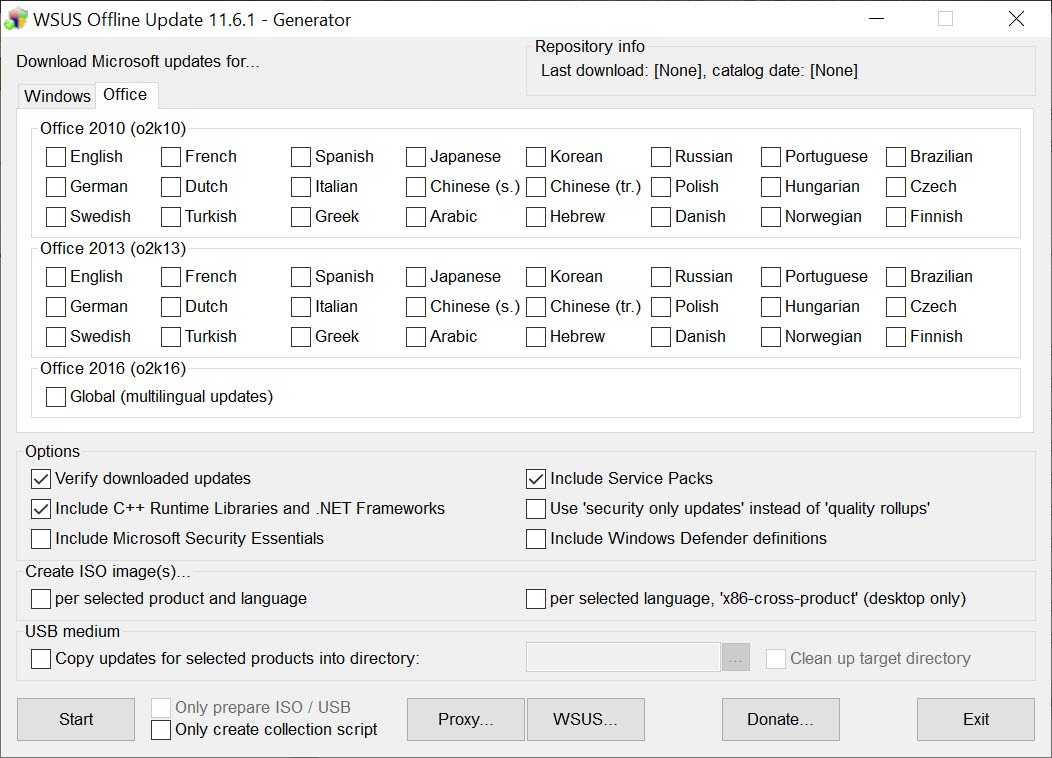
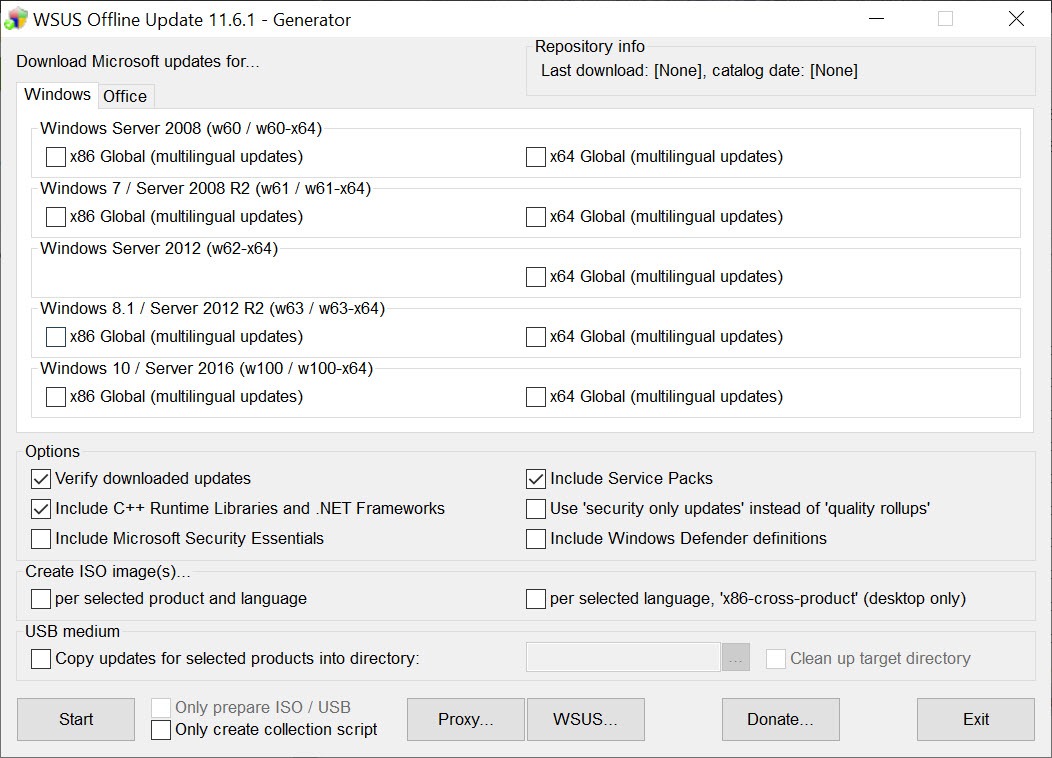
The primary feature of WSUS Offline Update is its ability to download and save Windows and Office updates for offline deployment. Users can create an update package containing all necessary patches, security fixes, and feature updates. This package can then be transferred via USB or other portable media to update systems that lack internet connectivity.
This functionality is vital for environments with strict security protocols, such as industrial systems, government facilities, or remote locations.
Customizable Update Packages
The software allows users to tailor update packages based on specific needs. For example, users can exclude certain updates, include Service Packs, or focus solely on security patches.
This level of customization is especially helpful for administrators managing systems with unique requirements.
Simple User Interface
WSUS Offline Update features a straightforward interface that guides users through the process of creating and deploying updates. The tool includes separate modules for downloading updates and installing them, making it easy to navigate and use.
Even users with minimal technical expertise can follow the instructions to generate and apply updates effectively.
Automated Deployment
For efficiency, WSUS Offline Update supports automated deployment. Once the update package is prepared, the tool can install the updates on target systems without requiring user intervention.
This feature is particularly useful for managing updates on multiple systems simultaneously.
Portability and System Independence
The tool is portable, meaning it can be run directly from a USB drive or external storage. This portability ensures that updates can be deployed across multiple devices without requiring additional installations or configurations.
Conclusion
WSUS Offline Update is a reliable and efficient solution for keeping Windows systems and Microsoft Office installations up-to-date without direct internet access. Its ability to create portable update packages, support legacy systems, and offer customizable deployments makes it an invaluable tool for IT administrators and users in secure or remote environments.
While its interface and functionality are focused solely on Microsoft updates, the tool’s offline capabilities fill a crucial need for systems that require secure and efficient patching.
For anyone managing disconnected or air-gapped systems, WSUS Offline Update is a must-have resource.
Pros & Cons
- Enables offline updates for Windows and Office, ideal for air-gapped systems.
- Supports a wide range of Windows and Office versions, including legacy systems.
- Customizable update packages for tailored deployment.
- Portable and efficient for managing updates across multiple systems.
- Downloads updates directly from Microsoft's servers for authenticity.
- Limited to Windows and Microsoft Office updates; does not support third-party applications.
- Requires a connected system to initially download updates.
- Interface may feel outdated compared to modern update solutions.
Frequently asked questions
It is used to download and deploy Windows and Microsoft Office updates to systems that lack internet access or require secure, offline patching.
You need internet access to download updates initially. However, the updates can then be applied offline to other systems.
Yes, the tool allows users to customize update packages, including optional updates, security patches, or specific Service Packs.
After creating the update package, transfer it to the target system and run the installer module to apply updates automatically.
Yes, the tool supports unattended installation, allowing updates to be applied without user interaction.


