

USB Virus Remover
About USB Virus Remover
USB Virus Remover is a small clean-up tool for flash drives that have picked up an autorun or shortcut infection. You type a drive letter and it lists what is on the stick. It deletes the autorun.inf file and the hidden executables that came with it, then unhides the folders the infection concealed.
Finally it writes a protection entry so autorun cannot fire from that drive again. It is a console-style window with a log, not a scanner with an engine, and knowing that difference is most of the review.
The genre is crowded with tiny utilities that do one version of this job. Shortcut Virus Remover handles the .lnk variant, Autorun Eater watches for autorun.inf, and the resident guards block the whole class before it runs. USB Virus Remover sits in the middle.
It handles both common variants in one pass and asks you to make the final call on every file.
What one scan does to a stick
Enter the letter and the window fills with the drive’s label, its serial number, the letter and the free space, followed by a running log. The tool looks for autorun.inf and for executables and scripts hidden at the root. It also checks the RECYCLER folder that worms use as a hiding place, and the shortcut files that a .lnk infection leaves pointing at a hidden script. Files and folders marked hidden or system by the infection are restored to normal visibility. That is the part victims want most, since their documents appear to have vanished.
Then comes the decision. For every executable it finds, USB Virus Remover asks whether to erase or keep it. There is no signature database behind the question. A portable text editor you copied to the stick yourself looks identical to a dropper as far as this tool is concerned, so the rule is simple.
Keep only what you put there. Delete the rest.
Protecting the stick against reinfection
After cleaning, USB Virus Remover can write an autorun.inf of its own to the drive in a form that cannot be overwritten by the usual worms, which stops the stick from reinfecting the next machine.
It is the same trick the dedicated immunisers use, and it works until a piece of malware is written to remove it.
Task list and the odd extras
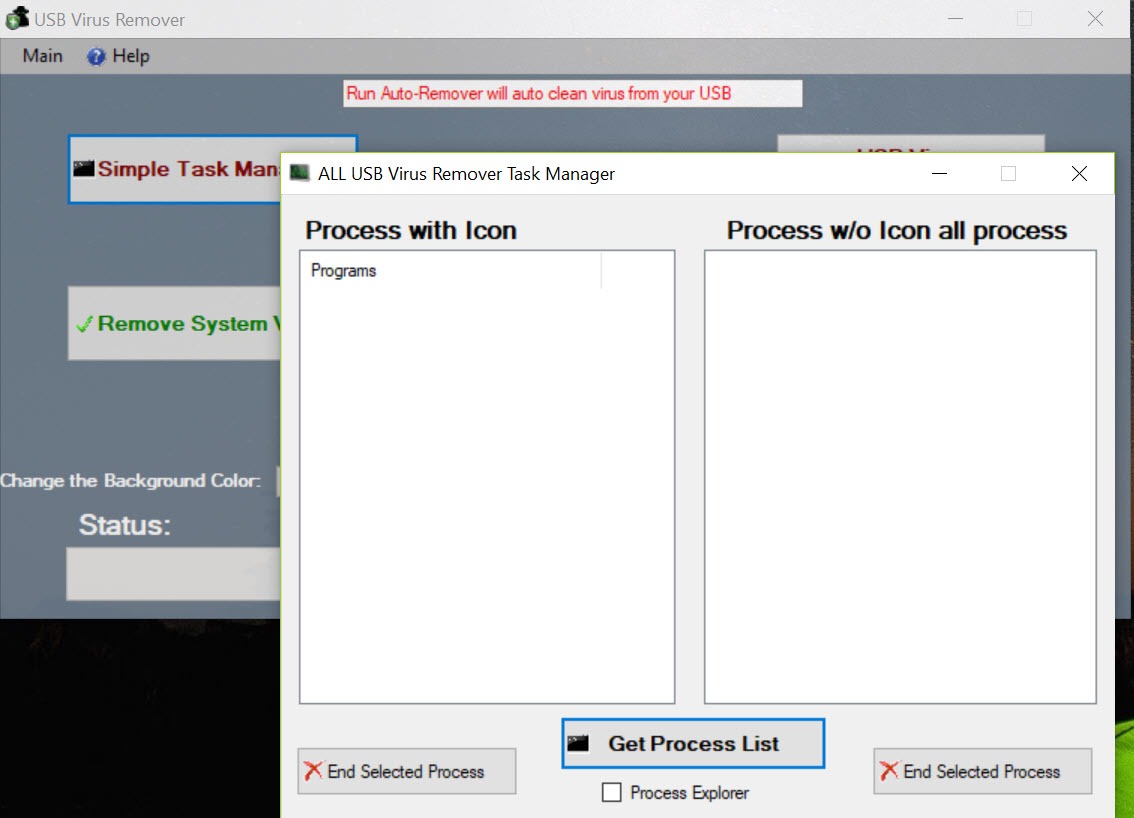
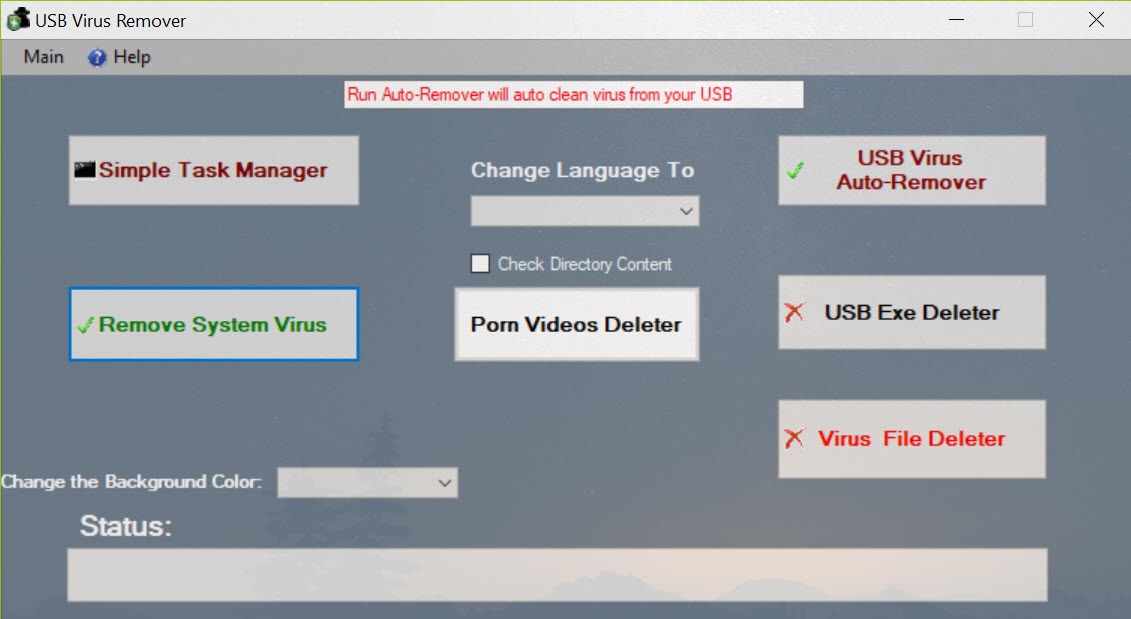
A built-in task list shows running processes, flags names it associates with known USB worms and offers a kill button. A copy of a well-known process viewer is bundled too, for the cases where the infection has disabled the system’s own task manager.
There is also a menu entry for opening any folder and picking files for permanent deletion. And, oddly, a beta option to delete adult videos from a drive for parents, which the tool itself labels as unreliable. It is a grab bag, and the grab bag tells you this is a hobby project rather than a security product.
What it is not
There is no real-time protection. Plug in an infected stick without running the tool first and nothing intervenes. There is no signature engine, no cloud lookup and no quarantine, so a deleted file is gone rather than recoverable. It knows the two or three families of removable-drive malware that were common when autorun was a real threat, and nothing else. A modern dropper that does not use autorun passes straight through.
For that reason it belongs after a proper scan, not instead of one. Run a full on-demand malware scanner on the machine, then use this to tidy the stick and restore the hidden folders. And never point it at the system drive.
It will happily offer to delete executables from there, and the tool’s own notes warn that doing so can leave the machine unable to start.
Conclusion
USB Virus Remover is for someone handed a flash drive from a school or print shop whose folders have turned into shortcuts, and who wants them back in two minutes without formatting. For that one job it works, and the protective autorun entry is a small bonus.
It is not a security tool in any broader sense, and anyone who expects it to find malware it has never heard of will be disappointed. Clean the stick with it, scan the computer with something real, and move on.
Pros & Cons
- Removes autorun.inf, hidden droppers and shortcut infections in one pass
- Restores hidden and system attributes so vanished folders reappear
- Writes a protective autorun entry to prevent reinfection
- Process list with a kill option for worms that disable the task manager
- No signature engine, so every executable is a judgment call for you
- No real-time protection or quarantine
- Only recognises the classic autorun and shortcut families
- Grab-bag extras and a console interface signal a hobby project
Frequently asked questions
Yes, if they were hidden rather than deleted. The infection usually sets the hidden and system attributes on your folders and replaces them with shortcuts. The tool clears those attributes and the folders reappear.
No. It lists every executable it finds and asks you. Delete anything you did not put on the drive yourself, and keep only files you recognise by name and purpose.
Do not. It offers to delete executables it finds, and on the system drive that can remove files the machine needs to boot. Use it on removable drives only and scan the computer with a proper antivirus.


