

Hakchi2
About Hakchi2
The miniature consoles shipped with a fixed list of games and no way to add more. Hakchi2 changes that, connecting the console to a computer by cable and installing modified software that accepts additional game files.
Hakchi2 opens nothing and solders nothing. The console plugs in, the software talks to it, and the whole modification happens over that connection.
What you install now is the community continuation rather than the original, and the differences between them are substantial enough to matter. Both have stopped receiving releases, though the continuation got considerably further before it did.
Before any of it, two things decide how the experience goes, and both catch people early.
The console will not be detected, and here is why
This is the Hakchi2 failure that fills the project’s own support discussions, and the causes are documented rather than mysterious.
Start by checking whether the console appears in the system’s device list at all. Absence there means the problem is physical, meaning the cable or the port rather than the software.
If it appears but does not work, the driver has not installed correctly. The documented remedies are disabling the signature checking that blocks unsigned drivers, or installing the driver with a separate utility built for exactly that job.
Then there is the detail nobody guesses. Holding the reset button when the software has not asked you to prevents detection. Reset is held only when flashing the modified software, and at every other moment holding it causes the console to be invisible.
Cable and port choice matter too, and firewall software blocks the communication, so disabling it during the process is standard advice.
Synchronising removes the built-in games
The trap to learn before it happens, because somebody documented making it considerably worse.
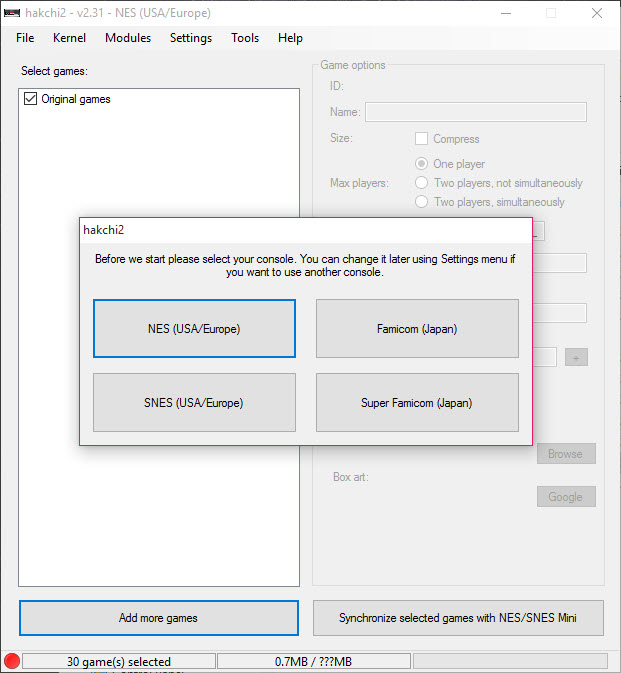
The list you build in Hakchi2 becomes the console’s list. Synchronising does not add to the original games, it replaces them, and the built-in titles disappear unless you deliberately include them.
Somebody who discovered that afterwards tried to flash things back and ended up with a console that shut down the moment it booted. Flashing the original software back recovered it, but the detour was avoidable entirely.
So the sequence that avoids the problem is including the original games in your list from the start, since the software can read them off the console and treat them like any other entry.
Bricking, and how bad it actually gets
Being accurate rather than alarming, because the Hakchi2 reputation is worse than the reality.
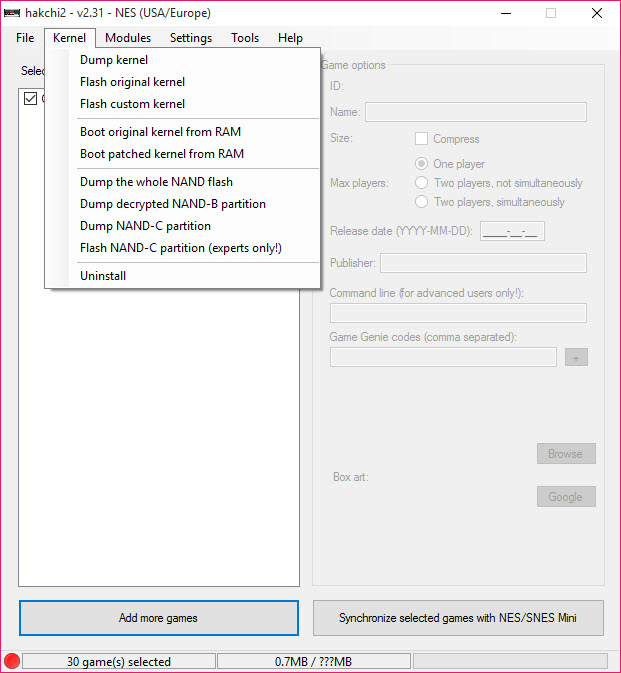
The normal workflow is reversible. Modifications uninstall and the original software flashes back, which is the documented recovery path and it works for the usual mistakes.
What produces the serious cases is going beyond that, meaning flashing memory partitions directly rather than using the software’s own uninstall and restore. The documented disaster above came from exactly that.
People who modify these consoles regularly describe permanent damage as close to impossible through the normal process, since everything the software does can be undone by the software.
Anybody unwilling to risk the hardware at all can play the same libraries on a computer instead, and an emulator covering three Game Boy generations does the handheld side with nothing to brick. That assurance stops applying the moment you start flashing things by hand because a forum post suggested it.
So the practical rule is to stay inside the normal workflow, and treat any instruction involving partitions as the point to stop and read twice.
Storage beyond the console’s own memory
The Hakchi2 capability that changes what is possible, separating the current software from the version people remember.
These consoles have very little internal storage. The original approach put every added game into that space, so the library was limited by a few hundred megabytes regardless of how many files you had.
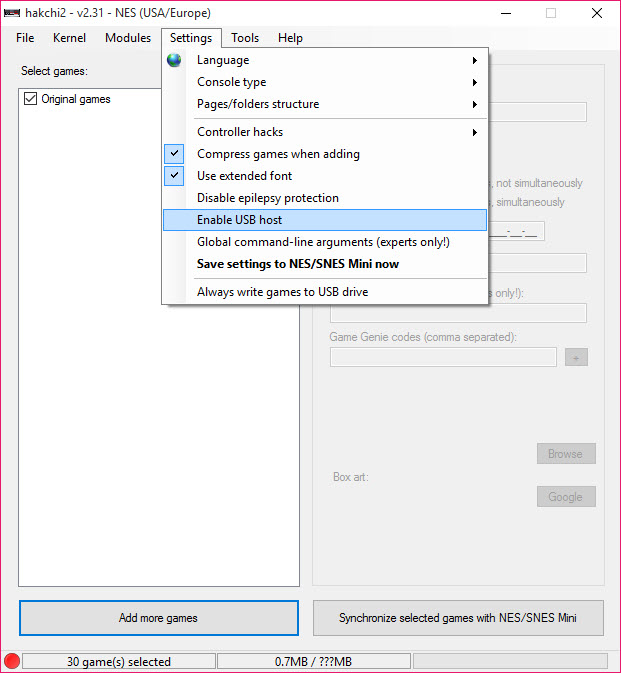
A drive connected to the console’s own port is now supported, along with memory cards, which moves the library off the internal storage entirely. The constraint stops being the console and becomes whatever you plug into it.
That is the difference between adding a handful of favourites and holding a full collection, and it is the reason instructions written for the earlier version now open by telling readers not to follow them.
Development on the continuation has since gone quiet too. That matters less here than elsewhere, since the consoles stopped being made long ago and the software chases no moving target, but nobody should expect fixes.
What it does beyond adding games
The Hakchi2 scope is wider than the description suggests, and some of it is the reason people keep the modification rather than reverting.
Hakchi2 adjusts game settings individually, including the arguments passed at launch, which is how difficult titles get made to behave.
Box art is fetched automatically and a database fills in the details, so a list of files becomes a browsable shelf.
Patches for known problem titles apply automatically, saving you from discovering a fault everybody else already solved.
Folders organise large collections, and a button combination returns to the menu without reaching for the reset button, which is what makes a large library usable from the sofa.
For organising emulated titles on a computer rather than on the console, LaunchBox builds the same kind of browsable library.
Where the games come from
Briefly, because the project answers this itself.
Hakchi2 adds no games. It accepts files you supply, and the project’s own answer names dumping your own cartridges first, noting plainly that sharing games is not legitimate.
That is the same position every emulator occupies, and the legality of any particular file depends on how you obtained it rather than on the tool that reads it.
For playing the same titles on a computer instead of on the console, Snes9x emulates that hardware including the chips inside the cartridges.
Conclusion
Hakchi2 does something properly satisfying, which is turning a console with thirty games into one with as many as you want, over a cable, without opening anything. The automatic box art, the included patches and the per-game settings turn a pile of files into something that looks like it shipped that way.
Two things decide whether the afternoon goes well. Detection problems are near-universal and almost always the driver or the reset button rather than anything deeper, and synchronising replaces the built-in games rather than adding to them, which is the mistake people compound by trying to fix it the wrong way.
Pros & Cons
- Adds games over a cable, with no opening or soldering
- Box art and details filled in automatically from a database
- Patches for known problem titles applied without you finding out the hard way
- Per-game settings, including arguments passed at launch
- Folders and a button combination for returning to the menu
- The normal workflow is reversible by flashing the original software back
- Detection problems are common, usually driver related rather than obvious
- Holding reset at the wrong moment makes the console invisible
- Synchronising replaces the built-in games rather than adding to them
- Flashing partitions by hand is where consoles actually break
- Development has gone quiet, with the earlier version's instructions marked obsolete
- Adds no games, so the files are yours to supply and account for
Frequently asked questions
Check the device list first, since absence there means a cable or port problem. If it appears but fails, the driver needs reinstalling, possibly with signature checking disabled. Also confirm you are not holding reset when the software has not asked you to.
Yes, unless you include them. Synchronising replaces the console's list rather than adding to it, and the software can read the originals off the console so they can be kept alongside your additions.
Through the normal workflow, almost certainly not, since modifications uninstall and the original software flashes back. The serious cases come from flashing memory partitions by hand, which is outside what the software asks you to do.
Yes, through a drive connected to the console's own port or a memory card, which moves the library off the internal storage. That limit was the main constraint of the earlier version and is why instructions written for it are now marked obsolete.


