

Genymotion

 (22 votes, average: 3.00 out of 5)
About Genymotion
Genymotion runs virtual Android devices on your computer, built for the developers and testers who need to see how an app behaves across many phones without owning a drawer full of them. You spin up a virtual phone or tablet, install your app, and interact with it as if it were a real device, then change the configuration and do it all again on a different screen size, a different Android version, or a different set of hardware. It is a testing lab in software, aimed squarely at the people building the apps rather than the people playing the games.
That focus is what sets it apart from the crowd of emulators meant for running mobile games on a big screen. Genymotion is engineered around development and quality assurance, with the controls a tester actually needs, deep sensor simulation, command-line access, and integration with the tools developers already use. If your goal is shipping an app that works everywhere, this is built for that job specifically.
For someone who just wants to play mobile titles with a keyboard and mouse, a gaming-oriented emulator like BlueStacks fits that use better.
Spinning up the device you need to test on
The starting point is a library of ready-made device templates covering a wide spread of phones and tablets. You pick a model, choose the Android version, and a matching virtual device boots up with the screen size and resolution of the real thing.
Within minutes Genymotion can have several different configurations available, which is the whole point. The fragmentation of real-world devices is exactly what makes mobile testing hard, and having dozens of profiles on tap addresses it directly.
Performance is handled through GPU acceleration, so the virtual device runs smoothly rather than crawling the way software-only emulation can. It also offers native arm64 device images, which means apps and games compiled for that architecture run without a translation layer slowing them down, a real benefit when you are testing performance-sensitive code.
You are not just seeing whether the app launches, you are seeing how it actually behaves.
Simulating the real world with sensors
A phone is not just a screen, it is a bundle of sensors, and this is where the tool earns its keep for testing. You can simulate GPS location and even feed it a route to follow, mimic the accelerometer and rotation, set battery state, pipe your computer’s webcam in as the device camera, and adjust network quality and type to see how the app copes on a weak signal. Calls, text messages, and fingerprint recognition can all be simulated in Genymotion too.
This breadth matters because so many app bugs only surface under specific real-world conditions. How does your navigation app behave when the GPS signal degrades? What happens when the battery drops to critical mid-task, or the network slows to a crawl?
Reproducing those situations on a physical phone is fiddly and inconsistent. Here you dial them in deliberately and reproduce them on demand, which turns flaky, hard-to-catch bugs into something you can actually test against.
Fitting into a developer’s workflow
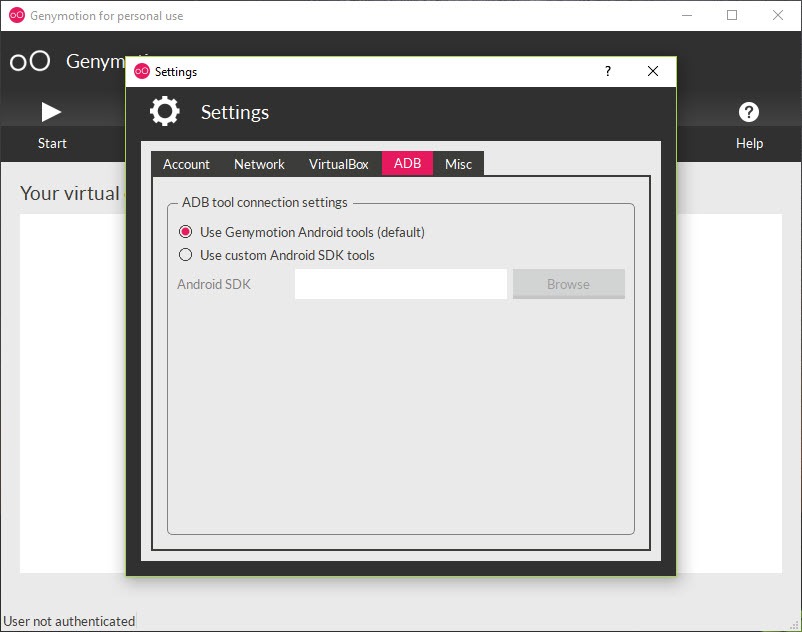
The tool is designed to slot into the way developers already work rather than stand apart from it. It connects through ADB, the standard Android debugging bridge, so it is compatible with any ADB-based development environment, and dedicated plugins let you launch and target virtual devices straight from your IDE. You can sideload an app package directly, drag files onto the device, and view or edit the device identifiers when a test calls for it.
Command-line control is where it goes further than a casual emulator. Because you can create, start, and drive devices from scripts, the tool fits into automated testing and continuous integration pipelines, letting your test suite spin up a fresh device, run against it, and tear it down without anyone clicking a button.
For the actual app-building side of that workflow, the official Android Studio environment is where the code gets written, and a hardware acceleration layer like Intel HAXM speeds up emulation on capable machines.
Conclusion
Genymotion is the emulator to choose when your goal is building and testing apps rather than playing games. The wide library of device templates, the GPU-accelerated performance, and especially the sensor simulation give developers a way to reproduce the messy real-world conditions that break apps, all from a virtual device they can reset and reconfigure at will. Paired with its ADB integration and command-line control, it becomes a genuine part of a professional testing workflow.
The trade-off is that its strengths assume a developer’s context. For someone who just wants to run a few apps on a big screen, it is more tool than the task requires, and it expects some comfort with development utilities to shine.
But for the audience it targets, app developers and QA testers, it is a fast, flexible, and deeply capable way to test across the fragmented world of devices without buying a single one.
Pros & Cons
- Built specifically for app development and testing rather than gaming
- Large library of phone and tablet templates across many Android versions
- GPU acceleration and native arm64 images for smooth, realistic performance
- Deep sensor simulation, including GPS routes, battery, network, and camera
- ADB integration and IDE plugins fit it into an existing development workflow
- Command-line control enables automated testing and continuous integration
- The developer focus makes it more than a casual user wanting to run apps needs
- Getting the most from it assumes familiarity with ADB and development tools
- Running multiple virtual devices well asks for a reasonably powerful computer
- Setup and configuration take more effort than a one-click gaming emulator
Frequently asked questions
It is an Android emulator built for developers and testers. You create virtual phones and tablets on your computer to install, run, and test apps across many device configurations, screen sizes, and Android versions without needing the physical hardware.
It is engineered for development and quality assurance rather than playing games. That means deep sensor simulation, ADB integration, IDE plugins, and command-line control for automated testing, the features a tester needs rather than keyboard mapping for mobile titles.
It can simulate GPS location and routes, the accelerometer and rotation, battery state, network quality and type, fingerprint recognition, calls, and texts, and it can use your webcam as the device camera. This lets you reproduce real-world conditions that trigger app bugs.
Yes. It connects through ADB and is compatible with any ADB-based development environment, with plugins to launch virtual devices from your IDE. Command-line control also lets it plug into automated testing and continuous integration pipelines.
Yes. You can create and run multiple virtual devices in different configurations, which is useful for testing an app across a range of hardware in parallel. Running many at once does, however, depend on having enough computing power to handle them.


