

DeSmuME

About DeSmuME
DeSmuME is the Nintendo DS emulator that put the dual-screen handheld onto desktop PCs years ago and still holds a significant share of the DS emulation scene today. The application reproduces the DS hardware closely enough to run the vast majority of the catalog at original speed or faster, with both screens visible side by side, top and bottom, or in custom layouts that match how you actually want to play. Touchscreen input maps to the mouse cursor, microphone input routes through your PC’s audio device, and the dual-CPU architecture of the DS is faithfully recreated.
What keeps DeSmuME relevant despite newer competitors is a combination of compatibility, mature feature set, and the simple fact that it just works for the games most users care about. Pokemon titles, the Phoenix Wright series, Mario Kart DS, Animal Crossing Wild World, and the deep catalog of JRPGs all run reliably with the kind of save state and cheat support that years of development have refined.
The emulator is not the newest option on the table, but for a large audience it is still the answer.
The dual-screen architecture and layout options
This is the part of DS emulation no other handheld required. The console has two physical screens with the touch panel on the bottom, and any emulator has to decide how to present that on a single PC monitor. DeSmuME offers several layouts. Vertical stacks both screens with the bottom screen below the top, matching the physical orientation. Horizontal places them side by side, which works better on wide displays. Single Screen mode shows only the active screen at any moment, which is useful for fullscreen play on games that primarily use the top.
Each layout has its own scaling. You can run the emulator window at 1x for pixel-perfect output, or scale up to 4x and beyond with optional filters. The bottom screen accepts mouse input as touchscreen taps, which means you click where the player would have touched.
For games that use the touchscreen sparingly this is fine. For games like Trauma Center or Brain Age where touch is constant, the mouse-as-stylus approach is noticeably less natural than the actual hardware, but it is workable.
The Rotate option flips the display 90 or 270 degrees for games designed to be played sideways. Brain Age, Hotel Dusk, and several puzzle titles use this orientation. The emulator handles the rotation cleanly and remaps the input axes to match, so up on the controller still means up relative to the displayed orientation.
3D rendering and the filter chain
The DS has dedicated 2D and 3D rendering hardware that the emulator has to recreate in software. DeSmuME includes two 3D rendering paths. The SoftRasterizer mode does everything in CPU code and produces the most accurate output, including correct handling of edge cases that the hardware-accelerated path sometimes misses. The OpenGL renderer is faster, especially at higher internal resolutions, but has occasional glitches with specific 3D effects.
Choosing between them is a per-game question. Most users default to OpenGL for the speed and switch to SoftRasterizer when a specific game shows graphical issues. The emulator does not auto-detect which is needed, so this falls to user judgment. Internal resolution scaling lets you render the 3D at higher than native, producing cleaner output on modern displays without the chunky pixel look the DS produced on its 256×192 screens.
For 2D output, post-processing filters can be applied to smooth the pixel art or preserve it crisply. HQ2x and HQ4x are the classic options for smoothed pixel art, xBRZ produces a more aggressive smoothing, and the integer-only modes preserve original pixel sharpness. For game capture and recording, an external tool like Dxtory handles screen recording cleanly since the emulator does have a built-in AVI recorder but it has known issues with longer captures.
The melonDS comparison nobody asks but everyone wonders
This needs addressing because it comes up constantly. DeSmuME is the established option. melonDS is the newer alternative with better accuracy, JIT performance improvements, and DSi mode support that DeSmuME does not include. melonDS is often the better choice for users with hardware that struggles to run DS emulation at full speed, or for users who specifically need DSi support.
DeSmuME wins on a few fronts. Cheat support is more mature and the format compatibility is broader. Save state handling is more reliable for long-running games. The interface is more familiar to users coming from earlier emulation experience. Compatibility with the existing ecosystem of save files, action replay codes, and community tools is higher.
The practical answer is that both belong in a serious DS emulation setup. Use DeSmuME for the catalog it handles reliably and the workflow features it has refined. Use melonDS when accuracy or DSi support matters. For broader retro emulation on the same PC, Higan covers other Nintendo systems with similar focus on accuracy, and Snes9x handles the SNES side specifically.
Save files, save states, and the trading problem
The DS used internal save chips of various sizes, and the emulator stores save data in .dsv files that include both the save data and metadata about the cartridge format. This .dsv format is mostly compatible with melonDS and no$gba, so saves can be moved between emulators with some care.
Save states are separate. They capture the entire emulator state at a moment and let you reload from exactly that point. There are ten state slots accessible through F1-F10, and the format is DeSmuME-specific. State files cannot move to other emulators. This is the standard limitation across save state systems and is rarely a problem since the regular .dsv save file represents permanent progress.
The trading problem is real. Pokemon games on the DS used local wireless and Nintendo’s Wi-Fi service for trading and battling. The emulator’s Wi-Fi support is deprecated and was never reliable. For Pokemon completionists who need to trade-evolve specific creatures, workarounds exist (cheat codes that trigger the evolution without trading, or running two emulator instances with link cable emulation in some configurations).
The straightforward answer is that DS trading does not really work in DeSmuME, and players accept this or use cheat codes to bypass it. For working with PS1-era trading games and similar legacy network features, an emulator like ePSXe faces different but related limitations.
Cheats, codes, and the Action Replay format
Cheat support is one area where DeSmuME is genuinely excellent. The Cheat menu accepts Action Replay codes, Codebreaker codes, and the emulator’s own internal cheat format. Codes can be entered manually, imported from .cht files, or pulled from community databases. Each code has a description, toggle state, and category, and the emulator stores them per game.
The depth of supported code types is unusual for an emulator. Conditional codes, multi-line codes that span memory ranges, slide codes that modify a value over time, and the various Action Replay opcodes all work as expected. For Pokemon games specifically, where cheats are extraordinarily popular, this is the primary reason many players choose this emulator over alternatives.
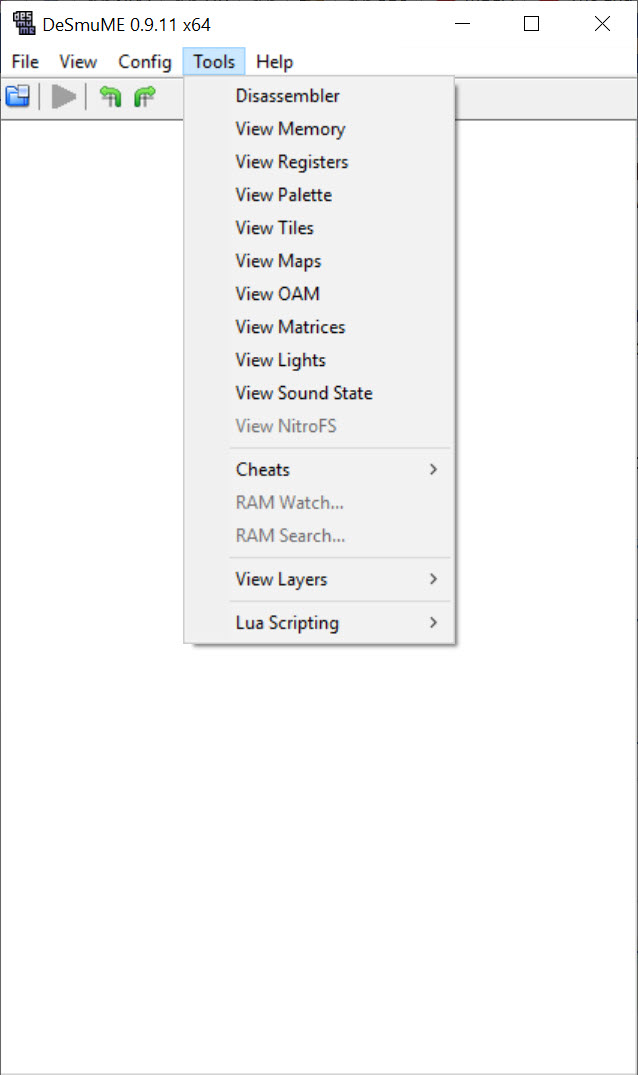
There is also the search function for finding codes yourself. You can scan memory, narrow values by comparison (greater than, less than, equal to, changed), and isolate the address holding a specific stat. This is essentially a built-in GameShark workflow.
It rewards patience and is one of the more powerful debugging tools available in a consumer emulator.
Microphone, controller, and input mapping
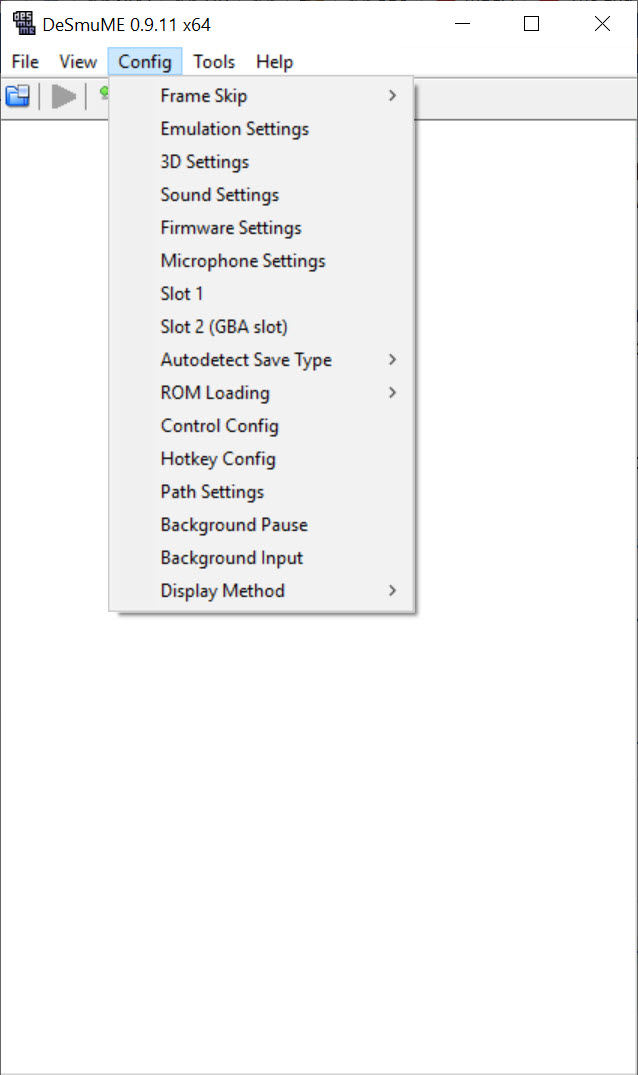
The microphone is the input most users forget about until a game demands it. Several DS titles use the mic for blowing into puzzles, voice activation, or rhythm games. DeSmuME can route a real PC microphone through to the emulated DS mic input, or play a recorded sample, or generate white noise on demand. The configuration is in Config, Microphone Settings.
Controller support handles XInput devices natively. Plug in an Xbox controller and assign buttons through Config, Control Config. The mapping covers the DS face buttons, D-pad, L and R triggers, and additional emulator hotkeys for save state, load state, fast forward, and pause. DualShock controllers work through the same DirectInput layer some other emulators struggle with, occasionally requiring a passthrough utility for the best mapping.
Fast forward (typically bound to Tab) is the feature most users discover late and then cannot live without. Hold the key and the emulator runs at uncapped speed, ideal for skipping through dialogue or grinding levels. The audio can stay enabled or mute during fast forward, depending on preference.
Real limitations
Compatibility is high but not perfect. A small number of titles have specific issues, including some games that crash at certain points, others with graphical glitches in 3D rendering, and a handful that simply do not run. The compatibility list maintained by the community is the place to check before assuming a game will work. Most major releases run fine. The edge cases tend to be obscure titles or games with unusual hardware tricks.
Performance on weaker PCs can suffer. The DS is more demanding to emulate than its visual style suggests, particularly for the 3D rendering. On modern hardware this is rarely an issue. On older laptops or low-end systems, melonDS often performs better thanks to its JIT improvements.
The interface is dated. Menus look like they have not had a refresh in many cycles, the configuration windows are sometimes cramped, and on high-DPI displays the UI does not scale gracefully. None of this affects emulation quality, but it is a reminder that the application focuses its energy on the core compatibility rather than visual polish.
Conclusion
DeSmuME is the right choice for players who want a mature, well-supported DS emulator with a deep feature set and broad compatibility across the DS catalog. The cheat support, the save state system, the flexible screen layouts, and the years of refinement combine into a tool that handles the most-played DS games reliably and gives users genuine control over how the experience looks and feels.
The application is not the most modern option available and does not pretend to be. melonDS has overtaken it on accuracy, JIT performance, and DSi support, and serious DS players often install both. What DeSmuME keeps is the muscle memory, the ecosystem compatibility, and the simple reliability that makes it the default emulator for an entire generation of Pokemon trainers, Phoenix Wright fans, and Animal Crossing villagers. For those audiences, it remains the answer.
Pros & Cons
- Strong compatibility with the vast majority of the DS catalog, including all major Pokemon entries
- Multiple screen layouts handle the dual-display setup cleanly on any monitor configuration
- Excellent cheat support with Action Replay, Codebreaker, and internal code formats
- Built-in memory search functions allow building custom cheats without external tools
- Microphone routing works for games that use voice or breath input
- Save states, save files, and rewind support cover every common scenario for retro play
- Less accurate than melonDS for specific edge cases and lacks DSi mode support entirely
- Wi-Fi and local wireless emulation is deprecated, breaking Pokemon trading and similar features
- Mouse-as-stylus input feels unnatural for games heavily dependent on the touchscreen
- Interface looks dated and scales poorly on high-DPI displays
- 3D rendering requires per-game choice between OpenGL speed and SoftRasterizer accuracy
- Performance on older hardware can struggle compared to JIT-optimized alternatives
Frequently asked questions
No. Despite the DS being able to play GBA cartridges through its second slot, the emulator does not run GBA ROMs. It emulates the DS hardware specifically, not the GBA portion. For GBA games you need a separate emulator built for that system.
Open Config, Control Config, then click each DS button field and press the controller button you want assigned. Xbox controllers work natively through XInput, and most third-party gamepads work as well.
DS emulation is more demanding than it looks, especially the 3D rendering. Lowering internal resolution, switching from OpenGL to SoftRasterizer (or vice versa depending on which is faster on your GPU), and ensuring the application is not running in compatibility mode are the standard fixes.
Not reliably. Wi-Fi emulation is deprecated and local wireless does not work cleanly between most emulator combinations. Most players use cheat codes to trigger trade evolutions instead of attempting actual trades.
The game's own save function writes to a .dsv file automatically when you save inside the game. The emulator also supports save states through F1-F10 hotkeys, which capture the entire emulator state and can be reloaded instantly.
OpenGL renders 3D using your GPU, which is faster especially at higher internal resolutions. SoftRasterizer does everything in CPU code and is more accurate but slower. Some games look correct in one and have glitches in the other, so the choice is per-game.
Yes, comprehensively. The cheat menu accepts Action Replay codes, Codebreaker codes, and internal cheat formats. You can toggle individual codes on or off mid-game without restarting.
Yes. The application routes a real PC microphone to the emulated DS mic input through the Microphone Settings configuration. You can also use recorded samples or generated noise if a real mic is not available.


