

PassFab 4WinKey
About PassFab 4WinKey
PassFab 4WinKey gets you back into your own computer when the login password is gone. It runs on a second, working machine, where it burns a small bootable rescue system onto a USB stick or a disc. Boot the locked computer from that stick, and a simple screen lists the accounts on the machine and offers four actions for the one you pick, which are to remove its password, set a new one, delete the account, or create a fresh administrator account to log in with.
The whole thing is done from menus, with no commands to type, which is the difference between this and the older rescue discs that did the same job through a terminal.
It exists because a local account password, the kind a computer had before online sign-ins became standard, is stored on the machine itself and cannot be reset without either the password or a tool that reaches the account database while the system is offline. That is exactly what the rescue stick does.
PassFab 4WinKey needs registering, with editions that differ in what they reach, and the unregistered build creates the bootable disk but stops before performing the reset, so the sections below say what each tier covers and where the method simply cannot help.
Making the rescue stick
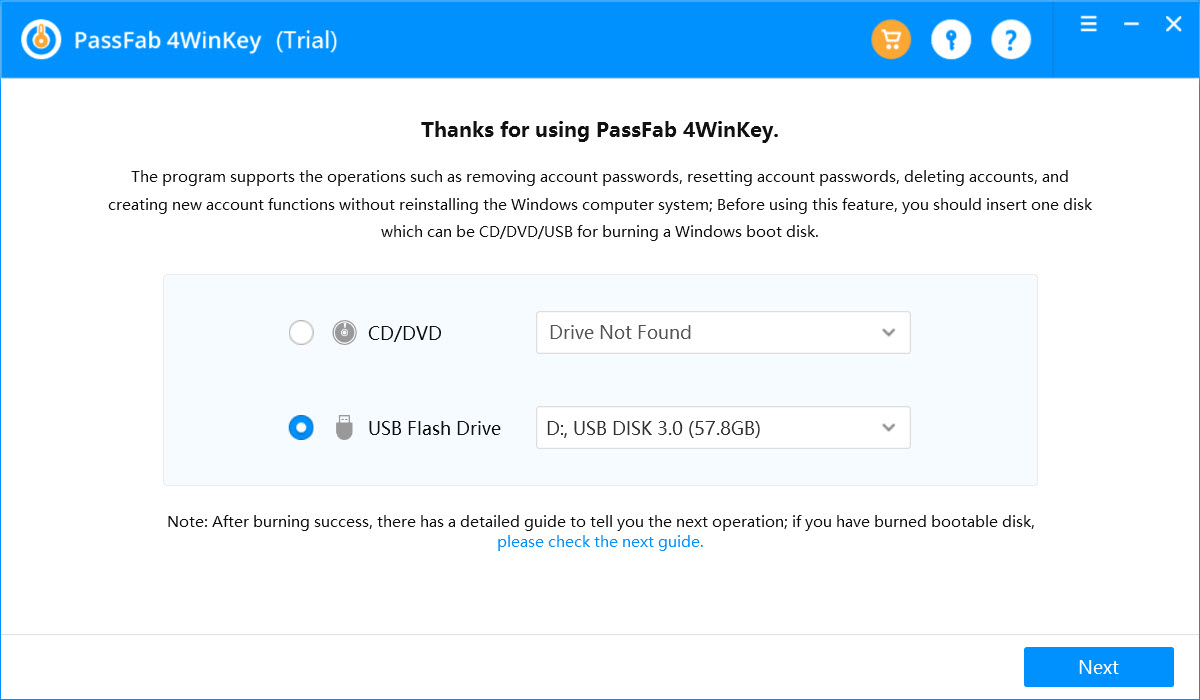
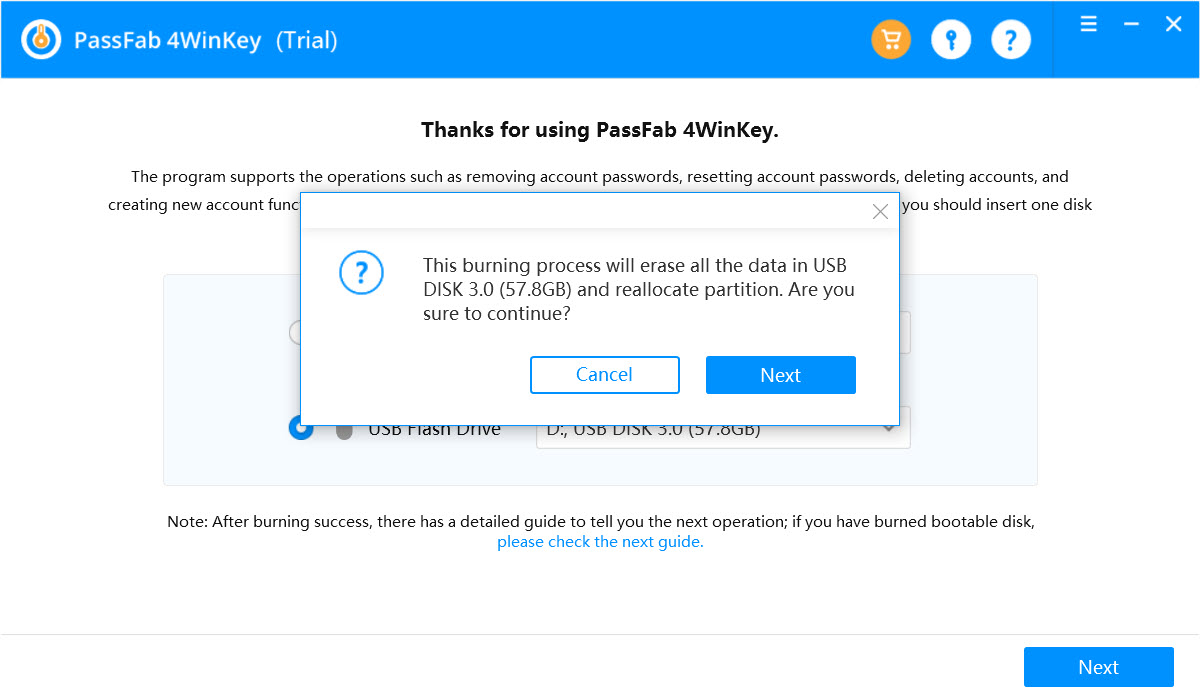
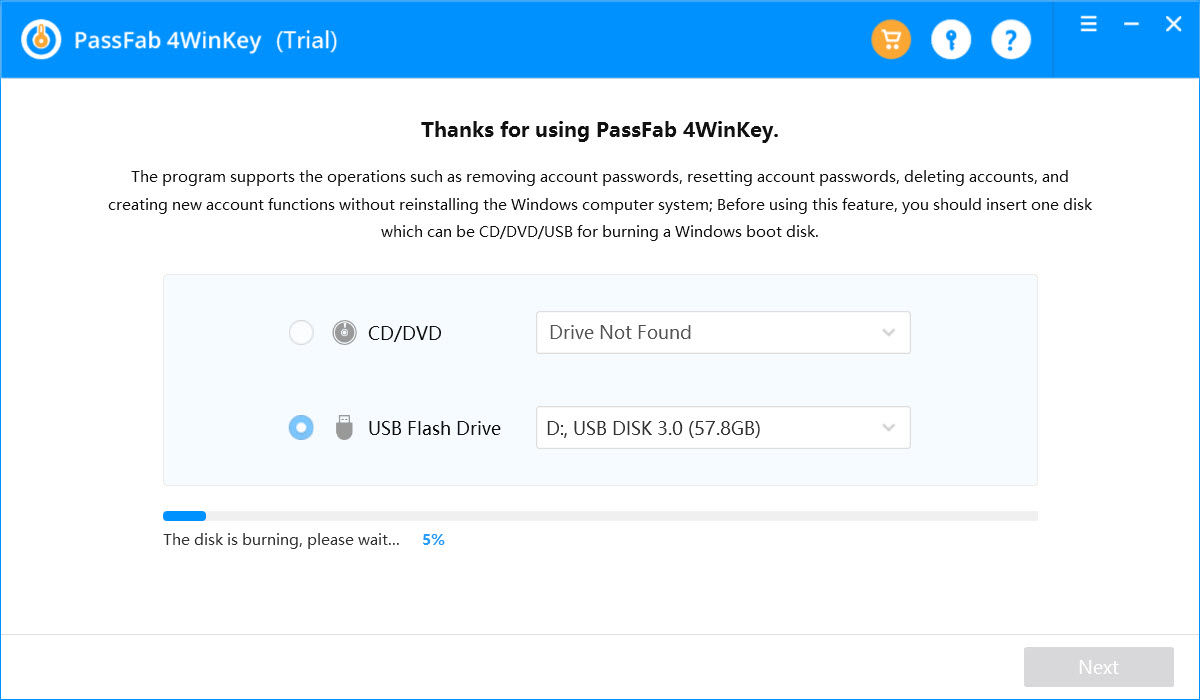
On the working computer, the program shows the media it can write to, a USB flash drive or a blank disc, and burns its rescue image onto the chosen one in a couple of minutes. The stick carries a minimal boot environment and the reset tool, nothing else, and writing it erases the stick, so an empty one is the right choice.
Creating the disk is the part the unregistered build allows, which lets you confirm the tool will boot your locked machine before committing to it.
Booting the locked computer
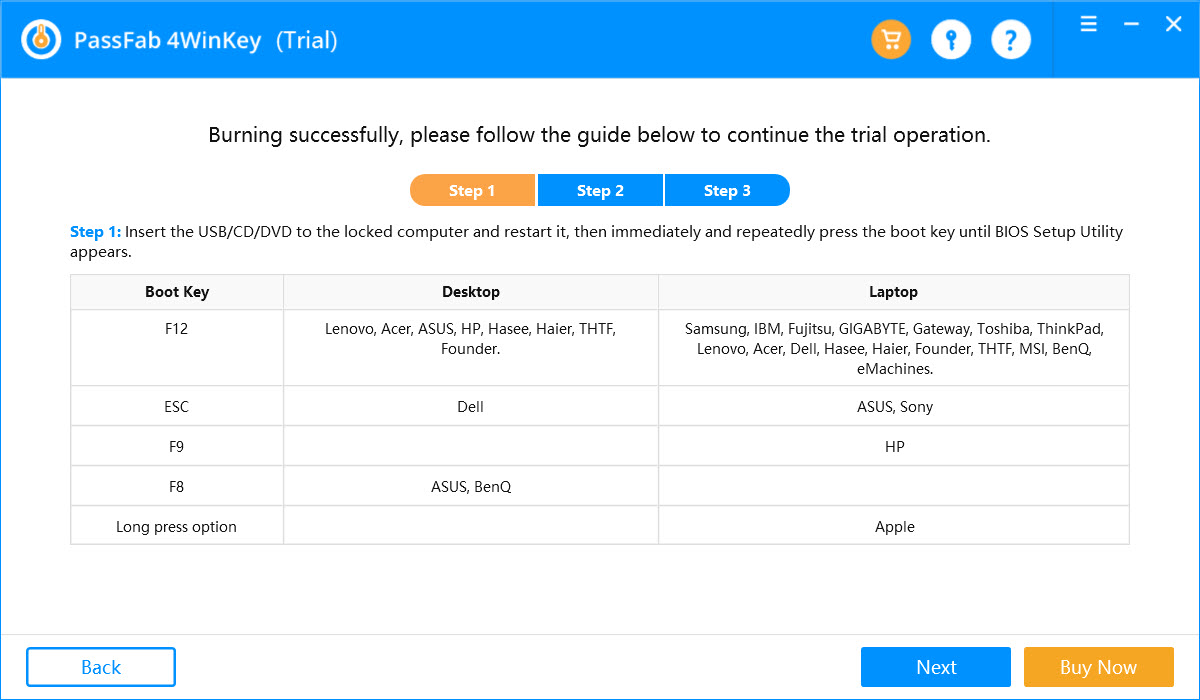
Booting the locked computer from the stick is the step that trips people up, since it means telling the machine to start from USB rather than its own drive, through the firmware’s boot menu. The key for that menu varies by model, and the program lists the common ones.
On machines with the newer firmware and secure boot, the setting may need adjusting first, and a stick written for the wrong boot mode will not appear, which is the usual reason the locked machine ignores it.
Resetting a local account
Once booted from the stick, PassFab 4WinKey reads the account database and lists every account with its name, whether it is an administrator and whether it is disabled. Pick one and the four actions appear. Remove clears the password so the account logs in with none.
Reset sets a new password you type. Delete removes the account, and Create adds a new administrator account, which is the way back when the only administrator account is the one locked out. The change is written to the offline system, and a reboot into the normal drive lands at a login that now accepts what you set.
None of this touches the files on the account, so documents, photos and settings survive. The one case that destroys data is an encrypted drive, where resetting the password leaves the contents unreadable because the password was part of what unlocked them, and the program warns that it cannot work on an encrypted system.
For a local account on an unencrypted machine, the reset is clean, and a graphical rescue suite such as Lazesoft Recovery Suite covers the same ground alongside its file-recovery tools.
The Microsoft account question, and the editions
The PassFab 4WinKey limit that matters most is the online account. A computer signed in with a Microsoft account keeps the real password on remote servers, not on the machine, so no offline tool can reset it there. What the higher editions do instead is convert that online login into a local account with a blank password, which gets you into the computer but detaches it from the online identity until you sign in again, and that is a different outcome from resetting the actual password, which is done on the account provider’s website with no software at all.
The PassFab 4WinKey editions divide along those lines. The lower one removes and resets local and administrator passwords. The higher ones add the Microsoft-account conversion, the deletion and creation of accounts, and support for domain accounts on managed office machines.
The unregistered build burns the disk and shows the accounts but will not carry out the reset, so the tier decides what the stick can actually do once it boots. A
n open rescue disc such as Trinity Rescue Kit clears a local password through a terminal for anyone who would rather not register anything.
Where it cannot help, and the honest caveats
Beyond the encrypted-drive and online-account limits, two things are worth stating plainly. This is a tool for a machine you own and have locked yourself out of, and using it on someone else’s computer is a different matter entirely that no software setting makes acceptable.
And the reset of a local password is also, by its nature, a way past that password, so a login password alone was never strong protection for the data behind it, which is the argument for full-disk encryption on anything that matters, and for keeping the password in a password manager so it never goes missing.
Registration buys a friendlier interface and the account-conversion feature rather than a capability the open tools lack for local passwords. For the plain job of clearing a local password, an open rescue disc does the same, through a command-line menu and with no support for the newest boot modes.
The choice is between a guided window after registering and a terminal that asks for an hour of reading.
Conclusion
PassFab 4WinKey suits someone locked out of their own computer who wants a guided, menu-driven way back rather than a command-line rescue disc, especially when the fix is creating a new administrator account or clearing a forgotten local password. The disk-making is simple, the reset leaves data intact, and the editions reach domain and online accounts that the basic tools do not.
It needs registering for a job the open rescue discs also do on local passwords, it cannot touch an online account’s real password, and it is defeated by encryption as every such tool is. Use it on a machine you own, keep the result somewhere safe so there is no next time, and treat full-disk encryption as the reason a password matters at all.
Pros & Cons
- Burns a bootable reset stick from a working computer in minutes
- Removes or resets a local or administrator password from menus, no commands
- Creates a new administrator account when the only one is locked out
- Leaves files, settings and other accounts untouched on an unencrypted machine
- Unregistered build creates the disk to confirm it boots before buying
- Cannot reset the real password of an online Microsoft account, only convert it to local
- Useless on an encrypted drive, where a reset makes the data unreadable
- Registration needed, where open rescue discs clear a local password without it
- Booting from the stick needs firmware and secure-boot changes on some machines
Frequently asked questions
Not the real one, which lives on the provider's servers. The higher editions convert the online login to a local account with a blank password so you can get in, and the actual password is reset on the provider's website.
No, on an unencrypted machine. The files survive. On an encrypted drive a reset leaves the contents unreadable, and the program warns about this.
The machine is still set to start from its own drive, or the secure-boot mode does not match the stick. Adjust the boot order and secure-boot setting in the firmware.
No. The unregistered build only creates the bootable disk and shows the accounts. Performing the reset needs a paid edition.


This program looked promising for changing the password on a laptop, but all it did was destroy the USB stick I tried to create the boot drive on.
Not impressed. Hopefully, I can get my USB drive working again, but my computer doesn’t even want to format it now. Uninstalling the program as I write.