

Privatefirewall
About Privatefirewall
Privatefirewall watches two things at once. The traffic crossing your network connection, and the behavior of the programs running on your machine. Most firewalls stop at the first job, deciding which connections to allow or block. This one adds a second layer that studies how applications and the system actually behave, so it can flag a threat by what it does rather than by matching it to a known signature. That combination is what separates it from a plain connection filter.
The practical result is protection that does not depend on having seen a threat before. A brand-new piece of malware has no signature yet, but it still has to act. It opens a connection it should not, modifies a sensitive registry key, or spawns a process that behaves oddly.
Privatefirewall models what normal looks like and raises an alert when something steps outside it, which is the kind of zero-hour coverage that signature-only tools miss until their definitions catch up.
Application control that asks before it allows
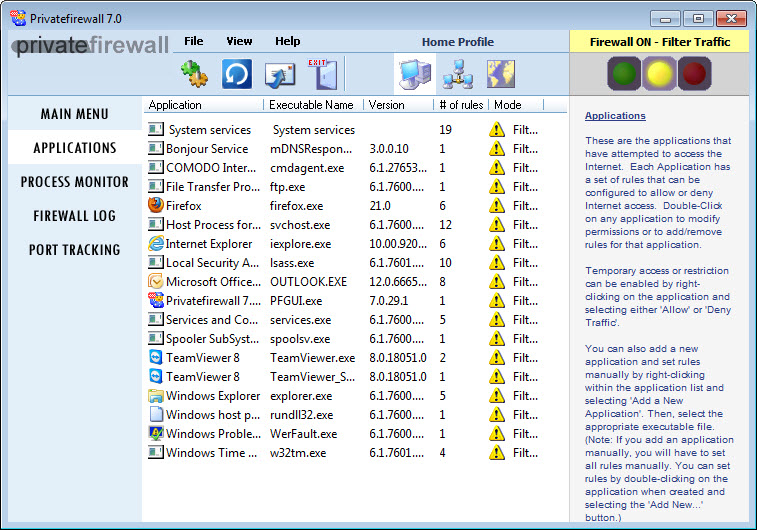
The heart of the tool is application control. Every program that tries to reach the network gets checked against your rules. A trusted browser passes through. An unfamiliar executable trying to phone out triggers a prompt asking whether you want to permit it, block it, or set a lasting rule. This is the wall that stops rogue software from quietly sending data off your machine, and it puts the decision in your hands rather than guessing for you.
Building those rules by hand would be tedious, so the application offers a training mode. Run it for a set period and it watches what you normally do, learning which programs you actually use and building a baseline of trusted behavior. After that, anything outside the learned pattern stands out.
The tradeoff is real, and worth stating plainly. Outside training mode you will see a fair number of prompts, especially early on, and if you want a calmer experience you have to invest the time teaching it first.
A simpler gatekeeper like Firewall App Blocker just flips programs on or off the allow list, while this one earns its keep by scrutinizing behavior in depth.
Watching processes, not just packets
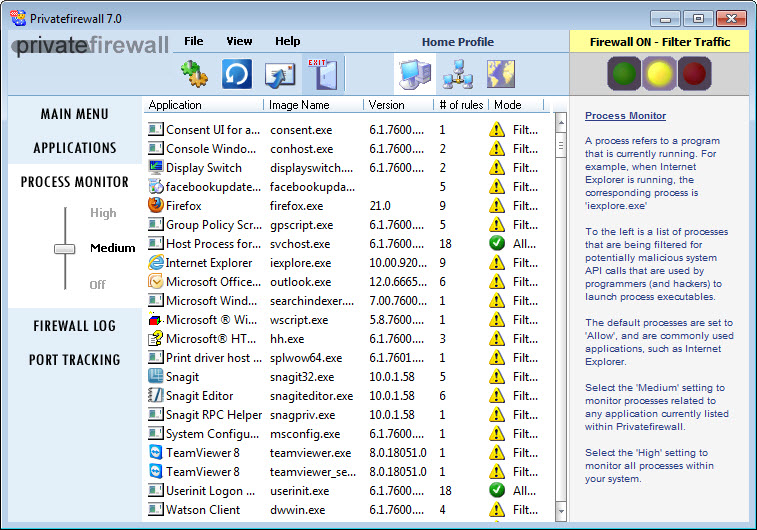
The process monitor is where the deeper protection lives. Rather than only inspecting packets at the network edge, it evaluates what running processes are doing at the system level. It looks at how programs call into the operating system, which sensitive registry keys they touch, and whether their actions resemble known intrusion techniques. When a process behaves like malware, Privatefirewall tells you about it, even if no antivirus has ever cataloged that particular threat.
This system-level view is the difference between a firewall that guards the door and one that also watches the rooms inside. Packet filtering still happens, with control over ports and the connections that use them, but the behavioral layer is what catches the threats that have already slipped past a perimeter check.
For anyone who prefers to see the raw network activity itself, a dedicated analyzer such as Wireshark goes far deeper into packet inspection, though that is a tool for investigation rather than everyday defense.
Port tracking, stealth, and outbound email checks
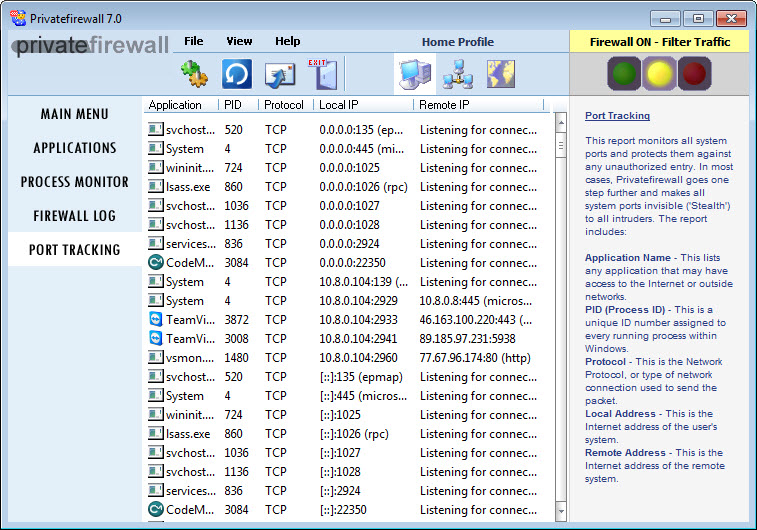
Several smaller defenses round out the package. Port tracking keeps an eye on every port and reports scans or probes, so an attacker mapping your machine for weak spots gets logged and flagged instead of going unnoticed. Stealth mode makes the computer effectively invisible to that kind of scanning, refusing to answer probes so your system does not announce itself as a target in the first place.
There is also an outbound email check that watches the volume and frequency of messages leaving your machine. The logic is clever. A spam-sending infection betrays itself by firing off mail far faster than a person would, so a sudden spike in outbound email is treated as a warning sign and blocked.
It is a narrow defense, but it targets a very specific and common symptom of a compromised machine, the sort of detail that shows where Privatefirewall puts its attention.
Alerts and the configuration you can dial in
When something happens, Privatefirewall shows a tray alert with the details of the event and quick options to respond, including a search to investigate an unfamiliar program on the spot. The alerts are designed to inform rather than just interrupt, though as noted they can be frequent until your rules settle.
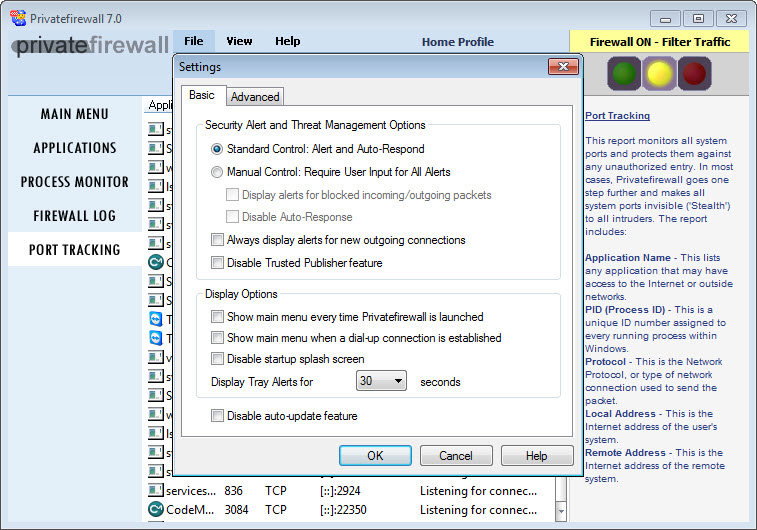
Configuration is layered to match different comfort levels. You can lean on preset security levels for Internet and network protection and let the defaults handle things, or you can drop into the rules and define exactly which sites, applications, and connections are trusted or blocked. That flexibility cuts both ways. It rewards a user willing to tune it and asks more of one who wants to set it and forget it.
If a lighter touch appeals, TinyWall keeps prompts to a minimum, and a full protection suite like Comodo Internet Security bundles a firewall with antivirus if you would rather have everything in one install.
Conclusion
Privatefirewall suits the user who wants real control over what their machine does on the network and is willing to engage with the tool to get it. The behavioral layer, the process monitor, and the application rules add up to protection that reacts to what software does rather than waiting for a definition to identify it, and the port tracking and stealth features close off common reconnaissance routes. For a security-minded person who values depth, that is a strong offering.
The cost is attention. This is not a quiet, invisible guardian that runs without input, and the prompts can test your patience before the rules settle. If you want set-and-forget simplicity, a lighter firewall will serve you better.
But if you are prepared to teach it your habits and respond to what it surfaces, it gives you a level of insight into your own machine that the average firewall simply does not attempt.
Pros & Cons
- Combines network filtering with behavioral monitoring to catch threats without a signature
- Application control prompts before unknown programs reach the network
- Training mode learns your normal activity and builds a trusted baseline
- Process monitor flags suspicious system-level behavior, not just network traffic
- Port tracking, stealth mode, and outbound email checks add focused extra defenses
- Layered configuration suits both default-driven and hands-on users
- Generates frequent prompts outside training mode, which can wear on you
- The depth of options makes it less approachable than a one-switch firewall
- Behavioral alerts require some judgment to act on correctly
- Per-application tuning takes time before the experience settles down
Frequently asked questions
It adds behavioral monitoring on top of network filtering. Instead of only allowing or blocking connections, it watches how programs and the system behave and flags actions that resemble intrusion or malware, which lets it catch threats that have no known signature yet.
You run it for a period while you use your computer normally, and it learns which programs and behaviors are routine for you. That baseline becomes the reference, so afterward anything outside your usual pattern stands out and can be flagged.
Yes. Application control checks every program that tries to reach the network against your rules, prompting you to allow, block, or set a lasting rule for anything unrecognized, which stops rogue software from communicating out.
Outside of training mode it prompts on activity it has not yet learned to trust, and the process monitor surfaces behavioral events as they happen. Teaching it your normal usage first reduces the volume considerably.
Yes. Port tracking monitors all ports and logs scanning or probing attempts, alerting you to reconnaissance activity, while stealth mode makes the machine unresponsive to such scans so it stays off an attacker's radar.


Still use to this day. BEST FW still. Lightweight and smooth to setup with plenty of setting to lock down. Tested on every penatration and no leaks.