

TDSSKiller
About TDSSKiller
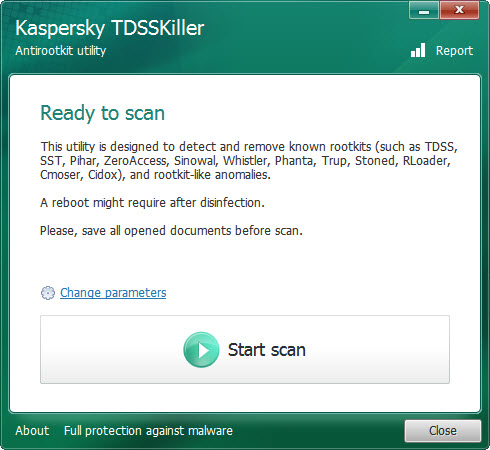
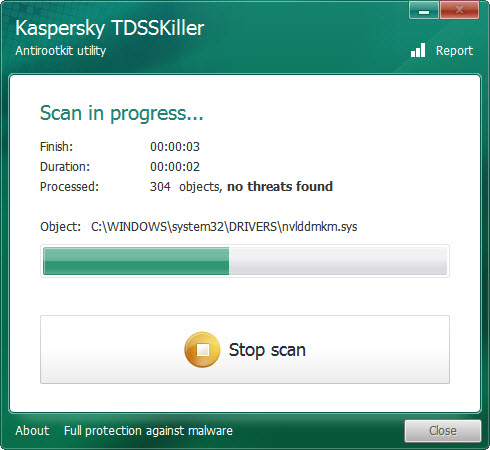
TDSSKiller is a scanner built for one kind of enemy. Rootkits hide. They sit beneath the operating system, in drivers and services and even in the boot sector of the disk. They lie to every program that asks what is running, so an ordinary antivirus sees nothing wrong. This tool looks in the places rootkits live, compares what it finds against the families it knows, and removes what matches, with a reboot where the cleanup needs one. It is a single portable file. Run it as administrator, press Start Scan, and a machine is checked in a minute or two.
It was written for a specific family of rootkits and the bootkits that followed, and it earned its name cleaning them from millions of machines. TDSSKiller is now discontinued. Its maker has retired it in favour of a broader removal tool, and the last release is the one that will ever exist. It still runs, and it still detects and removes the families it was built for, which matters for the old machines where those families still turn up.
The sections below cover what it scans, how to run it when a rootkit fights back, what the command line adds, and what it is honestly still good for.
What it scans
The default TDSSKiller scan covers the places a rootkit uses to survive. System memory, for code running where nothing should be. Services and drivers, for hidden ones that load before everything else.
The boot sectors of the drives, for bootkits that take over before the operating system starts. A parameters button adds more. Loaded modules can be scanned if you accept a reboot. Every driver without a digital signature can be flagged as suspicious. The tool can also look for the hidden file system that one rootkit family creates in the last sectors of a disk to store its files.
The maker’s cloud reputation network can be used to check objects it is unsure about, which is optional. When the scan finishes, each finding is listed with a suggested action, from cure to quarantine, and the tool applies them and asks for a reboot if the cleanup needs one. Default settings suit nearly everyone. The extra options are for a technician who already suspects what is hiding.
When the rootkit fights back
Rootkits know TDSSKiller by name. Many of them watch for its executable and kill it the moment it starts, which is why a scan that closes instantly is itself a sign. The standard advice from the removal forums is simple. Rename the file to something innocent, such as the name of a browser, before running it, and the rootkit’s filter no longer recognises it.
The tool runs in Safe Mode as well as normally, which is the next step when a rootkit interferes with the normal session. For the most stubborn cases a parameter installs an extended monitoring driver and reboots the machine before the scan, so the tool is watching from the first moment the system loads.
Keep a log. The report option writes everything the scan found to a text file for anyone helping you afterwards.
The command line
Every TDSSKiller option has a command-line form, so the tool can be scripted or run silently from a technician’s stick. Parameters accept the terms without a prompt, write the report to a named file and run the scan with no interface. Others add the signature check or the hidden file system check, or apply quarantine to everything found without asking. The last of those is aggressive and meant for a machine already known to be infected.
That scripting is why the tool lived on bench sticks for so long, next to Sophos Virus Removal Tool and the other portable scanners. One run, one log, no clicking through dialogs.
What it is still good for
Here is the plain answer. It still finds and removes the rootkit and bootkit families it was built for, which means old machines, old infections and the drives pulled from them. A computer that has sat in a cupboard, a relative’s machine that was never cleaned properly, a disk recovered from an old office. On those, this tool does in a minute what a general scanner may not do at all, because it looks where general scanners do not.
What it is not good for is anything new. Its signatures stopped with its last release, and a rootkit written since then is invisible to it. For a current machine with a current infection, the maker’s own replacement or a dedicated rootkit hunter that is still maintained, such as RogueKiller, belongs in the stick instead. Treat this one as a specialist from an earlier generation of infections.
Where it stops
TDSSKiller is discontinued, so no new families will ever be added. It scans for rootkits and bootkits only, not for ordinary malware or adware, which is the job of a general portable scanner. It is not real-time protection and never was. Anything on the internet claiming to be a newer or patched edition is not from the maker, since no newer edition exists, and should be treated with suspicion.
And a rootkit can still kill it on launch, which the rename trick usually, but not always, defeats.
Conclusion
TDSSKiller suits technicians and careful users cleaning old machines, where the rootkit families it knows still turn up and a general scanner may look straight past them. The targeted scan, the Safe Mode and extended driver options, and the command line make it a fast specialist on those systems.
It is retired, and it knows nothing written after its last release. Rename it before running, keep the log, and pair it with a maintained scanner for anything a current machine might have caught.
Pros & Cons
- Scans memory and drivers, plus the boot sectors, where rootkits hide
- Removes the rootkit and bootkit families it knows, with a reboot when needed
- Single portable file that runs in Normal Mode or Safe Mode
- Command-line parameters for silent and scripted runs with a log
- Extended monitoring driver for rootkits that interfere with a normal scan
- Discontinued, with signatures frozen at the last release
- Detects only the families it knows, not current rootkits or ordinary malware
- Rootkits may terminate it on launch until the file is renamed
- No real-time protection
Frequently asked questions
No. Its maker has discontinued it in favour of a broader removal tool. The last release still runs and detects the families it was built for, but nothing newer.
A rootkit is probably watching for its filename. Rename the file to something innocent, such as a browser's name, and run it again, or run it in Safe Mode.
No. It looks for rootkits and bootkits from the families it knows, in memory and drivers and in the boot sectors. Ordinary malware and adware need a general scanner.
Yes. Command-line parameters accept the terms, run a silent scan, write a report to a named file and apply quarantine to everything found, which suits a technician's stick.


