

qTox
About qTox
qTox is a messenger that doesn’t have a server. Not a server you don’t trust, not a server with end-to-end encryption layered on top, not a server with privacy promises.
There’s no central server at all. Connections happen directly between your computer and your contacts’ computers through the Tox protocol, with the messages encrypted end-to-end using cryptography that doesn’t rely on any central authority knowing who you are or what you’re saying.
What you get is a chat application that handles text messages, voice calls, video calls, file transfers, and group chats with the same cryptographic guarantees throughout. No phone number to verify, no email address to register, no account on a centralized service that can be hacked, subpoenaed, or shut down.
Each user is identified only by a Tox ID, a long hexadecimal string that functions like a public key. Share that ID with someone you want to chat with, and the connection happens through the network of Tox nodes without any company sitting in between.
The Tox protocol underneath everything
At the technical level, qTox is a graphical interface built on top of the Tox protocol, the same way a web browser is a graphical interface built on top of HTTP. The Tox protocol handles everything that matters cryptographically: identity through Curve25519 public keys, encryption through XSalsa20, message authentication through Poly1305, and peer discovery through a Distributed Hash Table similar to what BitTorrent uses for finding peers without central trackers.
The peer-to-peer architecture means messages travel directly from sender to recipient through whatever network path the Tox nodes can establish. When both users are online and reachable through the network, this is genuinely direct.
When one user is behind NAT or otherwise unreachable, the connection traverses through other Tox nodes until it finds a path. Through all of this, the messages themselves remain encrypted end-to-end. Intermediate nodes can only see encrypted bytes, not content.
This architectural difference matters for specific privacy threat models. Centralized messengers (Signal, WhatsApp, Telegram) all have servers somewhere that, even with end-to-end encryption, retain metadata about who’s talking to whom and when. Court orders can compel access to that metadata.
The peer-to-peer architecture here removes that server entirely, so there’s nothing to compel and nothing to log. The trade-off is real and discussed below, but the architectural foundation is what users come for.
How identity works through the Tox ID
The Tox ID is the only identity primitive in the system. When you first launch the application, a key pair is generated locally on your device. Your Tox ID is derived from your public key, plus a few bytes for spam prevention, encoded as a 76-character hexadecimal string. There’s no central database of usernames or phone numbers because there’s no central anything.
This has practical consequences. To start chatting with someone, they need your Tox ID and you need theirs. Sharing a 76-character hex string isn’t as friendly as “add me on WhatsApp“, which is the largest usability trade-off this software makes for its security model. Most users handle this by sharing IDs through whatever channels they already use (email, another messenger, in-person QR code scans), then never having to share again because the ID is permanent.
Nicknames are local. You set your own nickname for display purposes, and your contacts can set whatever nickname they want for you in their own client.
Nothing about your nickname is verified or central, which means you can’t be impersonated by anyone setting the same nickname (your ID is what matters), but also that you can’t reach somebody just by knowing their preferred name.
Voice and video calling
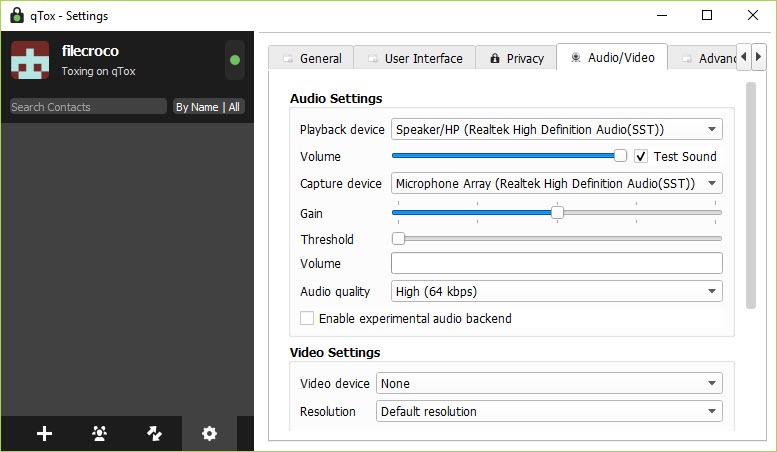
Beyond text messaging, qTox handles voice and video calls through the same encrypted peer-to-peer connections. Audio calls work well in most network conditions, with the codec adjusting bitrate based on available bandwidth and network quality. Voice quality on decent connections matches what you’d expect from Signal or modern WhatsApp.
Video calls work but with realistic limits. The peer-to-peer nature means video quality depends entirely on the bandwidth and routing between you and your contact. Video calls between users on fast home internet typically work fine. Video calls where one or both users are on slow mobile data or congested networks can degrade noticeably.
There’s no central media server doing intelligent routing, which is part of the privacy story but also part of why video performance varies more than commercial alternatives.
Group voice calls support multiple participants simultaneously, with the network topology being more complex than two-person calls. Each participant maintains direct connections with each other participant, which means a group call with 5 people involves 10 separate connections (each person connects to every other person).
This works for small groups but doesn’t scale to larger conferences, where dedicated conferencing tools handle the routing more efficiently.
File transfer and group chats
File transfer happens directly between sender and recipient through the same encrypted connection. There’s no file size limit imposed by central servers because there are no central servers.
Send a 50 GB video file if you want, the transfer will work as long as both users keep the application running. Resume support handles interrupted transfers, picking up where things left off rather than restarting from scratch.
Transfer speed depends on the upload speed of the sender and the download speed of the recipient, with no artificial throttling in between. For users with fast home internet on both ends, transfer speeds approach the bandwidth ceiling of whichever connection is slower. For users on slower connections, transfers happen at whatever speed the link supports.
Group chats support text-based conversations among multiple participants. The group system has limitations that have been discussed in the community for years, particularly around persistence (groups don’t survive cleanly when the original creator goes offline) and discovery (no easy way to find groups beyond people sharing invitations).
For users coming from Discord or Telegram, the group experience here will feel more limited. For users primarily wanting decentralized one-on-one and small-group communication, the limitations matter less.
DHT-based peer discovery
The Distributed Hash Table is the core mechanism that makes peer-to-peer discovery work without central servers. When you start the application, it connects to a network of Tox nodes (some run by volunteers, some run by users who configured their clients as DHT nodes), and uses that network to find other users by their Tox IDs.
The DHT works by storing routing information distributed across many nodes. When you want to reach someone, your client asks the DHT for their current network location, gets a path to them, and establishes a direct connection.
The system handles users moving between networks, going offline and coming back, and various other dynamic conditions that would break simpler peer-to-peer designs.
The trade-off is that DHT-based systems have known characteristics that affect privacy. The fact that you’re online is observable to other DHT participants, even if the content of your communications remains private. Your IP address can be observed by peers you communicate with, which matters in certain threat models even though encrypted content remains protected.
Users with adversarial threat models often pair this software with Tor or VPN routing to obscure their IP addresses from the broader network.
Privacy considerations addressed honestly
The privacy picture here is more complicated than the marketing makes it sound. The encryption is genuinely strong: end-to-end by default, using well-regarded cryptographic primitives, with no central party able to access message content. For protecting message content from network observers, ISPs, and would-be eavesdroppers, qTox does what it claims.
The metadata story is more nuanced. Your IP address is visible to your contacts during direct communication, which differs from Signal where the central server can blind metadata to some extent.
The Tox network itself doesn’t have central log files that could be subpoenaed, but the absence of central logs doesn’t mean nobody can observe network patterns. Users in adversarial environments need to think carefully about whether peer-to-peer metadata characteristics fit their threat model better than centralized alternatives with formal privacy commitments.
The independent security audit situation has been a community concern for years. Signal has had multiple independent audits of its protocol and implementation. The Tox protocol has had some informal review but no thorough independent audit comparable to what major commercial alternatives have published. For users whose primary concern is verifiable security, this matters.
For users who prefer the fundamental architecture choices regardless of audit status, less so.
The community itself has had governance challenges over the years that affect how trustworthy the project feels to outside observers. Forks, disagreements, and various other internal politics have been documented openly, which is honest but also signals a less stable institutional foundation than the major commercial messengers have.
Considerations and limitations
The 76-character Tox ID is the headline usability barrier. Sharing it requires more friction than sharing a phone number or username, and there’s no built-in directory or discovery mechanism for finding people. For initial contact, you essentially need an existing channel to share IDs through.
The slow development pace means that interface modernization and various other quality-of-life improvements happen slowly or not at all. The interface is functional but reflects design choices from years ago, with limited polish compared to actively-developed commercial alternatives.
Group chat limitations affect users wanting Discord-style or Telegram-style group communication experiences. The current group implementation works for small persistent groups but doesn’t scale well to larger communities or provide the discovery features users coming from those platforms expect.
The absence of an independent security audit is a real consideration for users with serious privacy needs. The cryptography is solid in principle, but unaudited implementations can have subtle bugs that audits would surface. Users for whom verifiable security is critical may prefer audited alternatives despite their architectural differences.
Conclusion
For users whose privacy concerns center on the existence of central servers themselves rather than just the encryption of message content, qTox offers what very few messengers actually provide: true peer-to-peer communication with no central party that could be compelled, hacked, or shut down.
The encryption is solid, the architecture is genuinely decentralized, and the open-source codebase means anyone with the technical skills can verify what’s happening.
The reasonable concerns are pragmatic rather than architectural. Slowed development, an awkward identity system, group chat limitations, and the absence of formal security audits all matter for users evaluating this against major commercial alternatives.
If your priority is decentralized communication and you accept the rough edges that come with it, this software does what it promises. If your priority is the smoothest possible messenger experience or formally audited security, alternatives serve those goals better despite their architectural compromises.
Pros & Cons
- True peer-to-peer messaging with no central server to subpoena, hack, or shut down
- End-to-end encryption by default using well-regarded cryptographic primitives
- No phone number, email, or registration required (only a locally-generated Tox ID)
- Voice and video calls, file transfer with no size limits, group chats supported
- Open source under GPL license with publicly auditable code
- DHT-based peer discovery handles users moving between networks
- 76-character Tox ID is awkward to share compared to phone numbers or usernames
- Development pace has slowed substantially since 2022
- No independent security audit comparable to Signal or other major messengers
- Group chat features limited compared to Discord or Telegram
- Your IP address visible to contacts during direct communication
- Video call quality depends entirely on direct peer connections without intelligent routing
- Interface design feels dated compared to actively-developed alternatives
Frequently asked questions
This software is a peer-to-peer encrypted instant messenger built on the Tox protocol. It handles text messages, voice calls, video calls, file transfers, and group chats through direct connections between users, with no central server involved. Identity is based on a locally-generated Tox ID rather than phone numbers or email addresses.
The application uses the Tox protocol to establish encrypted direct connections between users. Identity is handled through cryptographic key pairs generated locally on each device, with users sharing 76-character Tox IDs to establish initial contact. Peer discovery uses a Distributed Hash Table similar to BitTorrent's, finding users on the network without requiring central servers.
The encryption uses well-regarded primitives (Curve25519 for keys, XSalsa20 for symmetric encryption, Poly1305 for authentication) and provides end-to-end protection by default. The architecture has no central server that could be compelled to provide message content. The qualification worth noting is that the Tox protocol has not had a thorough independent security audit comparable to what Signal has published, which matters for users whose security needs require formal verification.
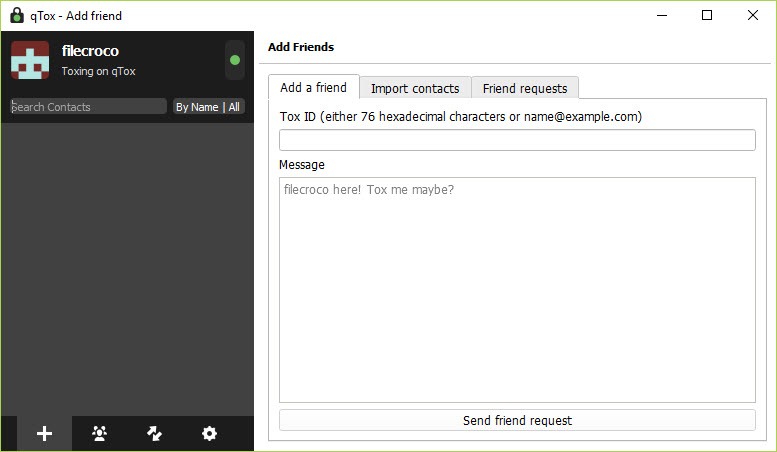
You need to exchange Tox IDs. Your ID is visible in the application's profile section as a 76-character hexadecimal string. Share it with someone you want to chat with through whatever channel you currently use (email, another messenger, in person), and they can add you by pasting the ID into their client. Your contact does the same in reverse. Once both sides have added each other, you can start communicating without further setup.
Yes, the application supports text-based group chats with multiple participants. Create a group from the contacts panel and invite users by sending them the group invitation through your existing connection. Group functionality has limitations compared to Discord or Telegram, particularly around group persistence (groups depend on the original creator staying online for some operations) and discovery (no public group directory).
No, the Tox network requires internet connectivity for peer discovery and direct connections between users. There's no offline messaging or local-network-only mode in the standard application. Both users need internet access to communicate, even though the connections happen peer-to-peer rather than through any specific server.
Signal and WhatsApp use centralized servers with end-to-end encryption layered on top. This software has no central servers at all, with peer-to-peer connections throughout. The architectural difference produces different privacy characteristics: this software has no central party that could be compelled to provide data, but Signal has stronger metadata protection through specific server-side techniques. Signal also has multiple independent security audits, while the Tox protocol does not. The right choice depends on whether you prioritize architectural decentralization or formally audited security.


