

AVZ Toolkit
About AVZ Toolkit
A machine that has been properly compromised does not announce itself. The antivirus reports nothing, the task manager will not open, executables launch the wrong program, and the browser insists its start page is something nobody chose.
AVZ Toolkit is built for that situation, and it approaches it from the other direction to a normal scanner. Instead of asking what files match known malware, it asks what has been done to this system.
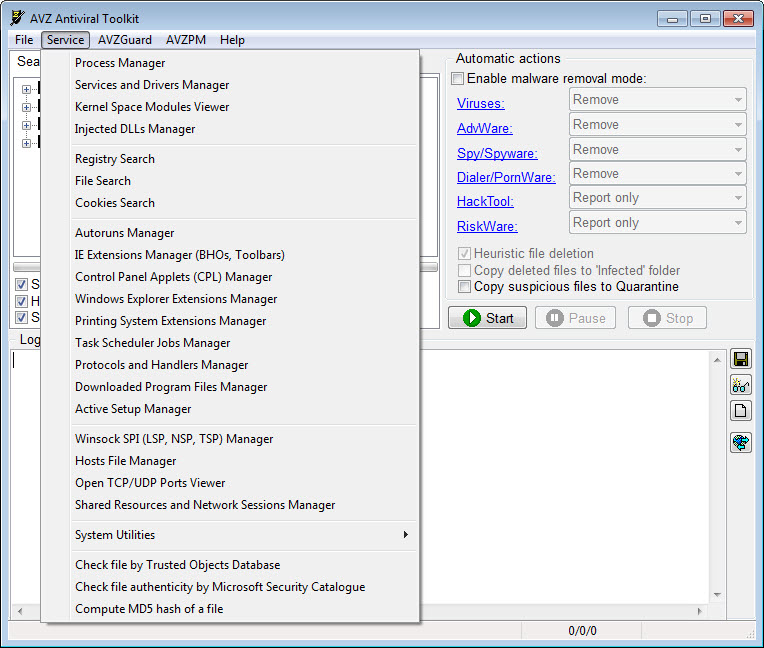
The answer arrives as a list of places software hides. Autorun entries, service registrations, protocol handlers, network hooks, the hosts file, scheduled tasks. Some of what it finds is legitimate, which is precisely why it reports rather than decides.
None of this replaces Malwarebytes or whatever resident protection the machine runs.
AVZ Toolkit has no background component, no real-time shield and no intention of acquiring either. It is an on-demand specialist you run when something is already wrong.
Where it actually looks
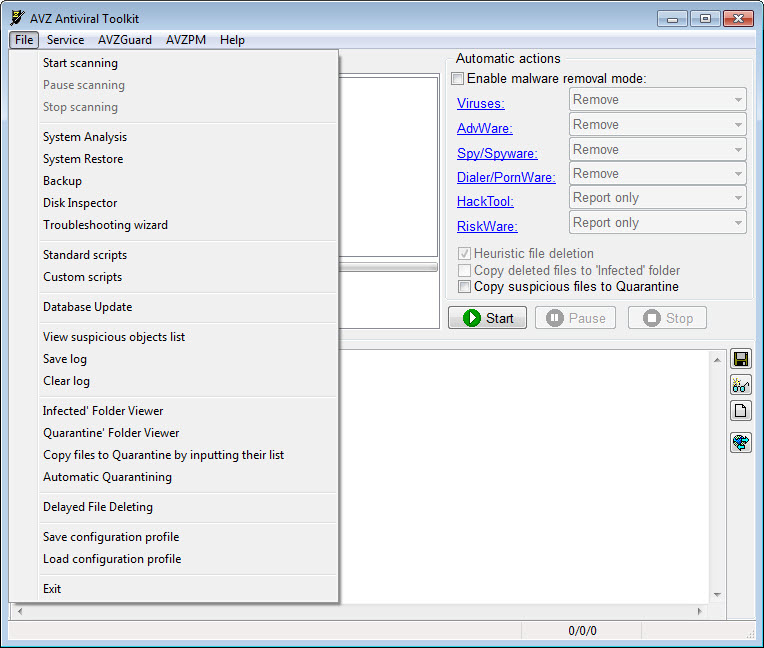
The module list is the product. Running processes, services, drivers, autostart entries across every registry location that supports them, open TCP and UDP ports with the processes holding them, browser extensions and helper objects, protocol plus handler registrations, Winsock service providers, scheduled tasks, print monitors, session manager entries, downloaded program files.
Every one of those is somewhere a program can arrange to be launched or to intercept something, which is why a compromised system is better understood as an inventory problem than a file-matching one.
For autostart auditing on its own, Autoruns covers the same registry territory with better presentation and no scanning attached. What AVZ Toolkit adds is the correlation, since it can tell you that the driver holding a port is also the thing hooking a system function.
Hook detection and the kernel-mode side
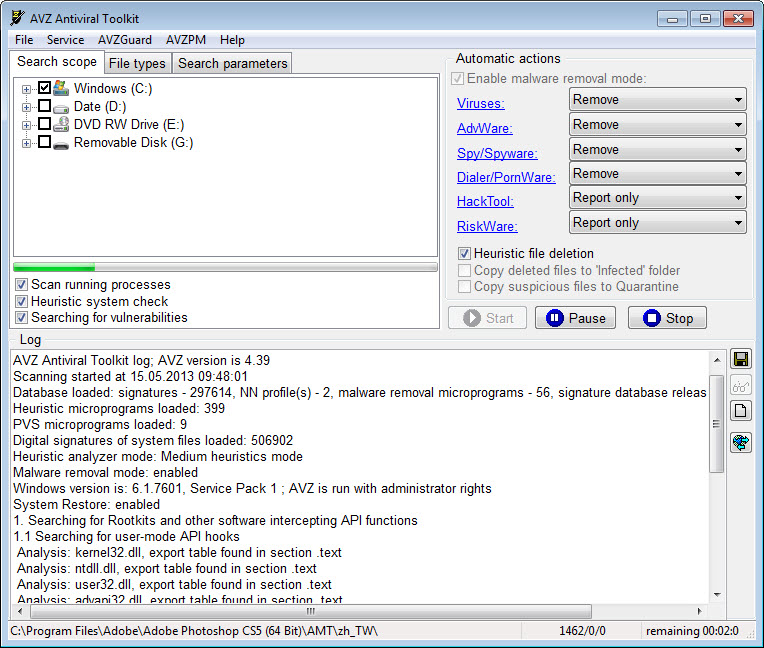
Detecting API hooks is where this tool separates from general cleaners. It examines both user-mode and kernel-mode function tables, reports where something has redirected a system call, and can restore the original entries. Masked processes, the ones hiding from ordinary enumeration, get flagged by comparing what the system reports against a lower-level check.
AVZ Toolkit uses a kernel driver for the monitoring side, watching process and driver activity from beneath the level at which most user-mode malware operates. That is the mechanism behind detecting something that hides itself from the task list.
Interpretation is the hard part, and nothing here does it for you. Legitimate security software hooks system functions constantly, so a report full of intercepted calls is not evidence of anything on its own.
If a bootkit is the specific suspicion, a scanner built for that one family of threats gives a clearer answer than a general hook audit.
Cleanup that survives the malware fighting back
Removing an active infection is a fight, because whatever you delete gets rewritten by something still running. AVZ Toolkit has two answers to that.
The first is a protection mode that blocks other processes from interfering with it while cleanup runs, effectively putting the cleaner inside a bubble the malware cannot reach into. The second is boot-time deletion, queueing files and registry keys for removal at startup before user-mode components load and can defend themselves.
Quarantine holds copies of whatever gets removed, which matters more here than in a consumer scanner, since the false positive rate on a tool that reports everything is necessarily higher.
For terminating active processes before you start, a utility built purely for stopping malicious processes pairs with it neatly.
The repair list most people actually came for
Buried in the menus is a numbered list of system repairs, and for a great many people it is the entire reason to download this. Each entry undoes a specific piece of sabotage.
Executable file associations get restored, so double-clicking a program stops launching something else. Browser start page and search settings are reset. The hosts file is cleared of redirections. Policy restrictions blocking the task manager, the registry editor and the control panel are removed. Winsock service provider chains and proxy settings are reset to defaults, which fixes the classic case where the network works but nothing loads.
These are the repairs that survive after the malware itself is gone, and no antivirus performs them, because removing the infection and undoing its configuration changes are different jobs.
Anyone who has cleaned a machine successfully and still had a hijacked browser knows the gap.
Reports, scripts, plus the forum workflow
A system research function produces a structured report covering everything the modules found, formatted for pasting into a forum thread. That workflow, post a log and have somebody who knows what they are looking at read it, is the same pattern HijackThis established, done with considerably more depth.
The other half is a built-in scripting language. Someone diagnosing your report can write a short script that removes exactly the right files and registry entries, and you run it rather than working through menus you do not understand. For volunteer support work at scale that arrangement is the only thing that makes it practical.
It is also the sharpest edge on the tool. That language deletes files and registry keys without asking whether it should, so a script from someone you have no reason to trust is a loaded weapon pointed at your installation.
Run scripts from an established support community or do not run them at all.
Conclusion
AVZ Toolkit belongs in a technician’s folder rather than on a family computer. If you fix other people’s machines, read forum logs, or want to know what a compromised system has actually had done to it rather than which files matched a signature, the depth here is unmatched by anything aimed at general users.
Everyone else should be careful. The reports are dense and mostly benign, the flags need experience to read, and the scripting language is powerful enough to finish off a machine that malware only damaged.
Use the repair list freely, since undoing hijacked associations and reset network settings is low risk and high value. Treat everything else as a diagnostic instrument rather than a fix-it button, and AVZ Toolkit earns its place alongside the scanners rather than instead of them.
Features & benefits
Pros & Cons
- Inventories every autostart, service, driver, handler location in one pass
- Detects user-mode and kernel-mode hooks and can restore the original function entries
- Flags processes hidden from ordinary enumeration by checking at a lower level
- Protection mode stops active malware interfering with the cleanup in progress
- Boot-time deletion removes files and keys before user-mode components can defend them
- The system repair list undoes policy blocks, hijacked associations and network settings
- Reports are structured for posting where somebody experienced can read them
- Results require interpretation, and legitimate software triggers many of the same flags
- No resident protection whatsoever, so it complements an antivirus rather than replacing one
- The scripting language will destroy an installation if you run something untrustworthy
- The interface assumes technical knowledge and offers almost no guidance
- Signature coverage is not the point, so it will miss things a mainstream scanner catches
Frequently asked questions
No. There is no resident component and no real-time protection. It is an on-demand diagnostic and cleanup tool for a machine that already has a problem, meant to sit alongside whatever guards the system day to day.
That something has redirected a system function, which malware does to hide itself. Security software does exactly the same thing for legitimate reasons, so a list of hooks needs reading in context rather than treating as a verdict.
Only from a support community with a reputation to lose. The scripting language removes files and registry keys without confirmation, so an incorrect or malicious script can leave a machine unbootable.
Yes, that is one of the numbered repairs. Policy restrictions covering the task manager, registry editor and control panel are reset, along with executable associations and browser start page settings.
That is what boot-time deletion is for. Entries are queued and removed during startup before the components that restore them are running, which breaks the cycle a normal delete cannot.


