

DirectXInput
About DirectXInput
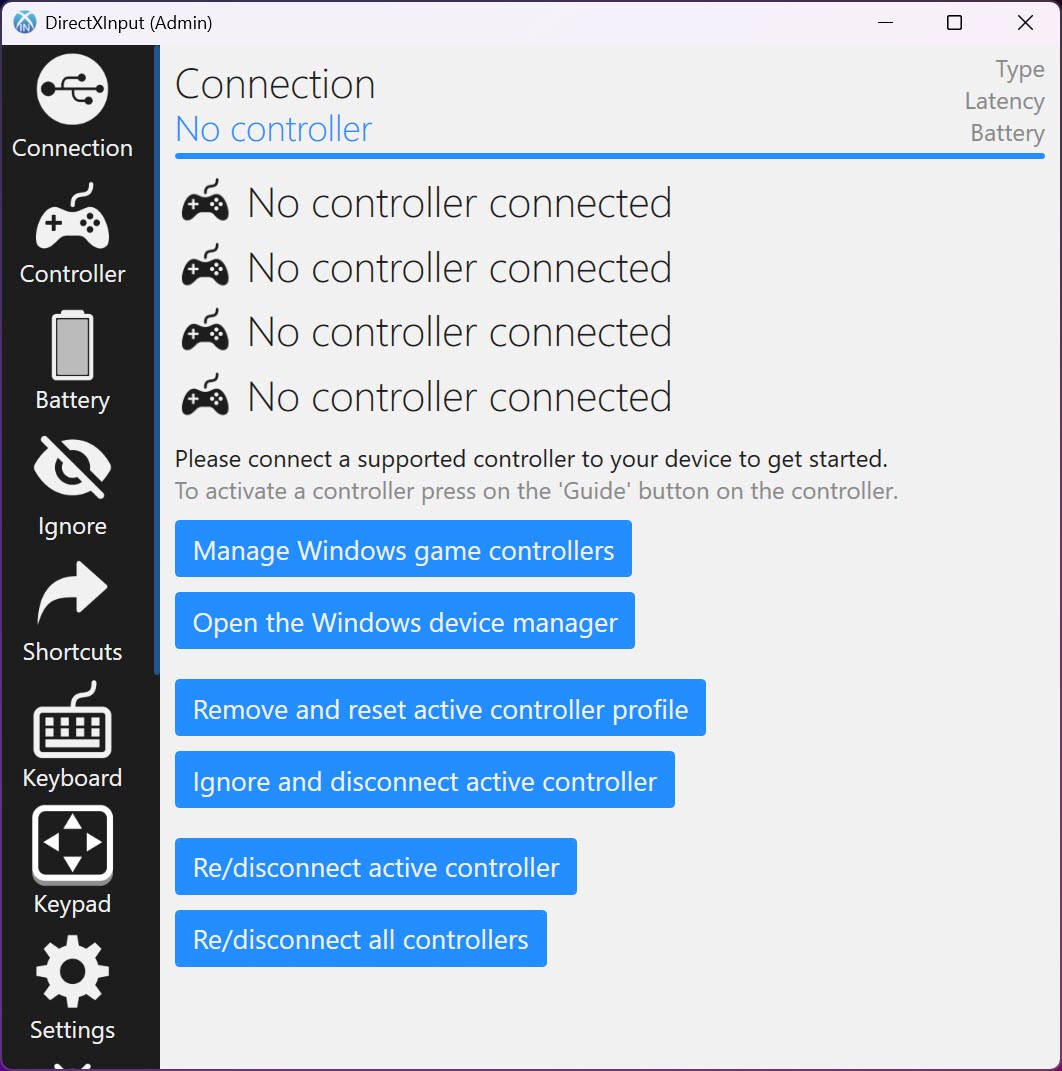
DirectXInput exists to solve one very specific annoyance. You have a perfectly good controller, and the game in front of you acts like it isn’t plugged in. The reason is almost always that the game only listens for one type of controller, the Xbox kind, and everything else gets a shrug. This utility sits in the middle and fixes that. It reads whatever pad you’ve connected, then presents a virtual Xbox controller to the system in its place. The game sees the controller it wants, you play with the one you own, and nobody has to know the difference.
That translation is the foundation, but it’s not the whole pitch anymore. DirectXInput has quietly turned into a full couch-gaming companion. It carries an on-screen keyboard and a separate keypad you operate entirely with the pad, deep button remapping, controller tuning that goes well past the basics, and a set of system shortcuts that let the controller act as your remote for the entire machine. Point it at your setup once and the pad in your hands can type, navigate menus, and manage playback without a keyboard anywhere in sight.
It’s worth being clear up front about what it won’t touch. This isn’t for Xbox controllers or anything that already speaks XInput, since those work on their own and don’t need translating.
The whole point is the other pile, the PlayStation pads, the Switch Pro, the 8BitDo, the generic and older controllers that games keep ignoring. If that’s the drawer you’re digging through, this is built for you.
Turning a non-Xbox pad into one games accept
The core job is emulation, and it’s the reason most people install it. A game written to expect an Xbox pad will happily register nothing when you hand it something else. DirectXInput creates a virtual Xbox controller through a driver layer and quietly routes your real pad’s input into it. To the game, there’s a standard controller connected. To you, it’s still the DualShock or the Switch Pro you actually prefer holding.
The supported list is broad and specific rather than vague. It covers wired PlayStation 1, 2, and 3 pads, the PlayStation 4 DualShock, the PlayStation 5 DualSense, the Nintendo Switch Pro, the 8BitDo Pro 2, and the recent Steam Controller, along with the PlayStation 3 Move Navigation controller for good measure. If your controller happens to be a DualShock 4 and that’s all you care about, a single-purpose option like DS4Windows is worth a look.
Where this tool wins is coverage across all those families at once, which matters the moment you’re switching between two or three different pads. For a broader input-mapping approach that isn’t tied to Xbox emulation specifically, InputMapper tackles the same corner from another angle.
The on-screen keyboard is the sleeper feature
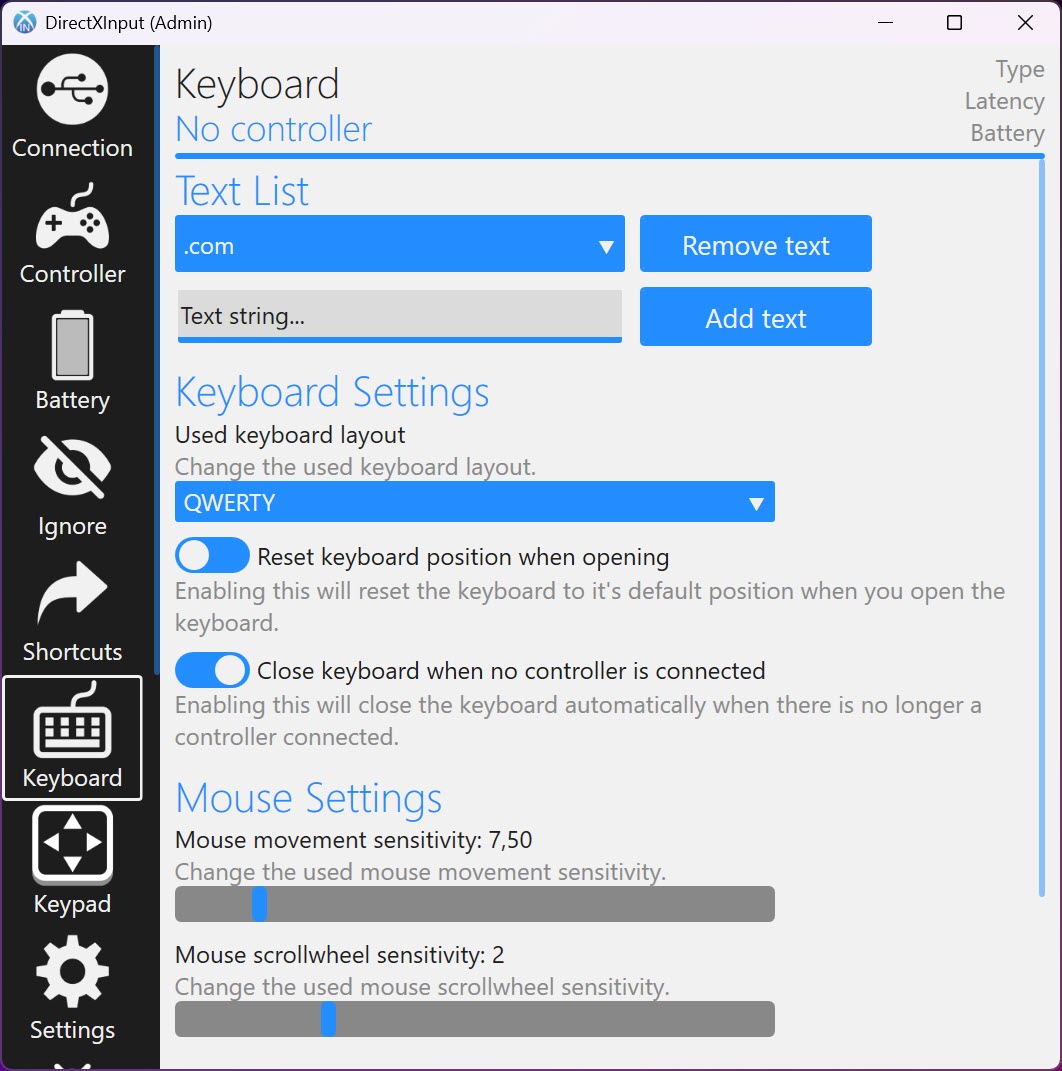
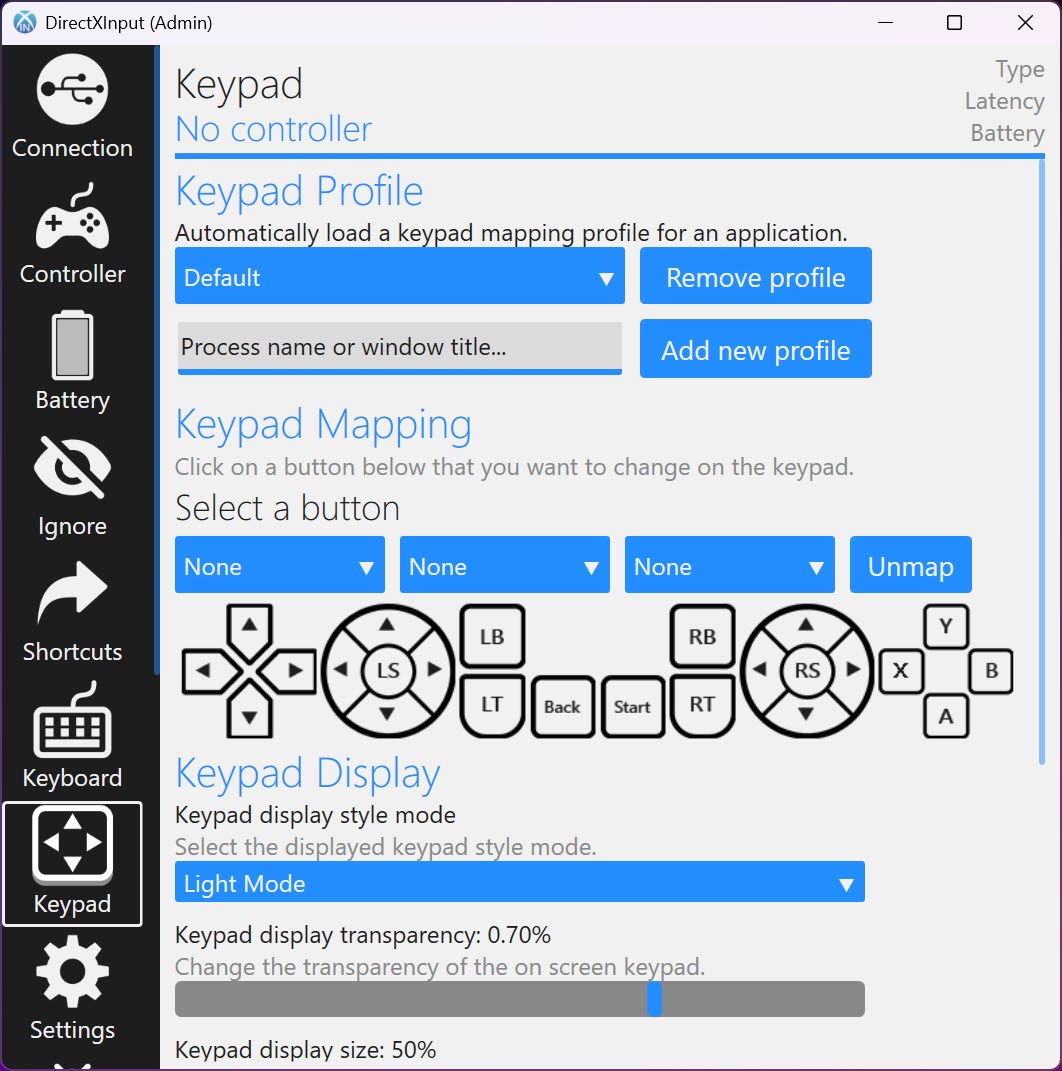
Ask people why they keep it around and a lot of them won’t mention emulation at all. They’ll point at the keyboard. Summon the on-screen keyboard and you can type using nothing but the controller, emoji menu included, which turns entering a password or searching a store from across the living room into a non-event instead of a scavenger hunt for a spare keyboard. There’s a keypad mode alongside it, and you can even nudge the mouse cursor around with it when you need to.
It goes further than typing. A tool mode lets the keyboard drive other applications, there’s keyboard-layout selection so it isn’t stuck on one arrangement, and you get shortcuts baked in for things like Save, Search, Toggle Desktop, and opening the task manager.
On top of that sit the system bindings. Volume up and down, media skip and pause, window switching by holding start and tapping the right button, even flipping which display you’re using.
Run a media PC wired to a television and this is the difference between a tidy room and one buried under peripherals. For a lighter take that mainly turns a pad into a mouse and keyboard, Gopher360 does a stripped-down version of the same idea.
Mapping and controller tuning that goes deep
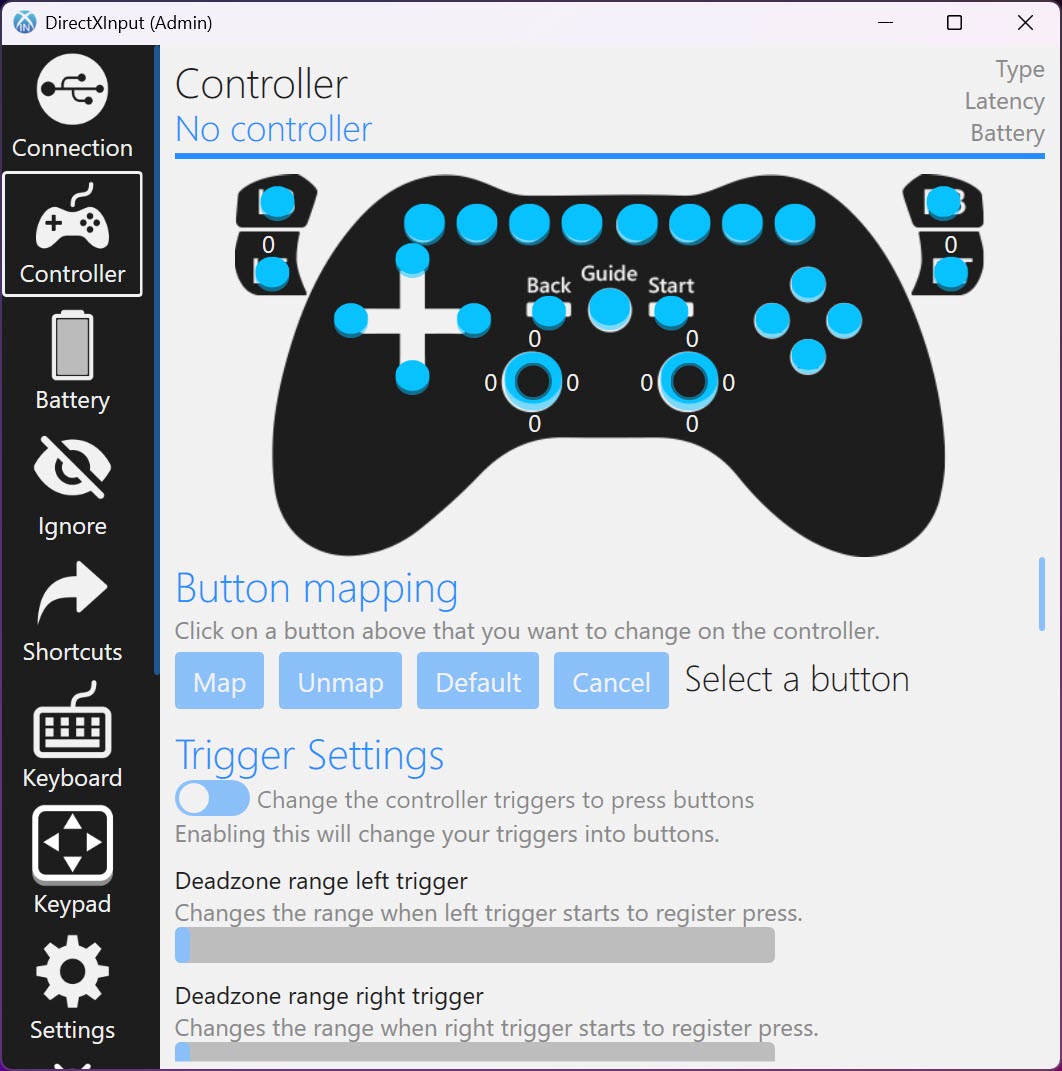
Custom layouts are handled properly in DirectXInput. You can reassign any button, disable one entirely if you keep catching it by accident, and set aside dedicated shortcut buttons for the couch controls. This is a genuine rescue for older games that never bothered with controller customization. Want the D-pad to handle movement in a side-scroller that only understood arrow keys? You can build that yourself.
The tuning is where it separates from a plain button-mapper. You can set the LED color on pads that have one, dial in the deadzone so a worn stick stops drifting on its own, adjust rumble strength, and even set the player LED.
Rumble control is unusually fine-grained here, with separate strength for the left and right triggers and impulse-trigger information used to make that feedback feel closer to the real thing.
There’s a low-battery notification with an audible alert so a wireless pad doesn’t die mid-match, and motion output can be forwarded to the DSU standard for emulators that read gyro aiming. A simpler binder like JoyToKey covers basic key assignment, but it doesn’t reach anywhere near this level of hardware control.
The honest catches
No tool this ambitious is without rough edges, and a few are worth knowing before you commit. Screen capture with the controller isn’t fully self-contained. It leans on a companion capture utility running in the background to actually grab the image. The virtual controller itself depends on a driver component that gets installed alongside the app, which is standard for this whole category but means setup involves more than dropping in a single file. And there’s simply a lot here. Between mapping, tuning, keyboard modes, and shortcuts, the first sit-down can feel busy before you’ve launched a single game.
None of that is a dealbreaker, but it does shape who this is for. If you want a plug-and-forget fix, the depth can get in the way. If you enjoy getting a setup exactly right and then never thinking about it again, the depth is the entire appeal. Once a controller is mapped and tuned the way you like, DirectXInput mostly disappears and just does its job in the background.
Conclusion
If you own controllers that games stubbornly refuse to see, or you’re piecing together a living-room PC where a keyboard feels out of place, DirectXInput is a sharp answer to both problems at once. It fakes an Xbox pad so almost anything works, then layers on an on-screen keyboard, media shortcuts, and hardware tuning that most mapping tools never attempt. The people who get the most out of it are tinkerers with a mix of pads and home-theater gamers who want the controller to run everything.
The price of admission is patience. There’s a driver to install, a companion app for screenshots, and a wall of settings to work through before it clicks. But once it’s set the way you want, you end up with a setup where nearly any controller works in nearly any game and doubles as a remote for the whole PC, which, for the right person, is well worth an evening of fiddling.
Pros & Cons
- Converts a wide range of non-Xbox pads into a virtual Xbox controller games accept
- Supports PlayStation pads through DualSense, the Switch Pro, 8BitDo Pro 2, and the Steam Controller
- On-screen keyboard and keypad let you type, and even move the mouse, with the pad alone
- System shortcuts for volume, media, window switching, and display swapping suit media PCs
- Deep tuning covering deadzone, LED color, per-trigger rumble, and gyro forwarding
- Does nothing for Xbox or existing XInput controllers, which don't need it anyway
- Controller screen capture depends on a separate companion utility running
- Installs a driver component, so it's more involved than a single portable file
- The volume of options can overwhelm you before your first game begins
Frequently asked questions
It handles wired PlayStation 1 through 3 pads, the PlayStation 4 DualShock and PlayStation 5 DualSense, the Nintendo Switch Pro, the 8BitDo Pro 2, and the Steam Controller. It deliberately does not cover Xbox or other XInput controllers, since those already work without translation.
Yes, and it's one of the main reasons people keep it. The on-screen keyboard and keypad let you enter text, pick emoji, and even move the mouse cursor with the pad, which is built for living-room setups where a physical keyboard is a nuisance.
Many games only listen for an Xbox-style controller and ignore anything else. By creating a virtual Xbox controller and feeding your real pad's input into it, this tool makes those games recognize a device they would otherwise skip entirely.
It does, with more precision than most. You can set the deadzone to stop a worn stick from drifting, adjust rumble strength separately for the left and right triggers, change the LED color, and forward motion data for emulators that use gyro aiming.
Yes. DirectXInput binds volume, media playback, window switching, and even display swapping to the pad, so a controller connected to a home-theater PC can run the whole machine without you reaching for anything else.


