

Core FTP Lite
About Core FTP Lite
Core FTP Lite is a streamlined file transfer tool that focuses on security, reliability, and a clean workflow. It supports encrypted connections and keeps resource usage low, so everyday uploads and downloads feel fast and uncomplicated.
Despite its compact design, it includes the controls that matter to webmasters and power users who want precise handling without clutter.
Streamlined interface and simple workflow
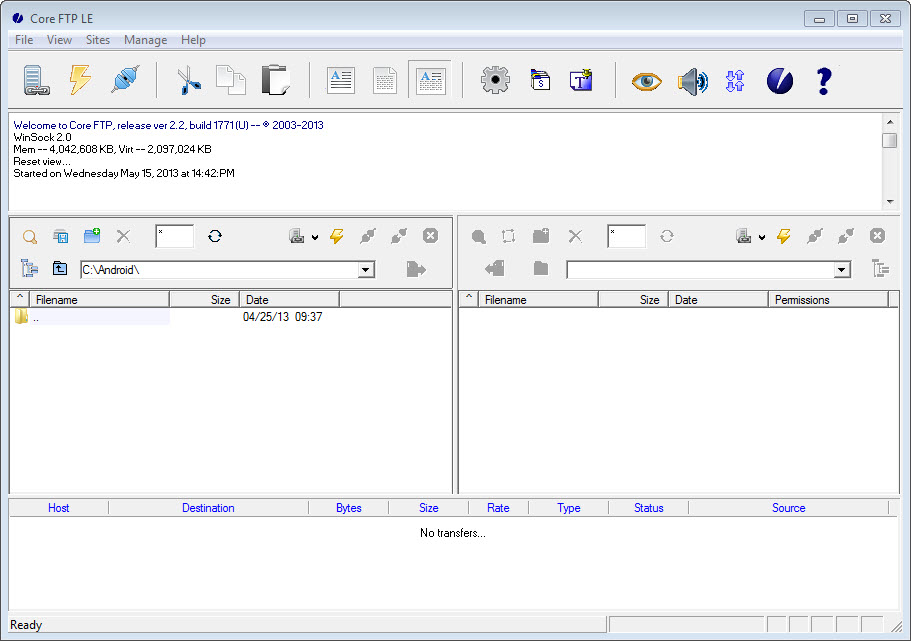
The main window places local files on one side and remote files on the other, so moving data with Core FTP Lite is as simple as drag and drop. Transfers can be queued, paused, resumed, or reordered, and automatic reconnect picks up where a dropped session left off.
A site manager stores credentials and favorite paths, helping you jump between multiple servers with minimal setup.
Secure protocols and connection control
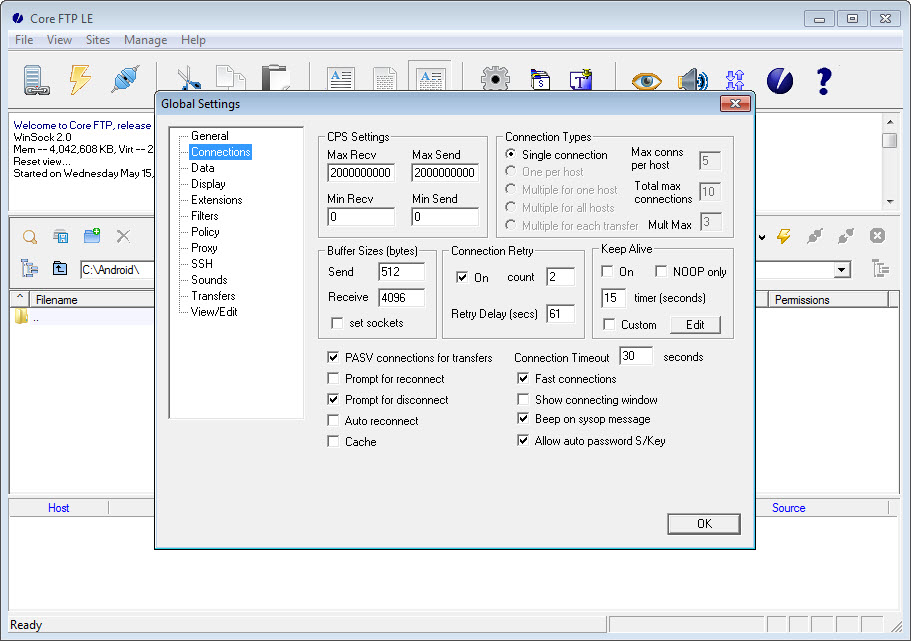
Security is built in. Core FTP Lite supports SFTP, SSL, TLS, and FTPS to keep credentials and data encrypted in transit. Connection settings allow you to choose passive or active mode, set timeouts, and configure firewall and proxy access.
For privacy-minded workflows you can limit ciphers, force secure logins, and define per-site rules so each server uses the correct protocol and port.
Transfer features that save time
Large jobs benefit from recursive transfers that include subfolders automatically. Failed files can be retried, and partial transfers resume without starting over. You can throttle bandwidth to keep other tasks responsive, set default target folders per site, and map custom commands for routine maintenance on the server.
Logs remain accessible for auditing and troubleshooting, giving clear visibility into what moved and when.
Performance and reliability
Core FTP Lite keeps memory usage modest even with many items in the queue. Startup is fast, navigation is responsive, and operations remain stable across long sessions.
The design favors essentials over extras, which helps avoid slowdowns from features you do not need while preserving the core capabilities professional users rely on.
Conclusion
Core FTP Lite delivers the core features that matter for dependable, secure file transfers while staying fast and uncluttered. Its encrypted protocols, thoughtful queue controls, and flexible connection settings make it a practical choice for daily work.
If you want a lightweight client that focuses on doing FTP well, this tool fits the brief without getting in the way.
Pros & Cons
- Secure SFTP, SSL, TLS, and FTPS support for encrypted transfers
- Side by side local and remote panes with intuitive drag and drop
- Queue management, resume support, and automatic reconnect
- Comprehensive connection settings for proxy and firewall environments
- Light footprint that stays responsive during heavy transfers
- Interface feels utilitarian compared to modern themed clients
- No built in scheduling or sync in the Lite edition
- Lacks advanced extras like media previews or integrated search
Frequently asked questions
Yes. It supports SFTP, SSL, TLS, and FTPS so both logins and data are encrypted.
Yes. Transfers can be paused and resumed, and the client will retry dropped connections automatically.
Yes. A site manager stores profiles, and the queue can process items across several servers.
Yes. You can configure proxy details, passive or active mode, ports, and timeouts to match your network.
Yes. It covers the essentials such as secure protocols, queuing, recursive transfers, and custom server commands.


