

ScpToolkit
About ScpToolkit
Anyone who grew up with a PlayStation controller in their hands tends to develop strong muscle memory around that particular layout. The button positioning, the analog stick spacing, the weight distribution, all of it becomes second nature after enough hours of gameplay. Switching to a different controller for PC gaming feels off in ways that are hard to articulate, even when the alternative is technically a perfectly capable device.
ScpToolkit is the long-running solution that brings PlayStation 3 and PlayStation 4 controllers into the Windows gaming ecosystem, letting you keep the controller you actually like even when you’ve moved your gaming to a PC.
What it actually does and why it exists
The core problem the software solves is that PlayStation controllers don’t natively work with PC games the way Xbox controllers do. Microsoft built XInput as the standard controller interface for Windows games, and Xbox controllers use that interface natively. PlayStation controllers use Sony’s own protocol over USB or Bluetooth, which Windows recognizes but games largely don’t, leaving the controller technically connected but unable to actually control anything in most games.
ScpToolkit acts as a translation layer between the two worlds. It installs Windows drivers that talk to PlayStation controllers using their native protocol, and it implements an XInput wrapper that presents the controller to games as if it were an Xbox controller. From the game’s perspective, you’ve connected a standard Xbox 360 controller, and it responds to all the inputs through familiar XInput patterns. From your perspective, you’re playing with the PlayStation controller you actually own and prefer.
This translation works for both DualShock 3 controllers from the PS3 era and DualShock 4 controllers from the PS4 era, with appropriate handling of the different hardware capabilities each provides. For users who own a PlayStation controller and want to use it on PC without buying additional hardware, this software has historically been the standard solution.
Connection support over USB and Bluetooth
The drivers handle both wired USB connections and wireless Bluetooth pairing, which matters because most users prefer wireless gaming when possible. USB connections are straightforward: plug the controller in, the drivers recognize it, and it starts working through the XInput wrapper. Bluetooth requires pairing through the included Bluetooth Pair Utility, which handles the specific pairing process that PlayStation controllers require.
The Bluetooth pairing process is genuinely useful infrastructure since standard Windows Bluetooth pairing doesn’t always work reliably with PlayStation controllers, particularly older DualShock 3 units.
The dedicated pairing utility addresses the protocol quirks that cause pairing failures with the standard Windows tools, getting controllers connected in cases where the regular Bluetooth flow fails.
For the DualShock 3 specifically, the Bluetooth support brings particular value because the DS3 has historically been finicky about Bluetooth pairing on PCs. The DualShock 4 generally pairs more cleanly through standard methods, but the same toolkit handles both consistently rather than requiring different approaches for different controller generations.
XInput wrapper for game compatibility
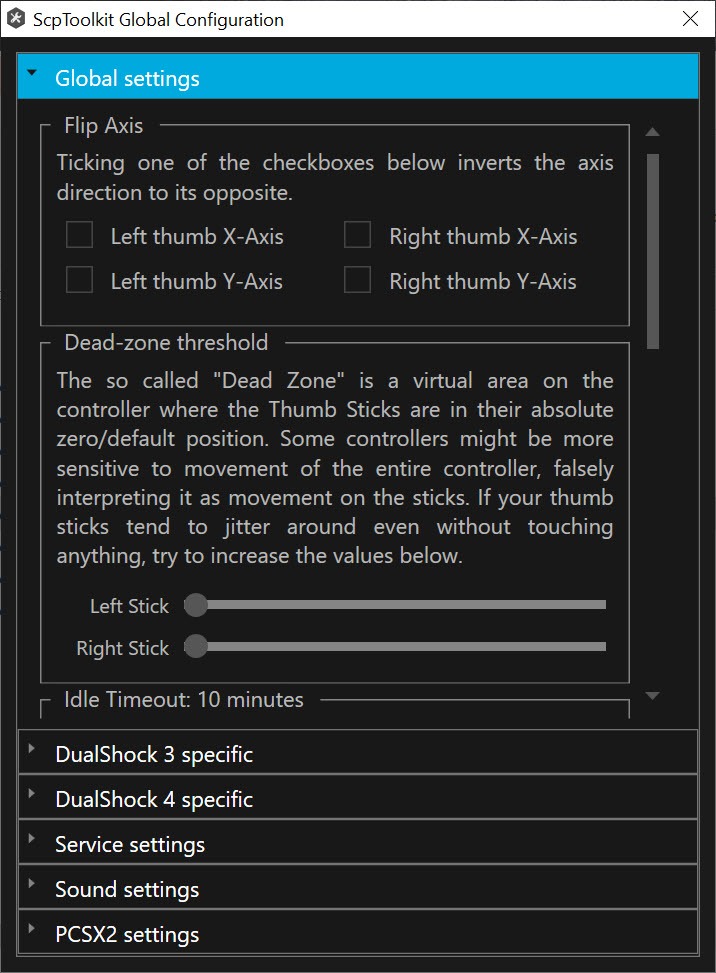
The XInput wrapper component is what makes the controller actually work in games rather than just being recognized by Windows. When ScpToolkit is running, the system treats the connected PlayStation controller as if it were an Xbox 360 controller, with all the button mappings, analog stick handling, and trigger behavior translated through the wrapper.
This translation handles the mapping between PlayStation’s button conventions (Cross, Circle, Square, Triangle) and Xbox’s conventions (A, B, X, Y) so that games receive the inputs they expect at the locations they expect them.
Visual button prompts in games still show Xbox icons (since the game thinks an Xbox controller is connected), but the physical button you press to activate “A” is the Cross button where you’d expect it, “B” is Circle, and so on.
For users who don’t mind the visual prompt mismatch, this approach works almost universally with games that support XInput. The compatibility is essentially the same as Xbox controllers because, from the game’s perspective, the controller is functionally an Xbox controller.
Pressure-sensitive button support for DS3
A capability specific to DualShock 3 controllers is pressure-sensitive face buttons, which detect not just whether you’ve pressed a button but how hard. This was used by some PS3 games for nuanced input, and the controllers physically support it even when most games and controller wrappers don’t expose the capability.
ScpToolkit preserves this functionality where it matters, exposing pressure values to applications that know how to use them. For most games this doesn’t matter (XInput doesn’t include pressure-sensitive buttons in its standard interface), but for emulators running PS3 games or specialized applications that specifically use pressure data, having this capability available rather than abstracted away preserves something that the controller hardware actually offers.
This level of detail reflects the project’s roots in the emulation and hardcore gaming communities, where preserving authentic input behavior matters more than just basic functionality.
LED control and battery monitoring
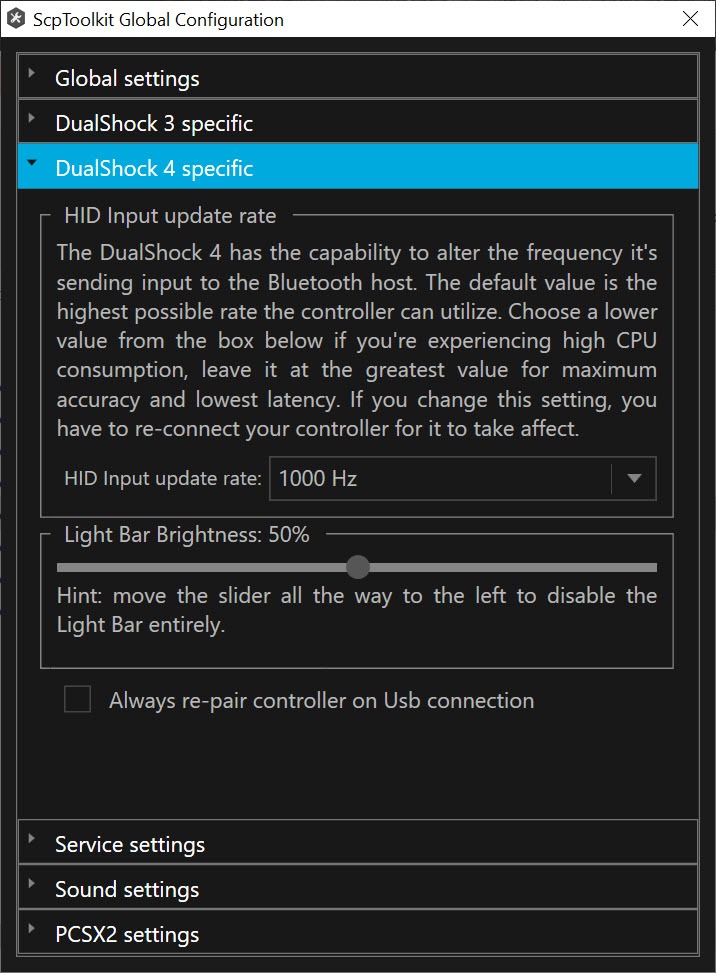
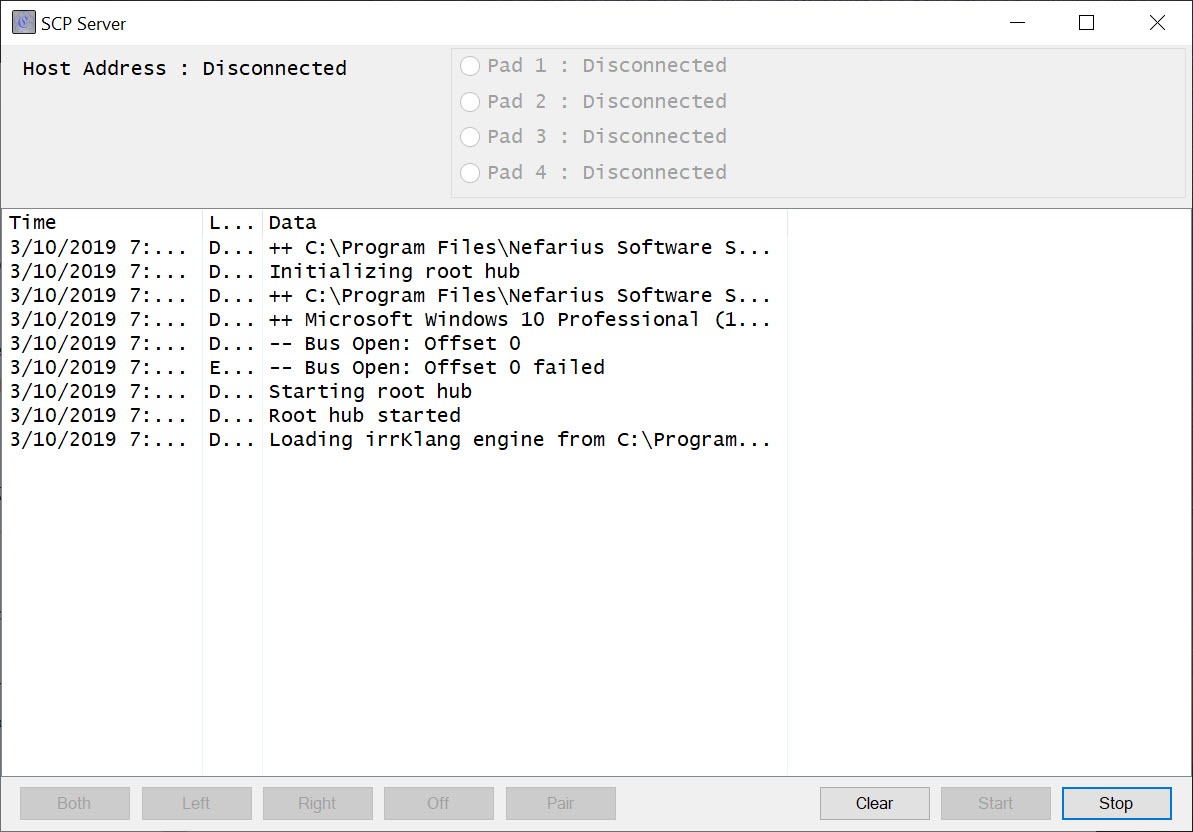
The drivers handle the various status indicators on PlayStation controllers, including the player number LEDs and battery level reporting. You can configure which LED pattern displays for which controller (player 1, 2, 3, or 4) and monitor battery levels for wireless controllers through the management interface.
For multi-player local gaming setups, having clear visual indication of which controller is which player matters more than it sounds like it does. Without these indicators, distinguishing between four identical controllers during gameplay becomes confusing. The configurable LED patterns address this directly, letting you assign player numbers in a way that’s immediately visible to whoever is holding each controller.
The battery monitoring helps you avoid the worst-case scenario of a controller dying in the middle of an important moment. The interface shows current battery levels for connected wireless controllers, giving you advance warning when charging is needed.
Driver signing and Windows compatibility considerations
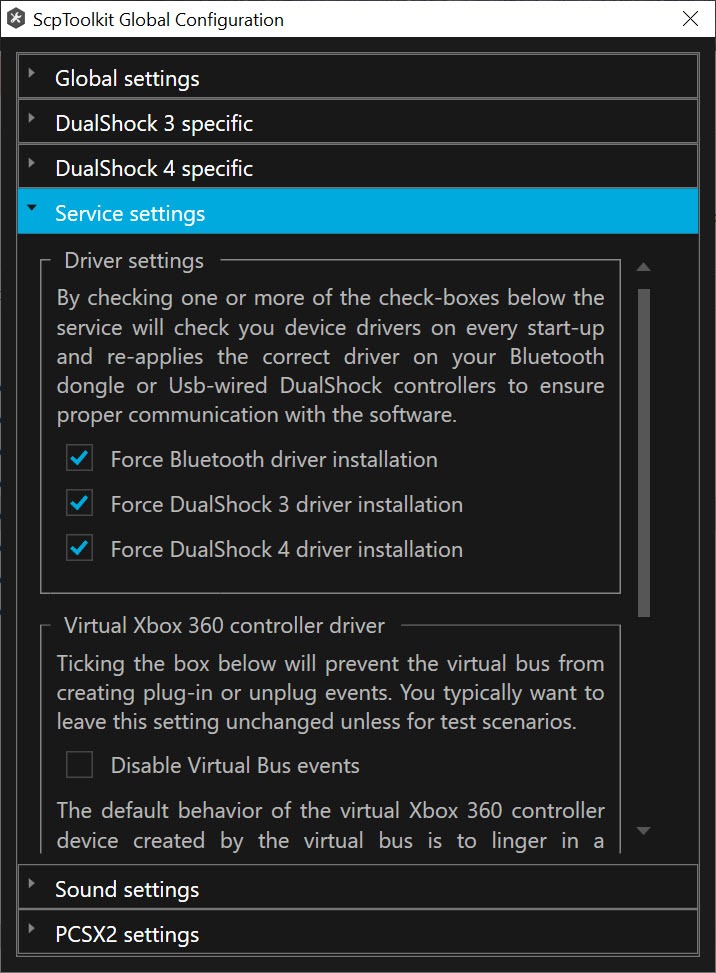
PlayStation controller drivers for Windows have always involved some friction with Windows driver signing requirements. The drivers in this software are signed appropriately for Windows installations that follow standard practices, but certain Windows configurations or particularly aggressive security policies can interfere with installation or operation.
For most users on standard Windows installations, the driver installation process works through the included installer without issues. For users in corporate environments with strict driver policies or on systems with specific security configurations, additional steps may be needed to allow the drivers to install and operate.
The documentation covers the standard troubleshooting steps for driver-related installation problems.
Considerations and limitations
The development status is the elephant in the room. Software that hasn’t been actively developed for years on Windows is software that may stop working as the operating system evolves underneath it. Users investing time learning the toolkit and configuring their setup should understand they’re working with an end-of-life product, even though it currently functions well in many configurations.
Uninstallation has occasionally caused users problems, with residual driver components sometimes lingering after standard removal procedures. The official documentation includes a removal guide specifically addressing these situations, which is worth following carefully if you decide to remove the software later. Forum discussions about cleaning up incomplete uninstalls appear regularly, which suggests the issue is real rather than rare.
For DualShock 4 specifically, DS4Windows has emerged as the more popular choice given its active development and DS4-specific feature set. Users with DualShock 4 controllers may find DS4Windows a better fit for their needs, with this toolkit being more relevant for DualShock 3 users where alternatives are more limited.
Conclusion
ScpToolkit has earned its place in PC gaming history as the bridge that brought PlayStation controllers into Windows gaming for many years before the alternatives matured. For users with DualShock 3 controllers in particular, the software remains relevant despite its development status, since few alternatives address that specific hardware as completely.
It’s not the right choice for everyone in 2026. Active development has ended, newer alternatives serve the DualShock 4 community better, and Windows compatibility on the latest versions depends on luck rather than ongoing maintenance.
But for users with DualShock 3 controllers on stable Windows installations who want to use their existing hardware with PC games, ScpToolkit continues to deliver what it always promised, with the kind of community knowledge accumulated around it that makes troubleshooting practical even years after active development concluded.
Pros & Cons
- Free and open-source with no licensing restrictions
- Supports both DualShock 3 and DualShock 4 controllers
- USB and Bluetooth connection options for both wired and wireless use
- XInput wrapper provides compatibility with virtually any modern game
- Pressure-sensitive button support specific to DualShock 3
- LED and battery monitoring for clear multi-controller management
- Bluetooth Pair Utility handles the specific pairing requirements of PS controllers
- Long track record with extensive community documentation and troubleshooting
- Active development ended in 2018, so newer Windows compatibility issues may not get fixed
- DualShock 4 users have better options through actively-maintained DS4Windows
- Uninstallation can leave driver residue requiring manual cleanup
- Driver signing requirements occasionally complicate installation in restrictive environments
- Latest release dates from 2017 with no further updates planned
Frequently asked questions
This software installs Windows drivers and an XInput wrapper that lets PlayStation 3 and PlayStation 4 controllers work with PC games. Without it, PlayStation controllers connect to Windows but most games don't recognize them as input devices. The toolkit translates the PlayStation protocol into the Xbox-compatible XInput interface that games understand, making the controllers function in essentially any game that supports controller input.
DS4Windows is specifically focused on DualShock 4 controllers and remains actively developed, making it the better choice for DS4 users specifically. This software supports both DualShock 3 and DualShock 4 controllers but development has ended, while DS4Windows continues to receive updates addressing newer Windows versions and specific DS4 features. For DualShock 4 users, the choice generally favors DS4Windows; for DualShock 3 users, the toolkit remains relevant since DS3-specific alternatives are limited.
Yes, the included Bluetooth Pair Utility handles the specific pairing process that PlayStation controllers require, which doesn't always work reliably through standard Windows Bluetooth pairing. Once paired, the controller works wirelessly with the same functionality as USB connections, with battery monitoring available through the management interface.
The configuration includes options for which player number a particular controller represents, which controls which LED pattern displays on the controller and how it identifies itself to games. Through the management interface, you can assign any connected controller to player 1, 2, 3, or 4 positions, useful for multi-player local gaming where controllers need to be clearly distinguished.
For users encountering problems after Windows updates, the first step is reinstalling the drivers through the included installer, which often resolves issues caused by driver registration changes during the update process. If reinstallation doesn't help, community forums frequently have specific workarounds for particular update breaks. Users encountering persistent problems may want to evaluate the actively-maintained alternatives rather than continuing to fight with end-of-life software.


Won’t open on Windows 7 32 bit with Service Pack 1 and the latest updates.
It works for me in Windows 7 Service Pack 1 Professional.