

ZoneAlarm Firewall
About ZoneAlarm Firewall
ZoneAlarm Firewall watches the traffic leaving your computer as closely as the traffic coming in. The firewall built into the system stops unsolicited connections from outside, and it does that job well, but it says almost nothing when a program on your own machine opens a connection out. This one does.
The first time a program tries to reach the internet, the firewall notices, and depending on the mode you chose it either decides for you or asks. A program you do not recognise phoning home, a game that wants to talk to a server, a utility that updates itself, all of them pass through a rule you can see and change.
That outbound control is the reason the program has outlived most of its rivals, and it comes with the rest of a classic desktop firewall. ZoneAlarm Firewall hides the machine’s ports from scans in a stealth mode and sorts networks into trusted and public zones with different rules for each.
It tightens itself when you join an open wireless network and keeps a live view of what is connecting where. A game mode mutes its prompts while you play.
The basic edition carries all of that and leans on you to upgrade to the suites built around it. The sections below cover the two-way firewall, application control and its two modes, zones and stealth, the extras and the upsell, and what the program is not.
The two-way firewall
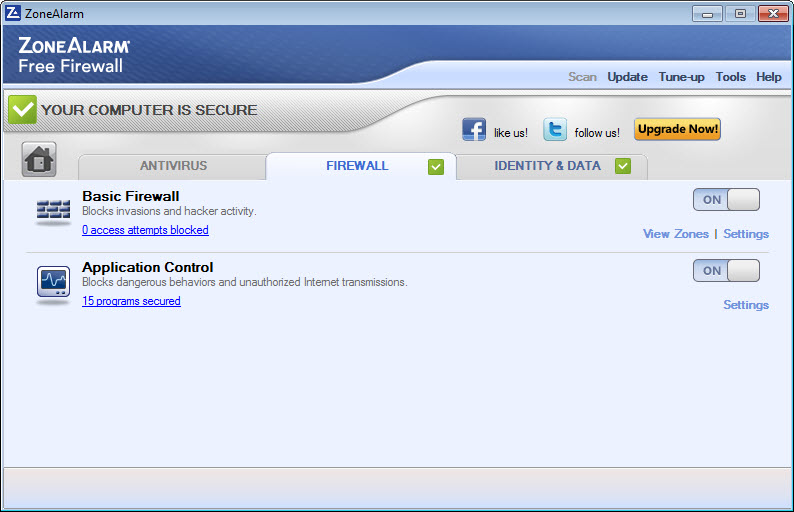
Inbound, ZoneAlarm Firewall closes every port that nothing is listening on and screens the rest, so a scan of the machine from the internet finds nothing to answer. Outbound, it tracks every program that opens a connection and applies a rule.
Those rules are what make a difference against malware that gets in by other means and then tries to send data out or fetch instructions. A firewall that only watches the door inwards never sees it leave.
The engine also includes protection against bots that try to join a machine to a botnet, and an early-boot layer that starts before other security software so the gap at startup is covered. Reviewers who test firewalls still place the two-way engine among the strongest available, and it is the one feature the long-time users name first.
For a firewall that only tightens the system’s own rather than replacing it, a minimal outbound firewall does less with far fewer prompts.
Application control, and the two modes
Every program gets a ZoneAlarm Firewall rule, allow, block or ask, and the rules are listed in a table where any of them can be changed. The question is how the first rule for a new program is made, and the program offers two answers.
Auto-Learn watches what the program does, consults a database of known software, and decides silently for the common cases, which keeps the prompts down to the ones that matter. Max Security asks about everything, which is exact and tiring.
Most people run Auto-Learn and switch to Max Security for a few days when something suspicious is going on. The table of rules is where a program that should never go online, a trial that keeps checking in or a game that leaks telemetry, is blocked for good.
For the same control built on the system’s own firewall with no separate engine, Windows Firewall Control adds the prompts and the rule table without replacing anything.
Zones, stealth and public networks
ZoneAlarm Firewall sorts networks into zones. A trusted zone, your home network, allows file sharing and the chatter of printers and media players. A public zone, a café or a hotel, allows none of that and treats every other machine as a stranger. The firewall assigns a new network to a zone when it first appears and can be told to change its mind.
Stealth mode goes a step further on any network. It makes the machine not merely closed but silent, so a probe gets no reply at all rather than a refusal, and the computer does not appear to exist. When the program detects an open wireless network, it tightens its rules automatically, which is the protection the laptop in the café needs most.
For seeing the connections those rules allow, in a live graph of which program is talking to which address, GlassWire shows the traffic this firewall controls.
The extras, and the upsell
ZoneAlarm Firewall game mode mutes alerts and defers scans while a full-screen program runs, so a prompt does not pop up over a match. An identity protection service monitors personal details for breaches, with a complimentary period that ends after a year, and it is available in one country only.
The browser protection against phishing sites and the download scanning belong to the suites built around the firewall rather than to the firewall itself.
The basic edition promotes those suites. Prompts to upgrade appear in the window and in notifications, and the installer offers the suite’s trial. That is the trade for the firewall being available at all, and reviewers mention it in every review. The firewall itself is not reduced by declining.
What it is not
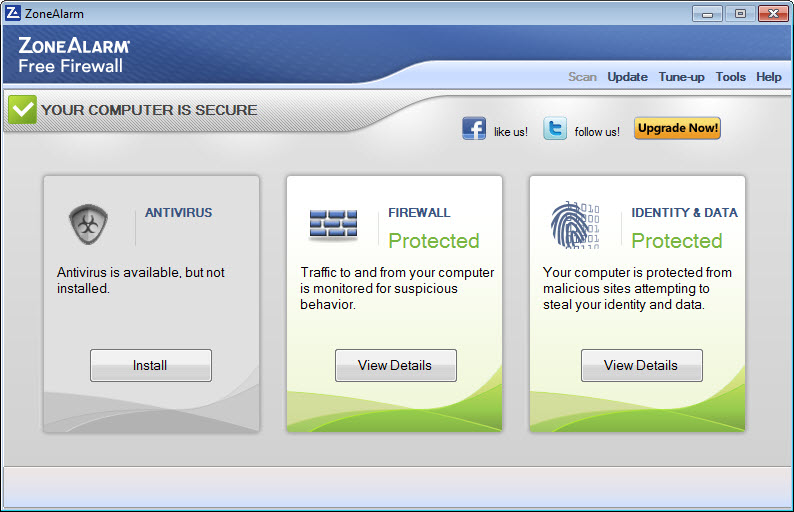
ZoneAlarm Firewall is a firewall. The basic edition does not scan for viruses, does not stop ransomware and does not filter web pages, and anyone who installs it needs a separate antivirus alongside, which the program expects. It also replaces the system’s own firewall rather than running beside it, so the two should not be on at the same time.
For catching the malware that slips past an antivirus and a firewall both, Malwarebytes is the usual companion.
Conclusion
ZoneAlarm Firewall suits anyone who wants to see and decide which programs on their machine may talk to the internet, from a careful home user to the owner of a laptop that lives on café networks. The two-way engine, the application rules and the zones with stealth do what the built-in firewall does not.
It is a firewall and nothing more, it replaces the built-in one, and it nudges toward its fuller suites. Run Auto-Learn, pair it with an antivirus, switch to Max Security when something feels wrong, and let the rule table be the place where a program that should not phone home is told so.
Pros & Cons
- Two-way firewall that controls outbound connections as well as inbound
- Application control with an Auto-Learn mode that keeps prompts down and a Max Security mode that asks about everything
- Trusted and public zones, with rules tightened automatically on open wireless networks
- Stealth mode that makes the machine silent to scans
- Anti-bot protection and an early-boot layer
- Game mode that mutes alerts during full-screen programs
- Basic edition promotes the fuller suites in the window and notifications
- No antivirus, ransomware protection or web filtering in the basic edition
- Identity protection is one-country and complimentary only for a period
- Replaces the system's own firewall rather than running beside it
Frequently asked questions
No. The basic edition is a firewall, and it expects a separate antivirus to run alongside. The suites built around it add malware protection.
Auto-Learn decides for common programs using a database of known software and asks only when unsure. Max Security asks about every new connection.
No. It replaces the built-in firewall, and the two should not be active at the same time.
It makes the machine give no reply at all to probes from the internet, so it does not appear to exist, rather than merely refusing connections.


