

Universal Minecraft Editor
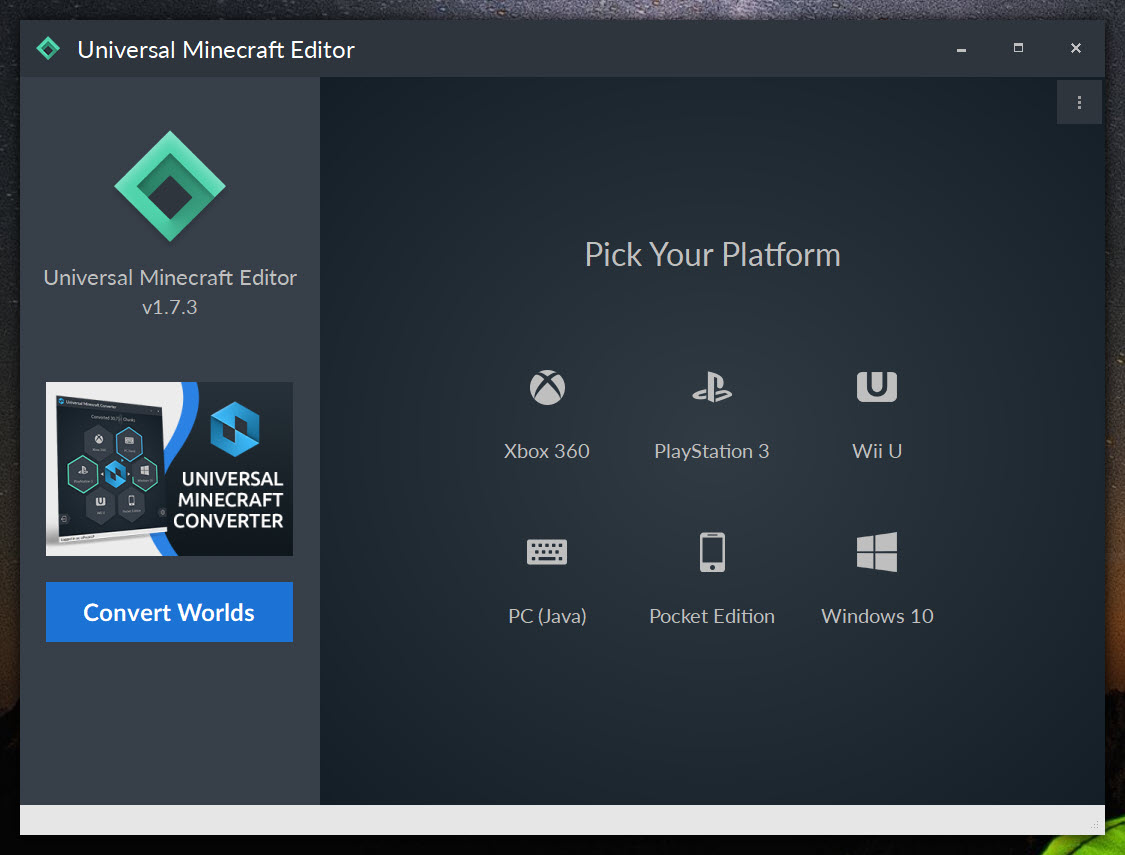
About Universal Minecraft Editor
Minecraft has accumulated an enormous tail of tools and utilities over its many years of existence, with the modding and customization scene producing software for essentially every imaginable purpose. Want to convert a world between Java and Bedrock editions? There’s a tool for that. Want to inspect or modify the technical data structures behind the scenes? Several tools exist. Want to give your character creative items, edit your inventory, or modify world settings without using cheats inside the game? More tools.
The challenge has historically been that most of these tools focus narrowly on specific tasks, requiring users to assemble a toolkit of half a dozen utilities to handle different scenarios. Universal Minecraft Editor takes the opposite approach, consolidating world editing, NBT modification, and conversion capabilities into a single application that handles essentially everything you might want to do with Minecraft save files.
What NBT actually is and why editing it matters
The technical foundation of Universal Minecraft Editor is NBT (Named Binary Tag) data manipulation. NBT is the data format Minecraft uses for essentially everything: player inventory, world settings, entity attributes, container contents, achievement progress, and dozens of other categories of game state. Every save file consists of NBT data structures that the game reads on load and writes on save.
Editing NBT directly lets you do things that aren’t possible through normal gameplay. Give yourself items that can’t be obtained legitimately. Modify enchantment levels beyond their normal limits. Change attributes on existing items, mobs, or players.
Adjust world settings that the in-game options don’t expose. Repair corrupted saves by manually fixing damaged data structures. The capability is essentially unlimited within the bounds of what NBT data describes.
For users who want to experiment with Minecraft beyond its normal limitations, NBT editing provides the lowest-level access available short of source code modification. The application’s interface makes this accessible through graphical browsing of the data structures rather than requiring you to understand the binary format directly, which dramatically lowers the learning curve compared to manual NBT manipulation through text editors or specialized programming tools.
Inventory editing that goes beyond cheats
The most common use case for Universal Minecraft Editor is inventory modification. Open a save file, navigate to your player’s inventory, and add, remove, or modify items through a graphical interface that resembles the in-game inventory display. Want a stack of 64 diamond blocks? Right-click an empty slot and add them. Want a bow with Sharpness V (impossible normally since Sharpness applies to swords)? The enchantment editor lets you apply enchantments without the normal compatibility restrictions.
This goes beyond what the in-game cheat commands can do. Cheat commands respect Minecraft’s internal validation rules, so you can’t apply incompatible enchantments or create truly impossible items through /give. NBT editing has no such restrictions because it modifies the data directly, which means anything the game data structure can technically represent becomes possible regardless of whether the game would normally allow it.
For creative players experimenting with custom items, server administrators preparing special inventories for events, or modders developing custom content, this unrestricted access is genuinely useful. The flip side is that some edited items can produce strange or unstable behavior in the game when their data combinations aren’t ones Minecraft expects to encounter, so reasonable caution applies.
World conversion between Minecraft editions
A particularly valuable capability is world conversion between Minecraft editions. Java and Bedrock editions store their worlds in different formats, and the differences extend beyond just file structure to fundamental things like block IDs, entity representations, and various game mechanics.
Players who want to play the same world across editions, or who need to migrate between editions for any reason, traditionally face the choice of starting fresh or accepting that their existing worlds work in one edition only.
The conversion functionality handles the translation between formats, mapping blocks and entities from one edition’s representation to the other’s equivalents. The conversion isn’t always perfect because some features exist in only one edition (certain blocks, mobs, or mechanics), but the tool handles the conversion as cleanly as the underlying differences allow.
For console save conversion, the supported scope has historically included worlds from various console editions of Minecraft, allowing migration of saves between platforms. The exact compatibility depends on which console editions Mojang continues to support and how their save formats have evolved, with some console save migrations becoming less reliable as those editions have been updated or deprecated.
Player data and statistics modification
Beyond inventory, the player data section lets you modify essentially anything about your character including position, health, XP level, hunger, achievement status, and various other attributes. For repairing saves where your character has gotten stuck somewhere unreachable, restoring a character that died to a glitch, or just experimenting with different starting conditions, this capability addresses scenarios that the game itself doesn’t accommodate.
Statistics editing handles the various tracked metrics that Minecraft maintains across your playthrough. Distance walked, blocks mined, mobs killed, and dozens of other stats can be adjusted, which matters for players pursuing specific achievement combinations or just curious about modifying their tracked progress.
The hardcore mode flag is one of the more frequently asked-about edits, with players sometimes wanting to convert worlds between hardcore and normal mode after starting them. The application handles this through direct flag modification, though some game features depend on the hardcore status in ways that may produce unusual behavior after conversion.
Container and entity editing
Worlds contain enormous numbers of containers (chests, furnaces, hoppers, and similar) plus entities (mobs, items on the ground, vehicles), all of which have their own NBT data that the application can edit. Want to populate a chest with specific items for a custom map? Edit the chest’s contents directly rather than using complex command block setups. Need to modify mob spawner parameters or villager trades? The entity editor handles these scenarios.
For map makers building custom adventure or puzzle maps, this kind of detailed editing capability is essential infrastructure. Modern maps often involve hundreds of carefully prepared containers, custom-trade villagers, and specifically configured entities that would be impractical to set up through normal gameplay. Having a graphical editor for these elements makes complex map construction substantially more practical.
The visual world view provides a 2D representation of your world that makes navigation between editing locations easier, particularly for users who don’t remember exactly where in their world they want to make changes. Click on a region to open it for editing, or browse through the world structure to find specific containers or entities that need attention.
Backup and safety features
NBT editing involves real risk of corrupting save files if something goes wrong during the editing process. Universal Minecraft Editor addresses this through built-in backup functionality that creates copies of your save before applying changes, allowing you to restore the original if your edits produce unexpected results.
The backup approach is particularly important because some edits can produce subtle problems that don’t manifest until later in gameplay. A modified save might load fine and seem to work normally, only to crash when you reach a specific area or trigger a particular interaction. Having backups available means these delayed problems can be undone rather than requiring restarting an entire world.
For users new to NBT editing, the practical advice is straightforward: always backup before significant edits, test changes in a non-critical world before applying them to important saves, and approach unusual modifications with appropriate caution. The tool provides the safety mechanisms; using them properly remains the user’s responsibility.
The “does it still work” question users keep asking
A persistent search query is whether this software still works given Minecraft’s ongoing updates. The honest answer is that the situation varies based on which Minecraft version and edition you’re using, and how recently the application has been updated.
For Java Edition worlds from older Minecraft versions, the tool generally works well and continues to handle them reliably. For the latest Java Edition versions, compatibility depends on whether the application has been updated to handle whatever data format changes Mojang introduced in recent updates. Some features may work while others don’t, depending on what specifically changed.
Bedrock Edition has historically been somewhat more variable in compatibility, with the more rapidly evolving format requiring more frequent application updates to maintain support. Console editions face similar challenges, with Mojang’s ongoing changes to console saves requiring corresponding updates to the editing tools.
The practical advice for current users is to verify that the application supports the specific Minecraft version and edition you’re using before attempting significant edits. The community discussions around this tool typically reveal current compatibility status, with users reporting which features work on which versions.
Considerations and limitations
The interface, while functional, reflects the application’s age in places. Some operations require navigation through technical data structures that assume familiarity with NBT concepts, and the visual presentation feels dated compared to modern utilities. For users willing to invest some time in learning the tool, the depth of capability justifies the learning curve, but expect some adjustment period before efficiency develops.
Modded content presents specific limitations because mods introduce custom NBT structures that the editor doesn’t necessarily understand. You can typically see modded items and entities as raw NBT data, but the editing capabilities for them depend on whether the modifications follow standard NBT conventions or use custom approaches. For heavily modded saves, results vary substantially.
Documentation is sparse, with the application assuming users will figure out specific operations through exploration or community resources. The basic functionality is intuitive enough that this works for common scenarios, but advanced operations sometimes require consulting forum discussions or video tutorials rather than finding answers in built-in help.
Conclusion
Universal Minecraft Editor has earned its place in the Minecraft tooling ecosystem by providing comprehensive save file editing capabilities through a single application rather than requiring users to assemble multiple specialized tools. For map makers, server administrators, players experimenting with custom content, or anyone who wants to modify Minecraft saves beyond what the game itself accommodates, the depth of functionality covers essentially everything that’s technically possible.
It’s not the right choice for casual players who are happy with normal gameplay, with the editing capabilities being substantial overkill for users who don’t have specific modification needs. But for the substantial audience of Minecraft players who want serious control over their save files, the tool delivers exactly that, with the kind of focused capability that has kept it useful across many years of Minecraft’s evolution.
For users encountering compatibility issues with current versions, the developer’s continued work through the Universal Minecraft Tool successor extends this approach to handle modern scenarios that the original editor sometimes struggles with.
Pros & Cons
- Comprehensive NBT editing covers virtually all save file modification needs
- Inventory editor allows item creation and modification beyond what cheats permit
- World conversion between Minecraft editions handles cross-platform migration
- Player data editing addresses save repair and customization scenarios
- Container and entity editing supports complex map-making workflows
- Built-in backup functionality protects against editing mistakes
- Free with no commercial restrictions or licensing complications
- Active development through both the original tool and successor project
- Compatibility with latest Minecraft versions varies and may require updates
- Modded content support depends on whether mods follow standard NBT conventions
- Interface design feels dated compared to modern utilities
- Sparse documentation requires exploration or community resources for advanced operations
- Edits can corrupt saves if applied carelessly without proper backups
Frequently asked questions
This software is a comprehensive Minecraft save file editor that lets you modify essentially any aspect of your worlds, including player inventory, character data, world settings, container contents, entity properties, and the underlying NBT data structures. It also handles conversion between different Minecraft editions, providing a single tool that addresses the full range of save file editing needs that the game itself doesn't accommodate.
Modded content support depends on how the mod implements its custom data. Mods that follow standard NBT conventions are typically editable through the tool, while mods using custom data structures or specialized formats may show their data as raw NBT without proper editing capabilities. For heavily modded saves, results vary substantially based on which specific mods are involved.
Yes, the world conversion feature handles translation between Java and Bedrock save formats, mapping blocks, entities, and game mechanics from one edition's representation to the other. The conversion isn't perfect because some features exist in only one edition, but it handles the migration as cleanly as the underlying differences allow. Some manual cleanup may be needed after conversion for elements that don't translate directly.
Cheat commands respect Minecraft's internal validation rules, preventing certain operations like applying incompatible enchantments or creating items that violate game logic. NBT editing operates below this validation layer, allowing modifications that the game wouldn't normally permit through any in-game mechanism. This greater power comes with corresponding responsibility, since invalid data combinations can produce strange behavior or crashes.


