

Free Firewall
About Free Firewall
Free Firewall is a lightweight and effective application designed to provide an additional layer of security for your computer. Unlike a standard antivirus, this tool specializes in blocking unauthorized access and preventing cyber attackers from stealing sensitive data, personal information, or passwords.
As digital threats and identity theft become more common, having a reliable firewall has never been more important.
Comprehensive Access Control and Real-Time Alerts
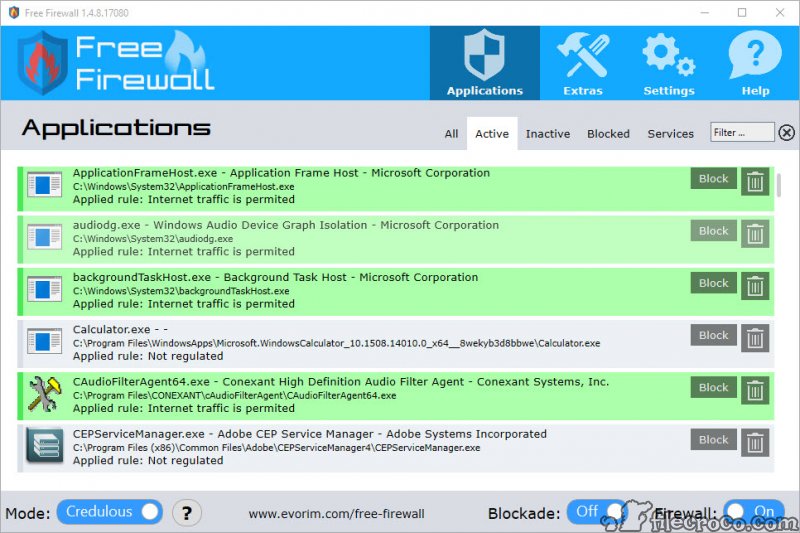
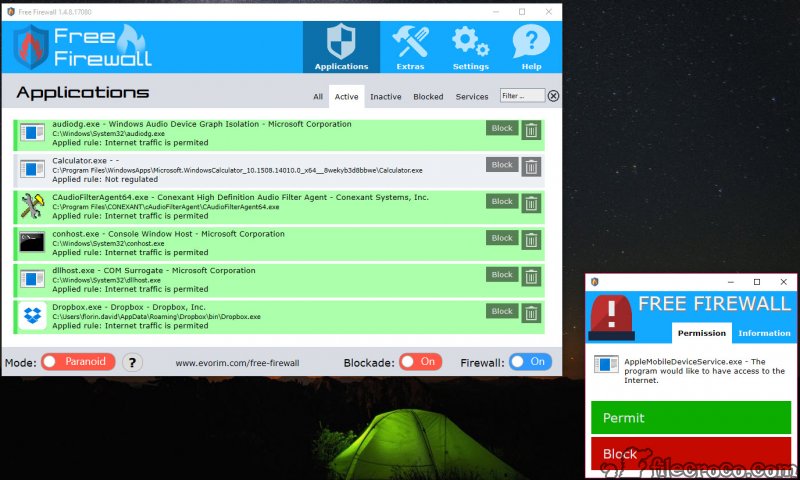
Free Firewall analyzes all traffic entering and leaving your computer. It protects you from unauthorized access, hides open ports, and immediately notifies you if an unknown application tries to connect to the internet.
If you do not recognize a program, you can instantly block its access, making it much harder for malicious software to communicate with external servers.
The program enables you to ban specific applications from using the internet, as well as to white-list trusted software. This means you remain in control of which programs can access online resources, adding a valuable layer of defense that goes beyond the default Windows firewall.
Two Operating Modes for Flexible Security
This firewall comes with two primary operating modes: Paranoid and Credulous. Paranoid mode blocks every program from internet access except those you explicitly white-list. In contrast, Credulous mode allows all applications online unless you manually block them.
This flexibility lets you tailor security to your needs, whether you want strict control or a more relaxed setup.
Privacy Protection and Tracking Prevention
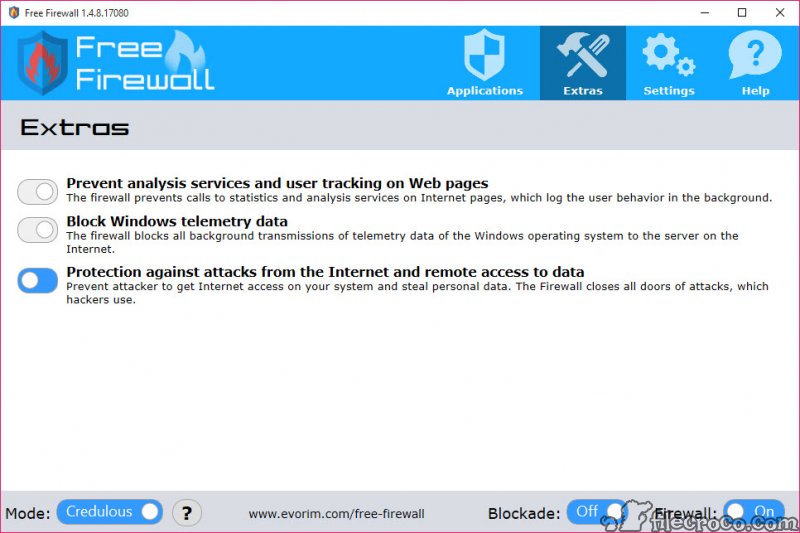
Beyond simple traffic filtering, Free Firewall includes features to protect your privacy. It can prevent tracking services and analysis tools from collecting data on your browsing habits or other activities.
This helps keep your online behavior private, shielding you from data profiling and third-party tracking.
The software also detects and blocks attempts at remote access or remote control of your computer. Even if malware is already present, the firewall will immediately block its internet traffic, limiting its ability to cause harm.
Minimal Resource Usage and Touch-Friendly Design
Free Firewall is designed to run efficiently, using minimal system resources. It is fully compatible with notebooks and tablets, including touch-screen devices, making it an excellent option for modern computers running the latest operating systems.
Conclusion
Free Firewall is a user-friendly, efficient tool that strengthens your system’s defenses against online threats and unwanted access. With flexible security modes, real-time alerts, and privacy-focused features, it goes beyond the basics to provide meaningful protection for both desktop and mobile devices.
While not a replacement for antivirus software, it is an essential companion for anyone looking to keep their data and identity secure in a connected world.
Pros & Cons
- Provides real-time monitoring and control over internet access for all applications
- Notifies you immediately when unauthorized programs attempt to connect online
- Supports white-listing and blacklisting for precise access management
- Two operating modes for flexible and customized protection
- Blocks tracking services and analysis tools for increased privacy
- Protects against unauthorized remote access attempts
- Touch-friendly interface for use on notebooks and tablets
- Lightweight and does not slow down your system
- Does not detect or remove malware already present on your computer
- Lacks the complexity and advanced features found in some premium firewalls
- Requires additional antivirus software for complete security
- Some advanced users may prefer more granular controls


