

SteamlessController
About SteamlessController
A Steam Controller plugged into a machine without Steam running does something unhelpful. It pretends to be a keyboard and a mouse. That fallback behaviour exists so the controller works before any software is installed, and it means games looking for a gamepad see nothing at all. SteamlessController switches that off and presents the controller as an ordinary gamepad instead.
Holding a door open, not flipping a switch
The mechanism explains both what SteamlessController does and why it has to keep doing it. The controller’s firmware defaults to emulating keyboard and mouse input, and the application sends a command telling it to stop, then reads the raw input directly and republishes it through a virtual gamepad driver as a standard controller.
The firmware reverts to its default if left alone, so a heartbeat re-sends that command roughly every eight hundred milliseconds. The program is holding a door open rather than flipping a switch, which is why it stays resident in the tray.
What games then see
Once SteamlessController has translated it, any game supporting the standard gamepad interface sees a normal controller with no per-game configuration. That is the entire point, since the alternative is a controller that only functions inside one launcher.
Rumble passes through, and multiple controllers work simultaneously, which matters for anybody playing split screen on one machine.
Connection covers wired, the wireless dongle, and pairing over low energy Bluetooth, so however the controller reaches the machine it behaves the same afterwards.
The trackpad and the paddles
Two hardware features get their own SteamlessController treatment, and both are the reason people liked this controller in the first place.
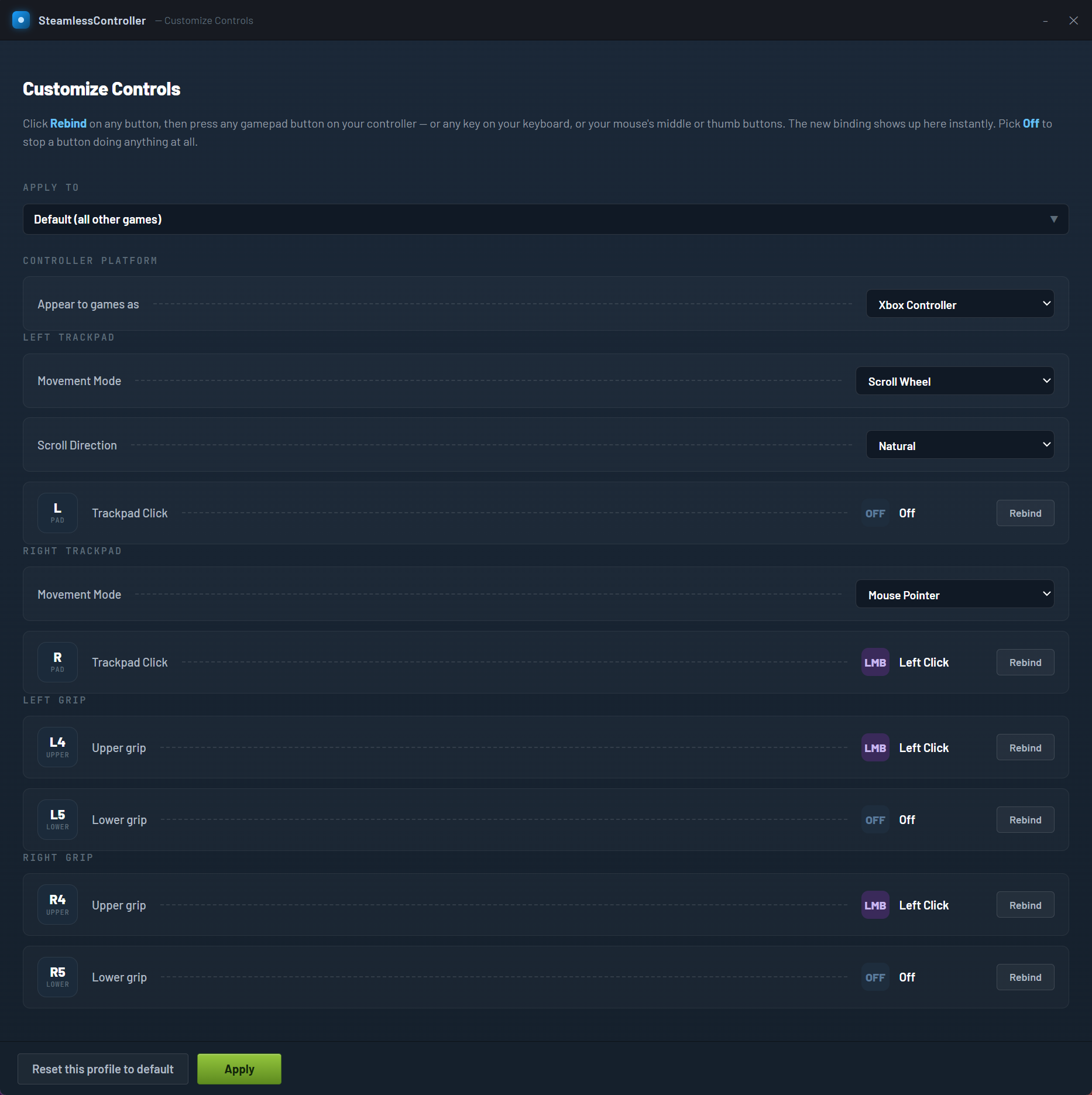
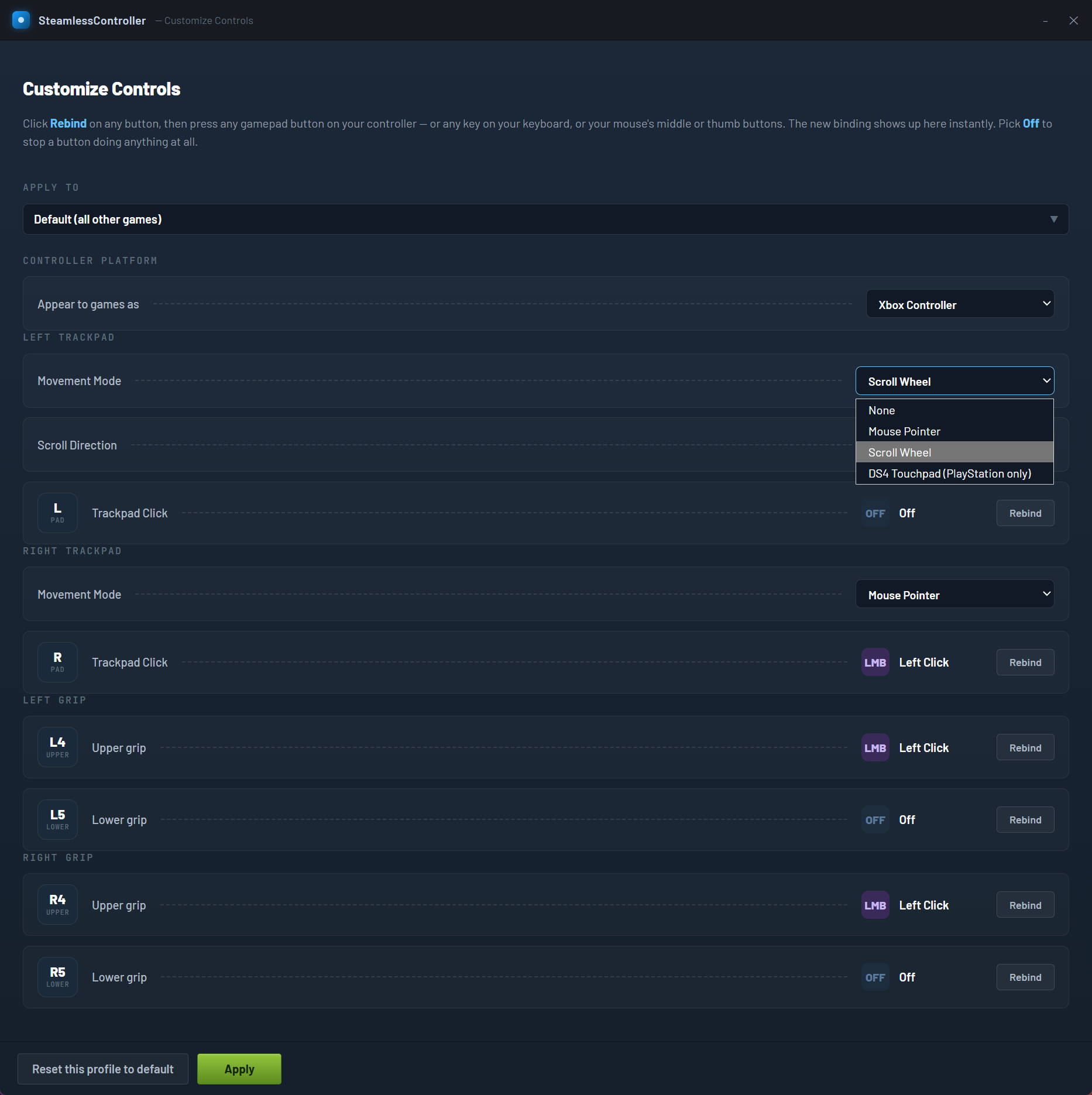
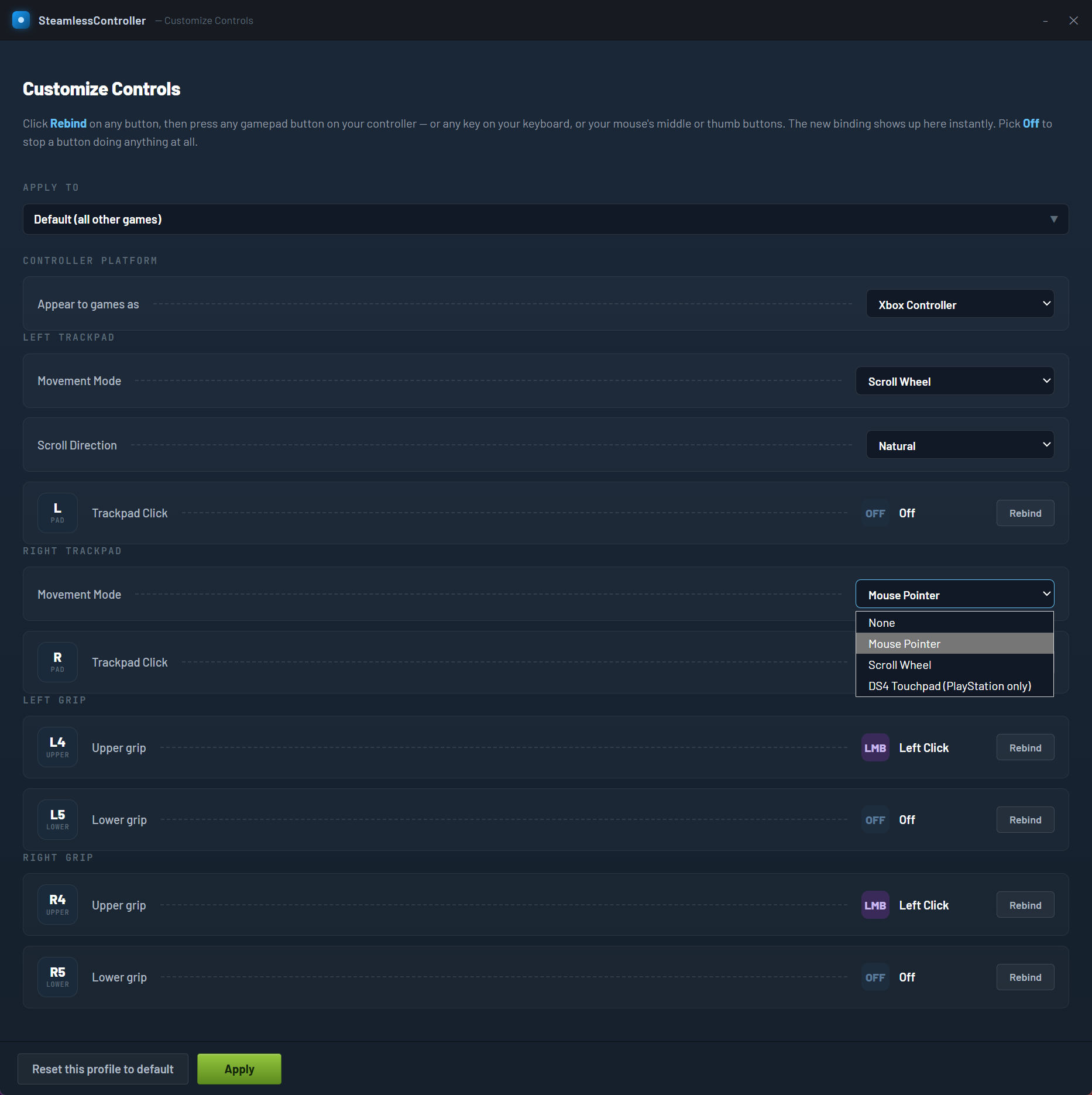
A trackpad can drive the mouse cursor, which is the thing a conventional gamepad cannot do and the reason menus and strategy games are bearable with one in your hands. Either trackpad can take that role, and the whole arrangement mirrors to the left side for left-handed users, which is unusually thoughtful.
The rear paddles are remappable. By default the upper pair act as a left click, and any paddle can become a gamepad button, a right click, or nothing at all. For remapping a controller to keyboard input in games that never supported gamepads, JoyToKey is the tool for that older problem.
Two requirements before it works
Both SteamlessController requirements are absolute and both catch people out.
The virtual gamepad driver has to be installed first, because that driver is what actually presents the controller to games. Without it, the application has nothing to publish through and does nothing useful.
And Steam has to be closed. Steam claims the controller whenever it is running, so the two cannot both hold it. SteamlessController handles that gracefully by watching for Steam and switching itself off automatically when Steam or a Steam game starts, then resuming afterwards, which removes the manual toggling that would otherwise be constant.
Controllers from other manufacturers are supported too, including the touchpad and motion plumbing on one of them, which puts it in similar territory to DS4Windows for those pads specifically.
Conclusion
SteamlessController solves the specific frustration of owning a controller that only works properly inside one program. Disabling the keyboard emulation and presenting a standard gamepad makes it work everywhere, and the automatic handover when Steam starts means you never think about which mode you are in.
Check the two requirements before expecting anything. The virtual gamepad driver has to be installed separately, and Steam has to be closed for the controller to be available at all. Beyond those it sits in the tray, keeps the controller behaving, and lets the trackpad and paddles do what made the hardware interesting.
Pros & Cons
- Turns the controller into a standard gamepad that any compatible game recognises
- Disables the keyboard and mouse fallback that makes it invisible to games
- Automatically steps aside when Steam or a Steam game starts, then resumes
- Trackpad drives the mouse cursor, with full mirroring for left-handed users
- Rear paddles remappable to gamepad buttons, mouse clicks or nothing
- Multiple controllers at once, so split screen works
- Wired, dongle and Bluetooth connections all behave identically
- Sits in the tray showing connection and mode status
- Requires a separate virtual gamepad driver installed beforehand
- Steam must be closed, since it claims the controller whenever running
- Must stay resident, because the controller reverts to its default behaviour otherwise
- Aimed at one specific controller, with support for others as a secondary feature
Frequently asked questions
It disables the controller's built-in keyboard and mouse emulation and republishes its input as a standard gamepad through a virtual driver. Games then see an ordinary controller rather than nothing.
Because the controller's firmware returns to its default behaviour if left alone. The application re-sends the command to stop that roughly once a second, so closing it returns the controller to emulating a keyboard and mouse.
Yes, the virtual gamepad driver that presents the controller to games. Without it the application has no route to publish through, and it will not work regardless of anything else.
No, because Steam takes the controller for itself. The application detects Steam and disables itself automatically, then resumes when Steam closes, so no manual switching is needed.


