

Adobe Air
About Adobe Air
Adobe AIR is not a program you open. It’s a runtime, the invisible layer that certain desktop applications stand on, and the only reason you’ll ever download it is that something you actually want to run refuses to start without it. Games, chat clients, design utilities, education software, a whole generation of desktop apps was built on this foundation, and every one of them checks for the runtime at launch.
If it’s missing, they complain or silently fail. Install it once and that entire family of software simply works, which makes this one of those downloads you get for the sake of something else.
What the runtime actually does is worth understanding, because it explains the whole category. Developers built these applications using web technologies, and Adobe AIR is the engine that runs that code as a real desktop program, with its own window, its own icon, file access, notifications, everything a native app has.
The applications ship as compact packages, and the runtime provides the machinery they all share. One engine on your machine, many apps riding on it, instead of every app dragging its own copy of the same machinery around.
That design made it enormously popular with developers for years, which is exactly why the runtime still matters. The apps outlived the fashion. Plenty of tools people rely on daily were built this way, and they will keep asking for this runtime for as long as they’re in use.
Why an app suddenly demands it
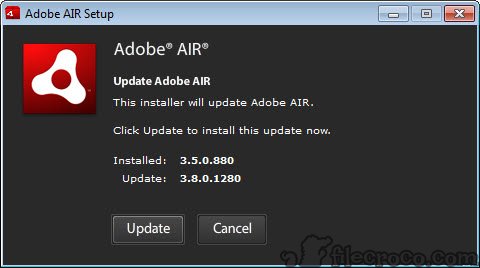
The typical encounter goes like this. You download an application, try to launch it, and instead of the app you get a message about a missing runtime. Nothing is broken. The app was built for Adobe AIR and expects to find it installed, the same way other software expects a framework like .NET Framework to be present. Install the runtime, launch again, and the app comes up as if nothing happened.
Application packages built for this runtime also have their own installer format, and with the runtime present, those packages install with a double-click like anything else. Without it, they’re inert files the system doesn’t recognize. So the runtime plays two roles at once, the engine that runs these applications and the installer that gets them onto the machine in the first place.
The Flash connection, and why these apps still run
Here’s the part that confuses people, and it’s worth untangling. Much of the software built on this runtime was written with the same technology that powered Adobe Flash Player content in browsers. Browser Flash is gone, switched off across the web, and people reasonably assume everything built with that technology died with it. It didn’t.
Adobe AIR carries its own engine, entirely independent of any browser, so desktop applications built on that foundation keep running exactly as they always did.
This is why a beloved old game or utility still works on a fresh machine while the browser version of anything similar has vanished, and it separates this runtime cleanly from its browser-era relatives like Adobe Shockwave Player, which lived and died inside the browser.
The desktop runtime is the survivor of that family, and the apps built on it are the reason it survives.
Do you actually need to install it?
Not always, and this saves some head-scratching. Developers can build their applications two ways, either expecting the shared runtime to be installed on your machine, or bundling a private copy of the engine inside the app itself. Bundled apps run with no separate download, which is why one runtime-based app works out of the box while another demands an installation first. The rule of thumb is simple. If nothing on your machine is asking for it, you don’t need it, and there’s no benefit to installing a runtime nothing uses.
One practical wrinkle deserves a mention. Some older applications were built against the runtime as it existed in their day, and behave oddly on the current one, while newer apps want the current runtime and fail on ancient installations.
When a stubborn app misbehaves, matching the runtime to what the app expects, usually by simply installing the current version first and only digging deeper if problems persist, resolves most of it.
The honest state of things
The ecosystem is a legacy one, and pretending otherwise would be silly. New software is rarely built on this foundation, the catalog of active runtime-based apps shrinks rather than grows, and the technology’s cultural moment is long past. What remains is a maintenance reality. The runtime continues to receive care, the existing applications continue to work, and users of those applications continue to need this download, indefinitely.
That makes the decision refreshingly unemotional. This isn’t software you evaluate on features, because it has no interface to speak of and nothing to configure. You install Adobe AIR because a specific application requires it, it does its job silently from then on, and its success is measured entirely in your never thinking about it again.
Conclusion
Adobe AIR is infrastructure, and reviews of infrastructure come down to whether it does its invisible job well. It does. The runtime installs cleanly, runs a still-substantial catalog of desktop applications faithfully, and preserves working access to software whose browser-based cousins are extinct. Anyone with a favorite tool, game, or utility built on this foundation needs it, full stop.
Everyone else can move along, and that’s fine. This was never a download you choose for itself. It’s the quiet dependency that keeps a corner of desktop software history alive and functioning, and for the people living in that corner, it’s essential in the most literal sense of the word.
Pros & Cons
- Makes an entire generation of desktop applications run on modern machines
- One shared engine serves every runtime-based app without duplication
- Keeps Flash-era desktop software working long after browser Flash disappeared
- Installs once and operates invisibly with nothing to configure
- Doubles as the installer for the platform's own application packages
- Pure plumbing, with no direct functionality of its own
- The ecosystem of apps built on it is shrinking rather than growing
- Version mismatches with very old applications occasionally cause odd behavior
- Pointless to install unless a specific application demands it
Frequently asked questions
Install the runtime, then launch the application again. The app was built to run on this engine and checks for it at startup, so once the runtime is present, the app behaves like any other program.
No. They shared underlying technology, but Flash Player lived inside browsers and is gone, while this is a standalone desktop runtime with its own engine. Applications built on it keep working regardless of what happened to browser Flash.
Some developers bundle a private copy of the runtime inside their application, which then runs with no separate download. Others rely on the shared runtime being installed on your machine, and those are the ones that prompt you.
No. If nothing on your machine requires it, it does nothing for you. Install it when an application asks, and skip it otherwise.
Very old apps were built against the runtime of their era and occasionally clash with the current one. Installing the current runtime resolves most cases, and persistent trouble usually traces to the application itself rather than the engine.


